18

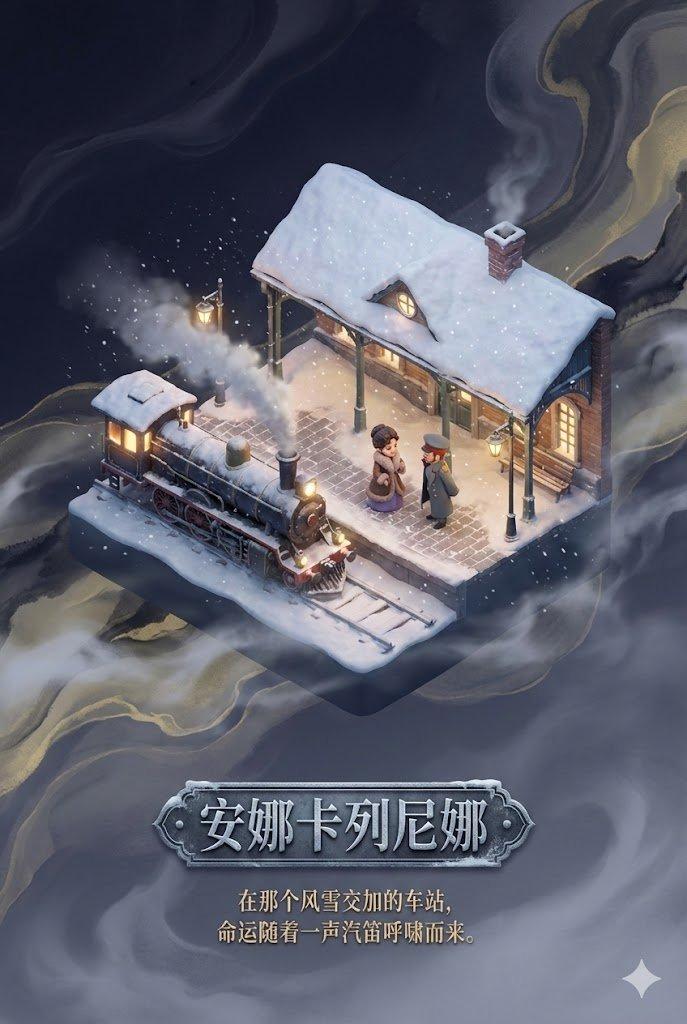
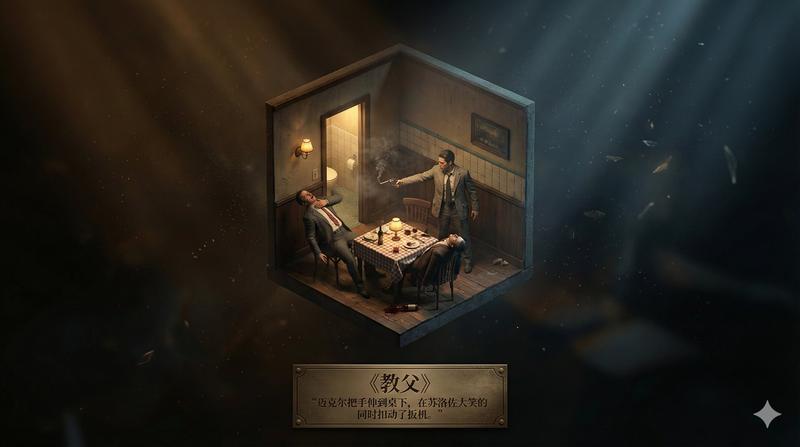
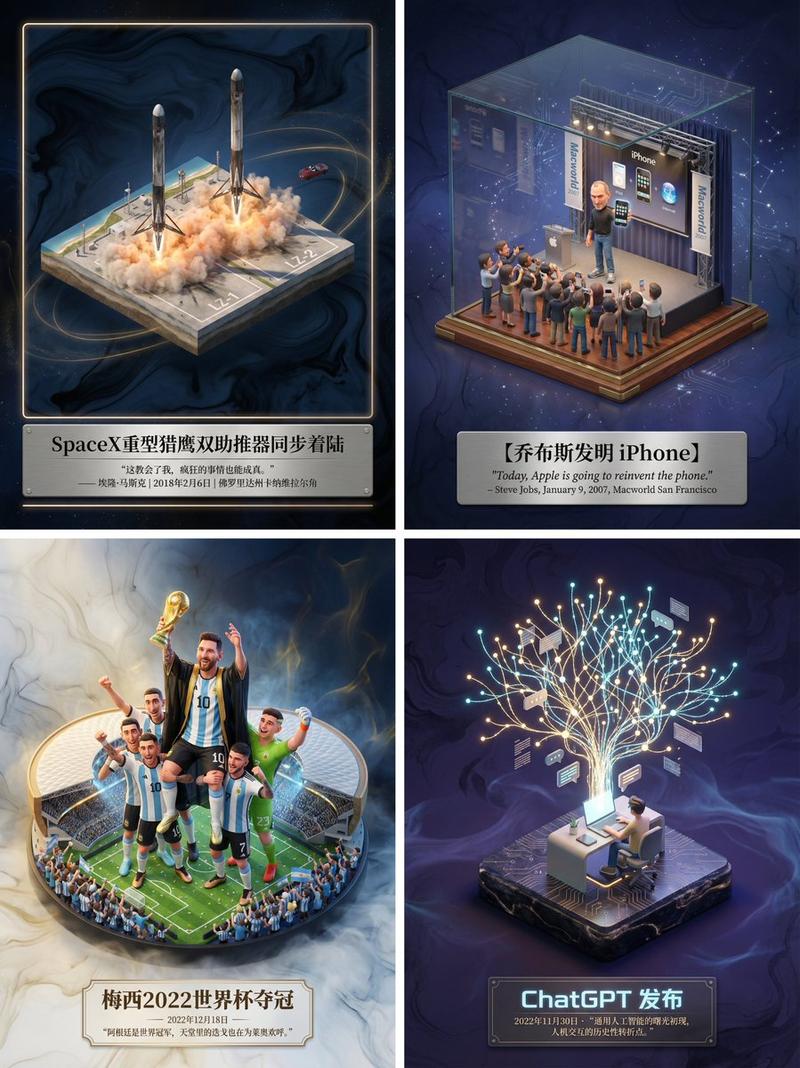
具有叙事抽象背景的逼真轴测微缩模型
Enlarge

具有叙事抽象背景的逼真轴测微缩模型

Prompt
【作品信息检索】
- 目标作品名称:《{argument name="作品名称" default="需要添加的名称"}》
- 任务:检索该影视剧/小说的剧情、设定与叙事结构。
- 目标:自动筛选最具代表性的名场面或核心地点,并提取其情绪核心(如悲伤、希望、决断、重逢、毁灭、静谧等)。
【主场景构建:3D 轴侧微缩模型】
- 在中央呈现写实的 3D 微缩模型。
- 视角:轴侧视角(axionometric / isometric)。
- 模型内容:
- 建筑细节按原作写实还原
- 人物动作表情符合物理与叙事逻辑
- 环境氛围写实呈现(暴风雨、晨雾、夕阳、火光等)
- 渲染风格:写实材质与光线的物理级渲染。
- 效果:模型虽小但细节真实,如“现实场景的缩微复制品,被展览级灯光照亮”。
【背景设计:叙事驱动的写实抽象空间】
- 禁用纯白或单色背景。
- 背景基于“场景情绪核心”构建为写实抽象化的情绪空间,包括:
① 情绪色调(如悲伤 → 冷蓝灰;希望 → 温金光;紧张 → 深色对比)
② 空气动态与体积光(光雾、尘粒、逆光等具叙事意味)
③ 轻量符号元素(花瓣、纸屑、灰烬、星尘、水纹等作为情绪化粒子)
④ 空间深度(空气透视、柔焦、渐层光线营造“余韵流动”的深邃虚空)
- 目标:让背景以抽象光影暗示故事前后文,与主场景形成情绪呼应。
【底部排版:作品名 + 经典句子】
- 底部居中排版。
- 内容:
① 中文作品名称:《{argument name="作品名称" default="需要添加的名称"}》(字体符合作品气质)
② 一句与该场景相关的原著描写或台词(优雅衬线体)
- 整体排版参考艺术博物馆铭牌,简洁、平衡、有质感。
【整体视觉要求】
- 微缩模型写实、精准、有真实材质。
- 背景以情绪色彩、体积光与符号粒子强化叙事。
- 全画面呈现高级展览级叙事艺术品的真实感与诗意氛围。
直接出图 ,尺寸 16:9
Category
创意图片
Model
Nano Banana Pro
Creator
Dr.D
Views0
Source ID
270a3550-88a4-4f48-ae16-25bbbc828b9d
Published
Mar 8, 2026

Guide

About "具有叙事抽象背景的逼真轴测微缩模型"

What is this prompt for?

"具有叙事抽象背景的逼真轴测微缩模型" AI image prompt for Nano Banana Pro (创意图片). 一个复杂的多部分提示,旨在生成一个高度逼真的 3D 微缩模型,该模型描绘了虚构作品(电影/小说)中的一个场景,并置于抽象、情感共鸣的背景中。它指定了轴测透视、物理渲染、模型的高度真实细节,以…

The full copyable prompt and example visuals above are ready for AI image generation or one-click recreate in Picva.

How to use this prompt

  1. Step 1

    Open the prompt detail

    Review the example visuals, category, and full prompt text for "具有叙事抽象背景的逼真轴测微缩模型".

  2. Step 2

    Copy the prompt

    Copy the prompt body from this page, or load it directly in Studio.

  3. Step 3

    Pick a model (Nano Banana Pro)

    Prefer Nano Banana Pro. If you switch models, keep subject and composition and tweak style terms.

  4. Step 4

    Generate and export

    Recreate the look in Picva, or export into your workflow for editing and publishing.

FAQ

What is the "具有叙事抽象背景的逼真轴测微缩模型" prompt?
It is an AI image-generation prompt for Nano Banana Pro in the 创意图片 category. This page includes the full prompt text, example visuals, and a one-click recreate path in Picva.
How do I use this prompt to generate an image?
Copy the prompt from this page, or use Generate / Studio. Paste it into a compatible image model, or recreate the look in Picva with optional reference images.
Which model is this prompt for?
This page lists Nano Banana Pro. Most descriptive prompts also transfer to nearby image models such as GPT Image, Flux, or Midjourney with light style tweaks.
Can I use the result commercially?
You can usually copy the prompt for creation, but commercial use of the final image depends on the model terms, reference-image rights, and the generated content. Follow the source author and platform rules.