17

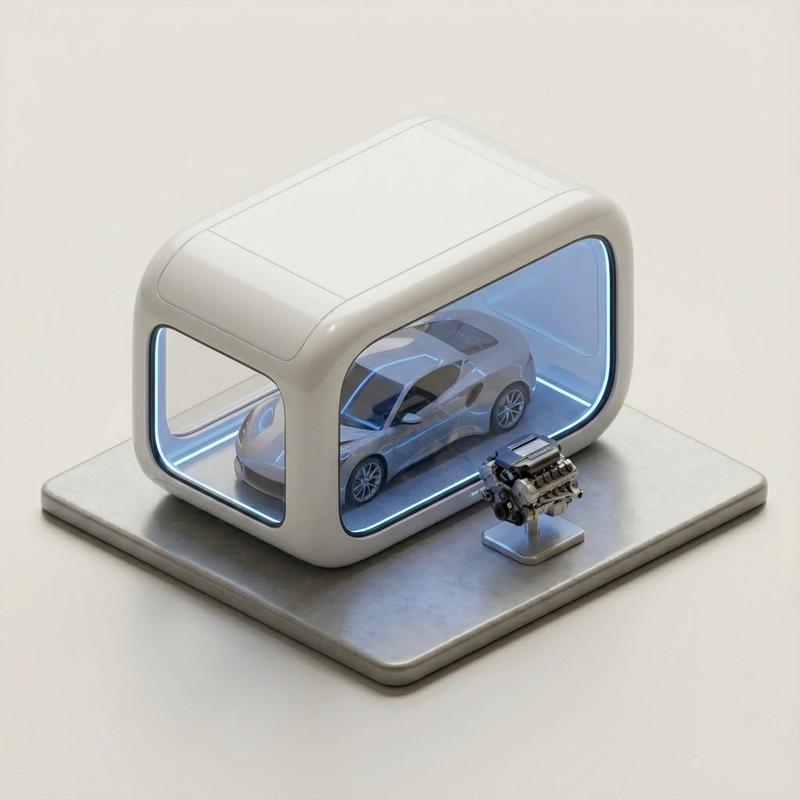
超逼真 3D 建筑展位可视化
Enlarge

超逼真 3D 建筑展位可视化

Prompt
Hyper-realistic 3D architectural visualization of a [STYLE: e.g., minimalist/futuristic] two-story exhibition booth for {argument name="brand" default="Tesla"}, set against a solid dark grey studio background. The structure features [FORM: e.g., sweeping angular geometry with clean lines] design constructed from [MATERIAL: e.g., matte anodized aluminum and tempered glass] with [COLOR: e.g., Tesla signature red (#E82127) accents and charcoal black]. The ground floor centers around [GROUND-FEATURE: e.g., an interactive EV display platform with integrated LED floor lighting], reflecting Tesla’s focus on innovation and sustainability. A [STAIRS-TYPE: e.g., cantilevered floating staircase with glass balustrades] leads to the upper mezzanine level, designed as [UPPER-FEATURE: e.g., a collaborative lounge and consultation area with panoramic brand graphics and natural light simulation]. The lighting is [LIGHTING: e.g., soft natural daylight balanced with focused architectural accent lights], creating high-quality shadows and depth. The perspective is a wide-angle elevated view, capturing a [VIBE: e.g., cutting-edge tech minimalism with energetic brand presence] aesthetic, rendered with photorealistic textures.
Category
创意图片
Model
Nano Banana Pro
Views3
Source ID
14367155-44cc-4975-a6d8-b3d9ca0f6fc2
Published
Mar 8, 2026

Guide

About "超逼真 3D 建筑展位可视化"

What is this prompt for?

"超逼真 3D 建筑展位可视化" AI image prompt for Nano Banana Pro (创意图片). 这是一个模板提示,用于为像特斯拉这样的品牌生成超逼真的两层展位 3D 建筑可视化效果图。它使用占位符来定义风格、形式、材料和特征,重点关注照片级真实感渲染、特定照明和前沿科技美学。 --- 一个超…

The full copyable prompt and example visuals above are ready for AI image generation or one-click recreate in Picva.

How to use this prompt

  1. Step 1

    Open the prompt detail

    Review the example visuals, category, and full prompt text for "超逼真 3D 建筑展位可视化".

  2. Step 2

    Copy the prompt

    Copy the prompt body from this page, or load it directly in Studio.

  3. Step 3

    Pick a model (Nano Banana Pro)

    Prefer Nano Banana Pro. If you switch models, keep subject and composition and tweak style terms.

  4. Step 4

    Generate and export

    Recreate the look in Picva, or export into your workflow for editing and publishing.

FAQ

What is the "超逼真 3D 建筑展位可视化" prompt?
It is an AI image-generation prompt for Nano Banana Pro in the 创意图片 category. This page includes the full prompt text, example visuals, and a one-click recreate path in Picva.
How do I use this prompt to generate an image?
Copy the prompt from this page, or use Generate / Studio. Paste it into a compatible image model, or recreate the look in Picva with optional reference images.
Which model is this prompt for?
This page lists Nano Banana Pro. Most descriptive prompts also transfer to nearby image models such as GPT Image, Flux, or Midjourney with light style tweaks.
Can I use the result commercially?
You can usually copy the prompt for creation, but commercial use of the final image depends on the model terms, reference-image rights, and the generated content. Follow the source author and platform rules.