20

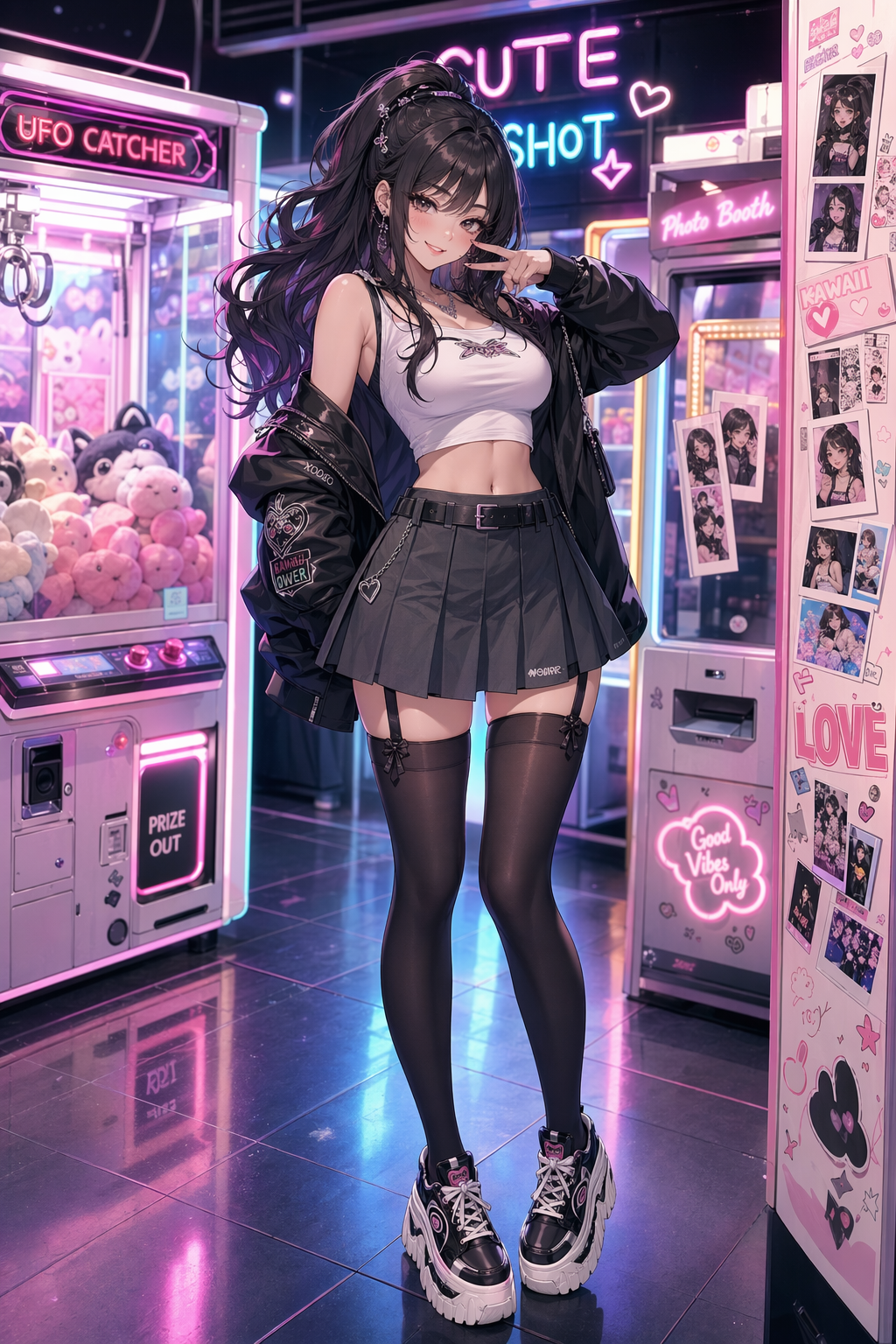
Neon arcade anime fashion portrait
Enlarge

Neon arcade anime fashion portrait

Prompt
Create a portrait-oriented anime fashion illustration of an adult woman, age 25, in a neon arcade district at night. She has a cute confident smile and looks directly at the viewer while standing beside glowing claw machines and retro game cabinets. Outfit: black turtleneck, red satin bomber jacket, high-waisted skirt, patterned dark stockings, platform shoes, small crossbody bag, star earrings. Composition: full-body fashion portrait with strong silhouette, neon reflections on wet pavement, vending machines, sticker-covered walls, colorful signage, and cinematic rim light. Keep the pose playful but non-explicit, no nudity, no lingerie, no fetish framing, adult character only. Use high-end anime key visual rendering, crisp line art, saturated magenta-cyan lighting, clean readable background details, and glossy cyber-pop atmosphere.
Category
Characters & People
Model
GPT Image 2
Creator
wuyoscar
Views2
Source ID
007

Guide

About "Neon arcade anime fashion portrait"

What is this prompt for?

"Neon arcade anime fashion portrait" AI image prompt for GPT Image 2 (Characters & People). Create a portrait-oriented anime fashion illustration of an adult w…

The full copyable prompt and example visuals above are ready for AI image generation or one-click recreate in Picva.

How to use this prompt

  1. Step 1

    Open the prompt detail

    Review the example visuals, category, and full prompt text for "Neon arcade anime fashion portrait".

  2. Step 2

    Copy the prompt

    Copy the prompt body from this page, or load it directly in Studio.

  3. Step 3

    Pick a model (GPT Image 2)

    Prefer GPT Image 2. If you switch models, keep subject and composition and tweak style terms.

  4. Step 4

    Generate and export

    Recreate the look in Picva, or export into your workflow for editing and publishing.

FAQ

What is the "Neon arcade anime fashion portrait" prompt?
It is an AI image-generation prompt for GPT Image 2 in the Characters & People category. This page includes the full prompt text, example visuals, and a one-click recreate path in Picva.
How do I use this prompt to generate an image?
Copy the prompt from this page, or use Generate / Studio. Paste it into a compatible image model, or recreate the look in Picva with optional reference images.
Which model is this prompt for?
This page lists GPT Image 2. Most descriptive prompts also transfer to nearby image models such as GPT Image, Flux, or Midjourney with light style tweaks.
Can I use the result commercially?
You can usually copy the prompt for creation, but commercial use of the final image depends on the model terms, reference-image rights, and the generated content. Follow the source author and platform rules.