20

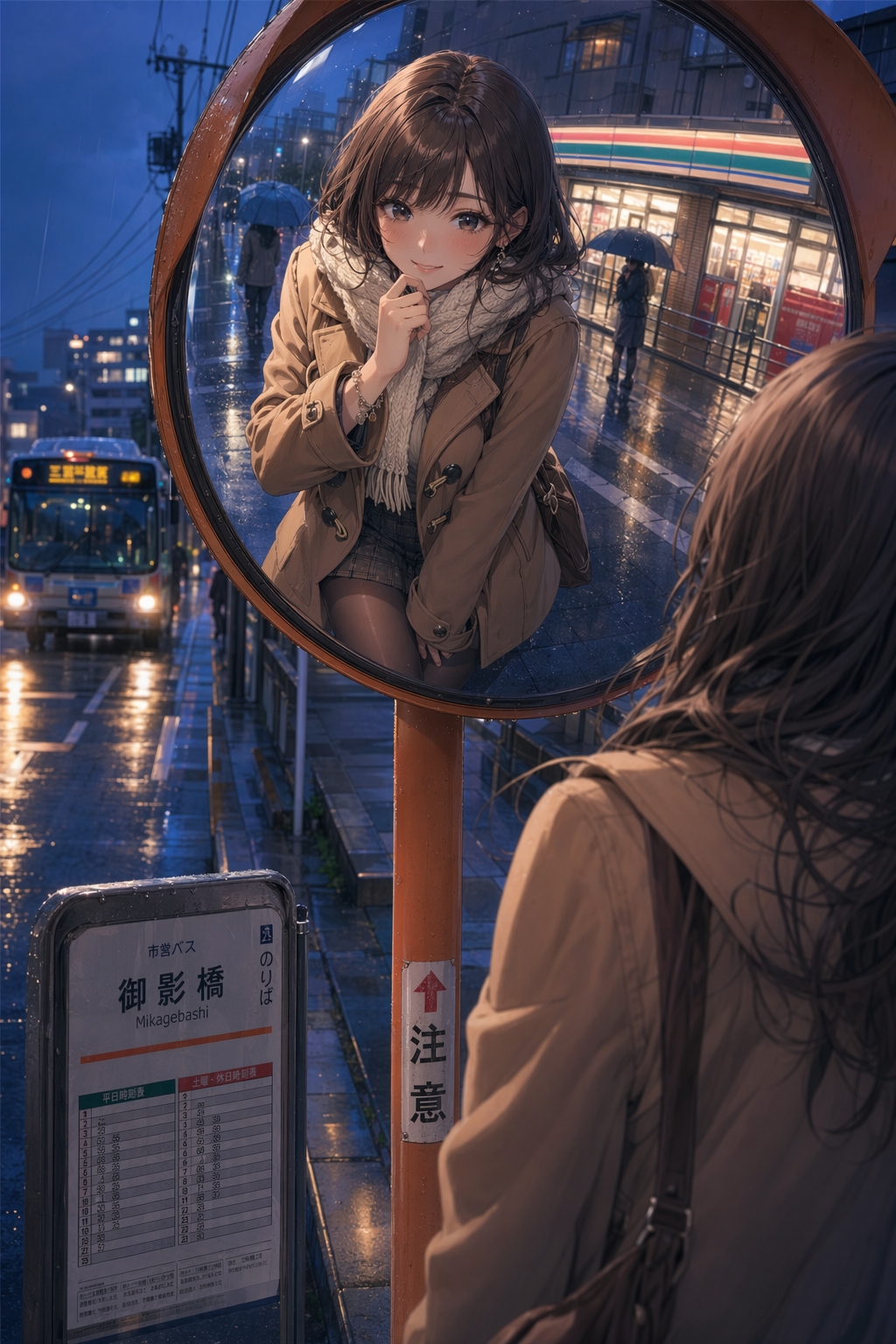
Rainy bus-stop mirror anime portrait
Enlarge

Rainy bus-stop mirror anime portrait

Prompt
Create a portrait anime key visual of an adult woman, age 25, posing cutely in a convex traffic safety mirror beside a rainy roadside bus stop at blue hour. The image should show both the round mirror reflection and a bit of the real street around it: wet asphalt, umbrellas, blurred bus headlights, a small timetable sign, and glowing convenience-store windows. She wears a camel duffle coat, short plaid skirt, sheer black stockings, ankle boots, knitted scarf, and a tiny charm bracelet; her expression is playful and bashful, looking at the viewer through the mirror reflection. Keep the styling tasteful and wholesome: no nudity, no lingerie, no explicit pose, no school-uniform framing, adult character only. Use high-end anime rendering, delicate rain highlights, crisp line art, luminous eyes, soft cel shading, realistic mirror distortion, and a cozy rainy-city atmosphere.
Category
Characters & People
Model
GPT Image 2
Creator
wuyoscar
Views4
Source ID
012

Guide

About "Rainy bus-stop mirror anime portrait"

What is this prompt for?

"Rainy bus-stop mirror anime portrait" AI image prompt for GPT Image 2 (Characters & People). Create a portrait anime key visual of an adult woman, age 25, pos…

The full copyable prompt and example visuals above are ready for AI image generation or one-click recreate in Picva.

How to use this prompt

  1. Step 1

    Open the prompt detail

    Review the example visuals, category, and full prompt text for "Rainy bus-stop mirror anime portrait".

  2. Step 2

    Copy the prompt

    Copy the prompt body from this page, or load it directly in Studio.

  3. Step 3

    Pick a model (GPT Image 2)

    Prefer GPT Image 2. If you switch models, keep subject and composition and tweak style terms.

  4. Step 4

    Generate and export

    Recreate the look in Picva, or export into your workflow for editing and publishing.

FAQ

What is the "Rainy bus-stop mirror anime portrait" prompt?
It is an AI image-generation prompt for GPT Image 2 in the Characters & People category. This page includes the full prompt text, example visuals, and a one-click recreate path in Picva.
How do I use this prompt to generate an image?
Copy the prompt from this page, or use Generate / Studio. Paste it into a compatible image model, or recreate the look in Picva with optional reference images.
Which model is this prompt for?
This page lists GPT Image 2. Most descriptive prompts also transfer to nearby image models such as GPT Image, Flux, or Midjourney with light style tweaks.
Can I use the result commercially?
You can usually copy the prompt for creation, but commercial use of the final image depends on the model terms, reference-image rights, and the generated content. Follow the source author and platform rules.