17

Mid-Century Modern Office
Enlarge

Mid-Century Modern Office

Prompt
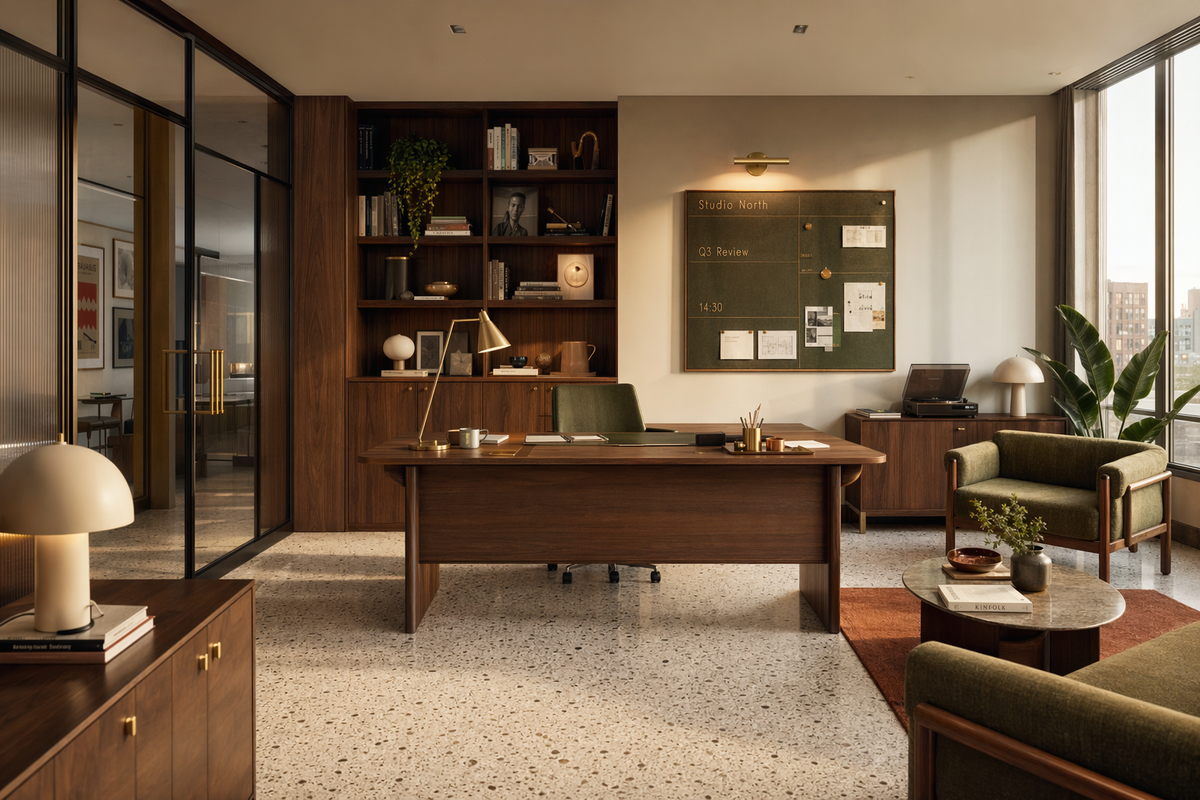
Render a sophisticated mid-century modern creative office in photorealistic interior style, with walnut millwork, brass accents, olive upholstery, terrazzo flooring, smoked glass partitions, and large windows casting late-afternoon light. Use a rich palette of walnut brown, olive green, cream, brass gold, and muted terracotta. The composition should show a central executive desk, built-in shelving, a lounge corner, and a wall-mounted planning board. On the board, include subtle in-image text "Studio North", "Q3 Review", and "14:30". Add realistic accessories like drafting tools, books, ceramic lamps, and a record player, but keep the scene curated and uncluttered. Camera angle should feel editorial, around 32 mm, with balanced perspective lines and realistic depth of field. Prioritize tactile materials, believable lighting, clean geometry, and polished architectural-visualization quality with crisp details and intentional composition.
Category
Architecture & Spaces
Model
GPT Image 2
Creator
wuyoscar
Views4
Source ID
119

Guide

About "Mid-Century Modern Office"

What is this prompt for?

"Mid-Century Modern Office" AI image prompt for GPT Image 2 (Architecture & Spaces). Render a sophisticated mid-century modern creative office in photorealisti…

The full copyable prompt and example visuals above are ready for AI image generation or one-click recreate in Picva.

How to use this prompt

  1. Step 1

    Open the prompt detail

    Review the example visuals, category, and full prompt text for "Mid-Century Modern Office".

  2. Step 2

    Copy the prompt

    Copy the prompt body from this page, or load it directly in Studio.

  3. Step 3

    Pick a model (GPT Image 2)

    Prefer GPT Image 2. If you switch models, keep subject and composition and tweak style terms.

  4. Step 4

    Generate and export

    Recreate the look in Picva, or export into your workflow for editing and publishing.

FAQ

What is the "Mid-Century Modern Office" prompt?
It is an AI image-generation prompt for GPT Image 2 in the Architecture & Spaces category. This page includes the full prompt text, example visuals, and a one-click recreate path in Picva.
How do I use this prompt to generate an image?
Copy the prompt from this page, or use Generate / Studio. Paste it into a compatible image model, or recreate the look in Picva with optional reference images.
Which model is this prompt for?
This page lists GPT Image 2. Most descriptive prompts also transfer to nearby image models such as GPT Image, Flux, or Midjourney with light style tweaks.
Can I use the result commercially?
You can usually copy the prompt for creation, but commercial use of the final image depends on the model terms, reference-image rights, and the generated content. Follow the source author and platform rules.