17

Nano Banana 2(pro)漫画制作技巧其二
Enlarge

Nano Banana 2(pro)漫画制作技巧其二

Prompt
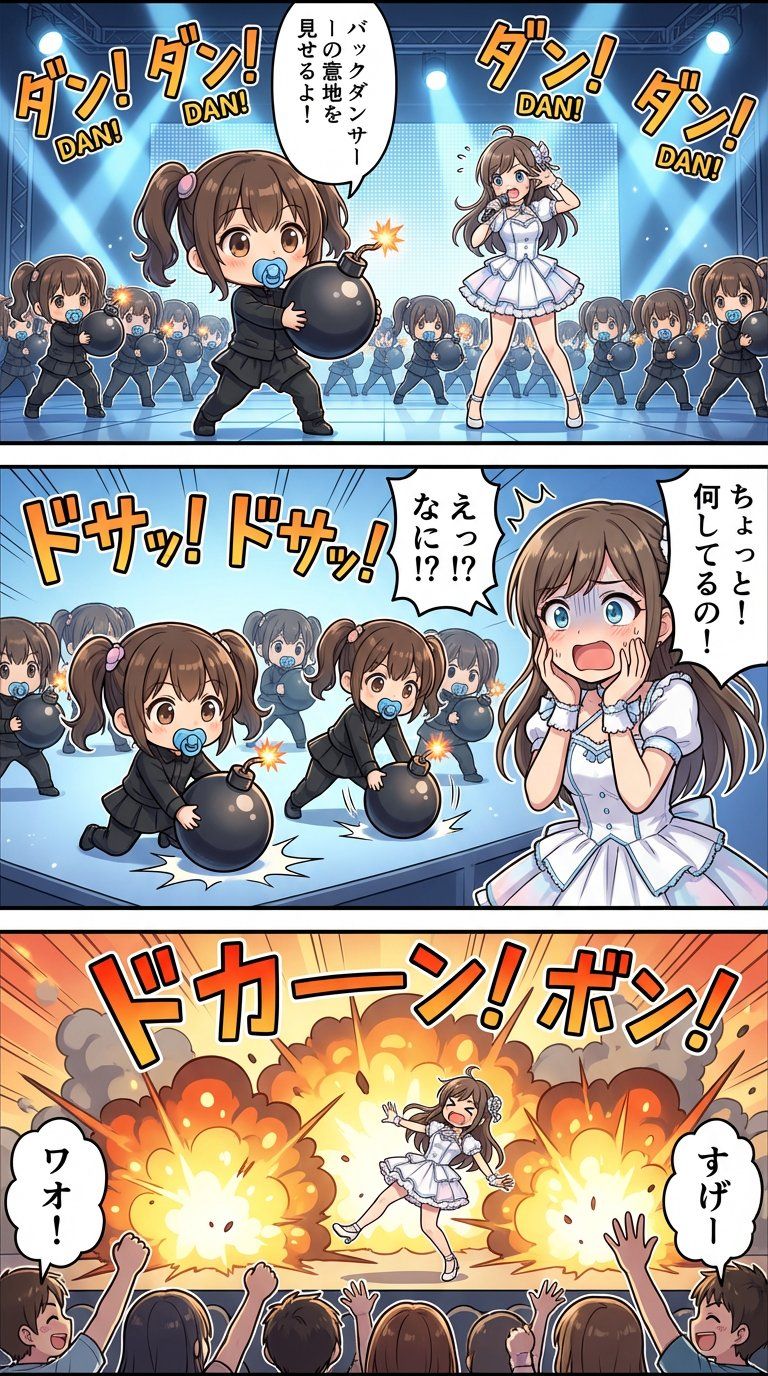
Nano Banana 2(pro)で漫画作るときのコツ その2
・「漫画」ってプロンプトに書くと漫画っぽく作ろうとするから、むしろ漫画って入れない方が良いのではないかという試み
👈「漫画」
👉代替プロンプト
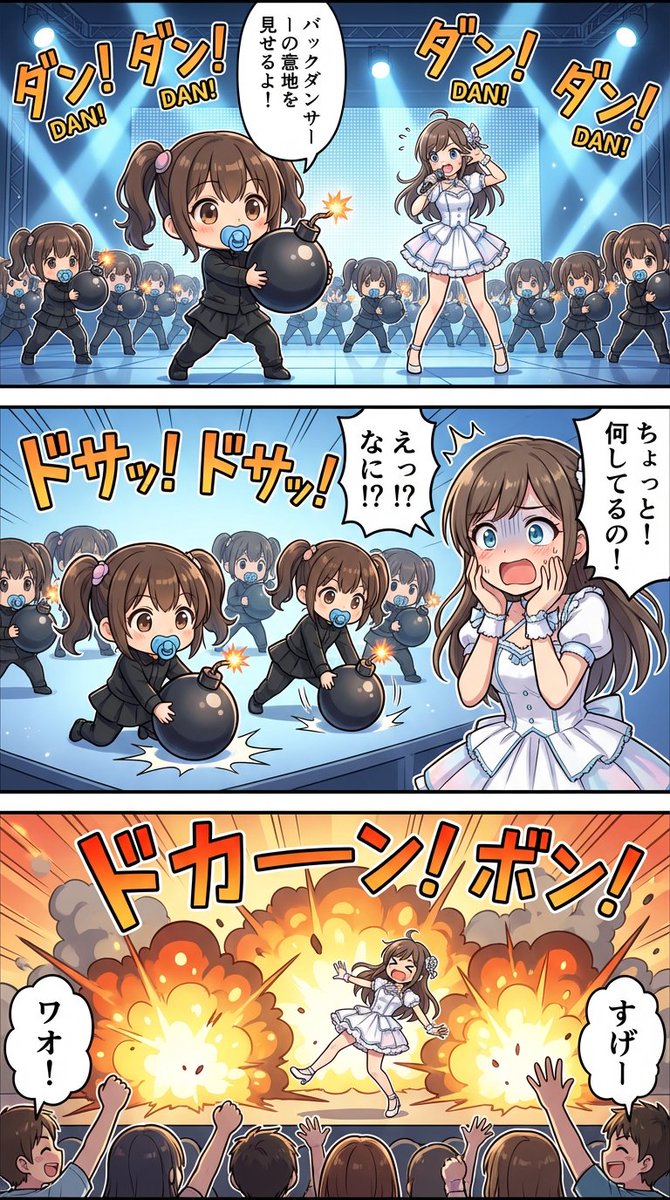
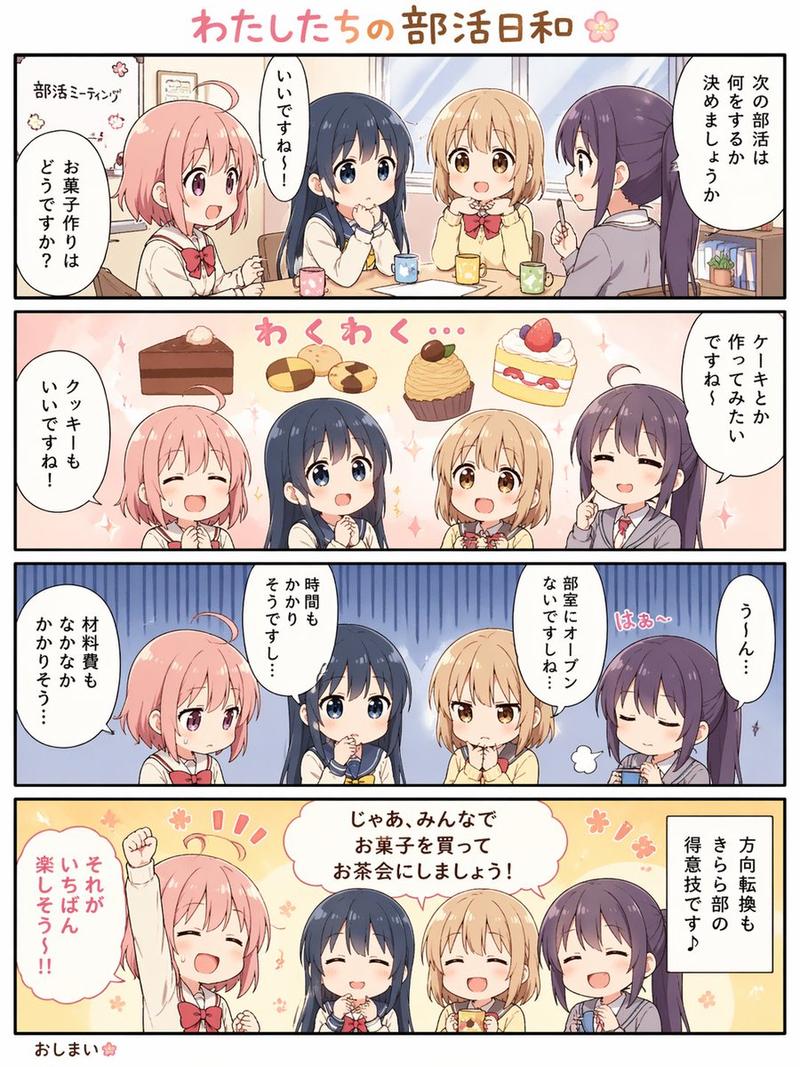
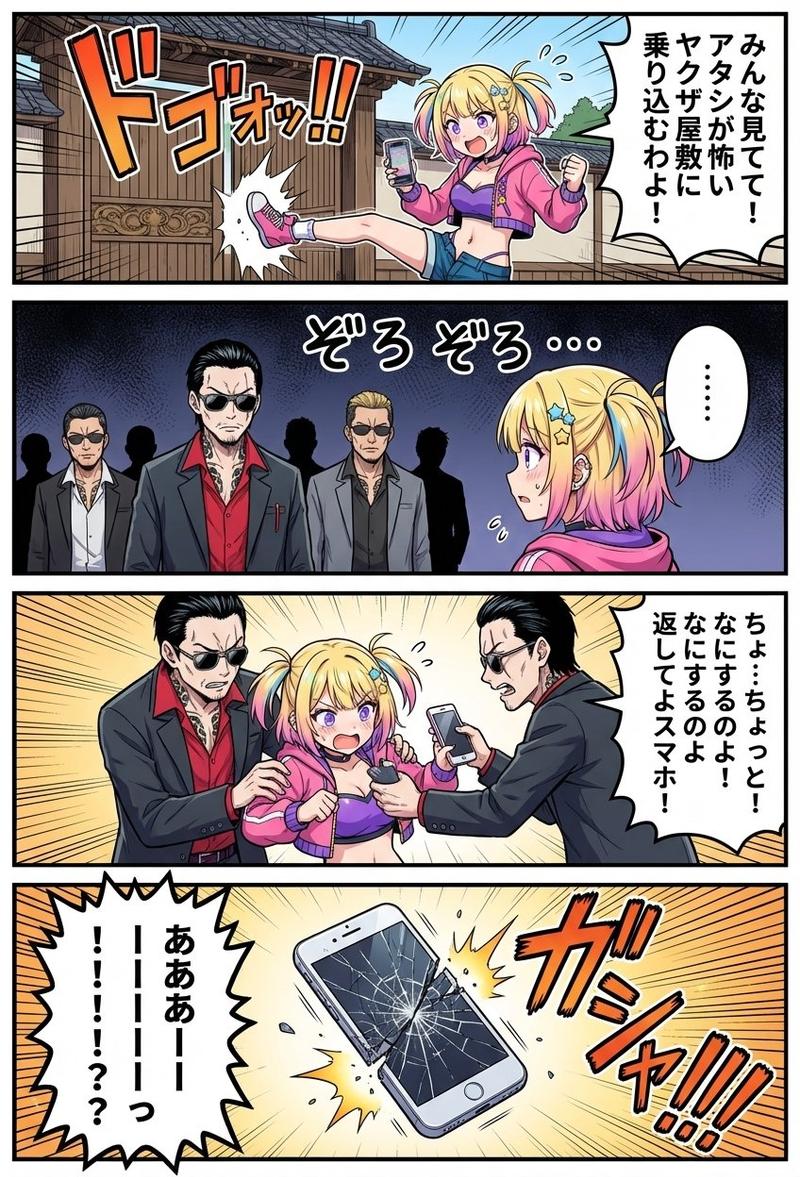
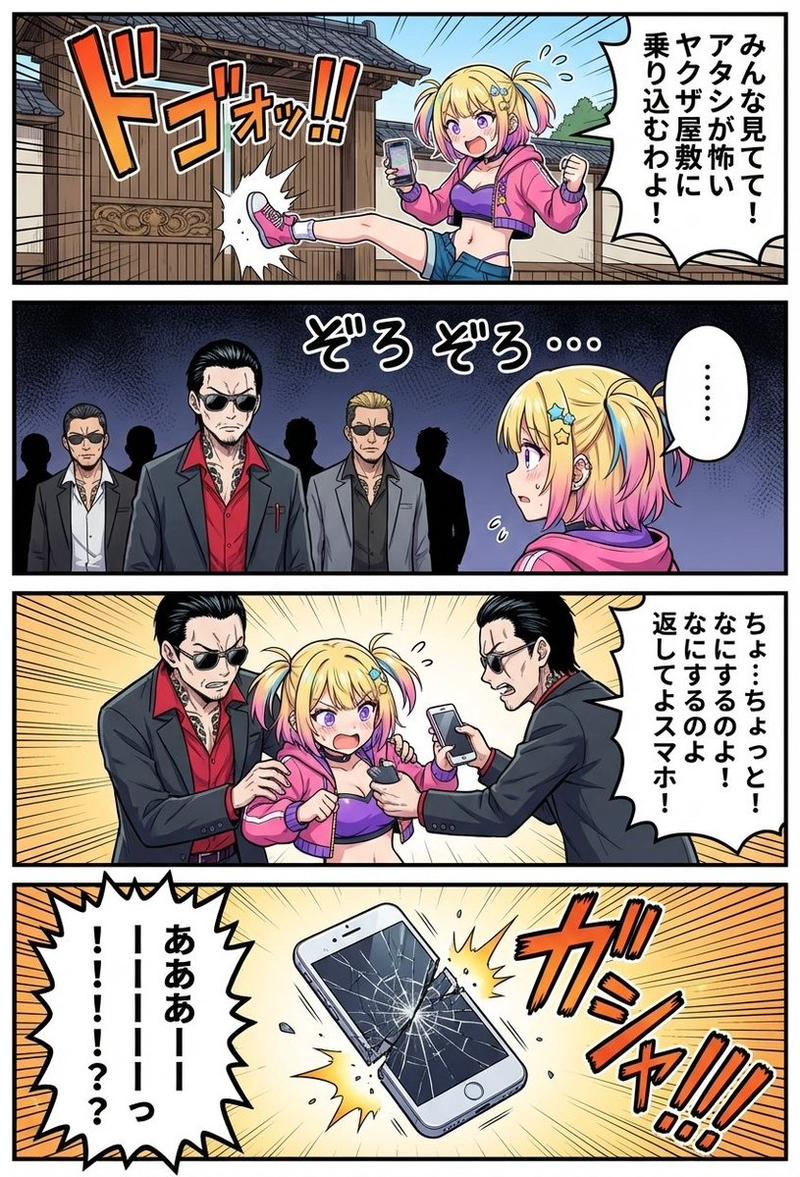
比較してみてください。
従来の漫画って諸々の制限から"太い線/単色/簡略化/背景省略"などが特徴としてあり、プロンプトに「漫画」が入ることでそっちに寄ってしまう。
(伝わりやすさなど、良い点も当然たくさんありますが)
そこで、「漫画」と言う単語を入れずに漫画を作るための代替プロンプト↓
*******************************************
構図:3つのフレームに分割された「高精細ストーリーアート」。
背景はフルカラーの背景美術品質。
キャラクターは高密度のディテール描写。吹き出しでキャラクターのセリフを表現する。
全体は画集のような高級感のある“アートレイアウト”で構成されている。
参考画像の画風を忠実に再現し、繊細な線画・高精細に仕上げてください。
*******************************************
※適当に作ったんで改良の余地が大いにあると思います
👈が「漫画」プロンプト
👉が代替プロンプト
同じ参考画像から作っているのですが、背景の塗りや線の太さなどが、結構変わると思います。
どっちが良いかはお好みで!
Category
Characters & People
Model
Nano Banana 2
Views5
Source ID
nano-banana-2-pro-comic-creation-tips-part-2

Guide

About "Nano Banana 2(pro)漫画制作技巧其二"

What is this prompt for?

"Nano Banana 2(pro)漫画制作技巧其二" AI image prompt for Nano Banana 2 (Characters & People). Nano Banana 2(pro)で漫画作るときのコツ その2 ・「漫画」ってプロンプトに書くと漫画っぽく作ろうとするから、むしろ漫画って入れな…

The full copyable prompt and example visuals above are ready for AI image generation or one-click recreate in Picva.

How to use this prompt

  1. Step 1

    Open the prompt detail

    Review the example visuals, category, and full prompt text for "Nano Banana 2(pro)漫画制作技巧其二".

  2. Step 2

    Copy the prompt

    Copy the prompt body from this page, or load it directly in Studio.

  3. Step 3

    Pick a model (Nano Banana 2)

    Prefer Nano Banana 2. If you switch models, keep subject and composition and tweak style terms.

  4. Step 4

    Generate and export

    Recreate the look in Picva, or export into your workflow for editing and publishing.

FAQ

What is the "Nano Banana 2(pro)漫画制作技巧其二" prompt?
It is an AI image-generation prompt for Nano Banana 2 in the Characters & People category. This page includes the full prompt text, example visuals, and a one-click recreate path in Picva.
How do I use this prompt to generate an image?
Copy the prompt from this page, or use Generate / Studio. Paste it into a compatible image model, or recreate the look in Picva with optional reference images.
Which model is this prompt for?
This page lists Nano Banana 2. Most descriptive prompts also transfer to nearby image models such as GPT Image, Flux, or Midjourney with light style tweaks.
Can I use the result commercially?
You can usually copy the prompt for creation, but commercial use of the final image depends on the model terms, reference-image rights, and the generated content. Follow the source author and platform rules.