17

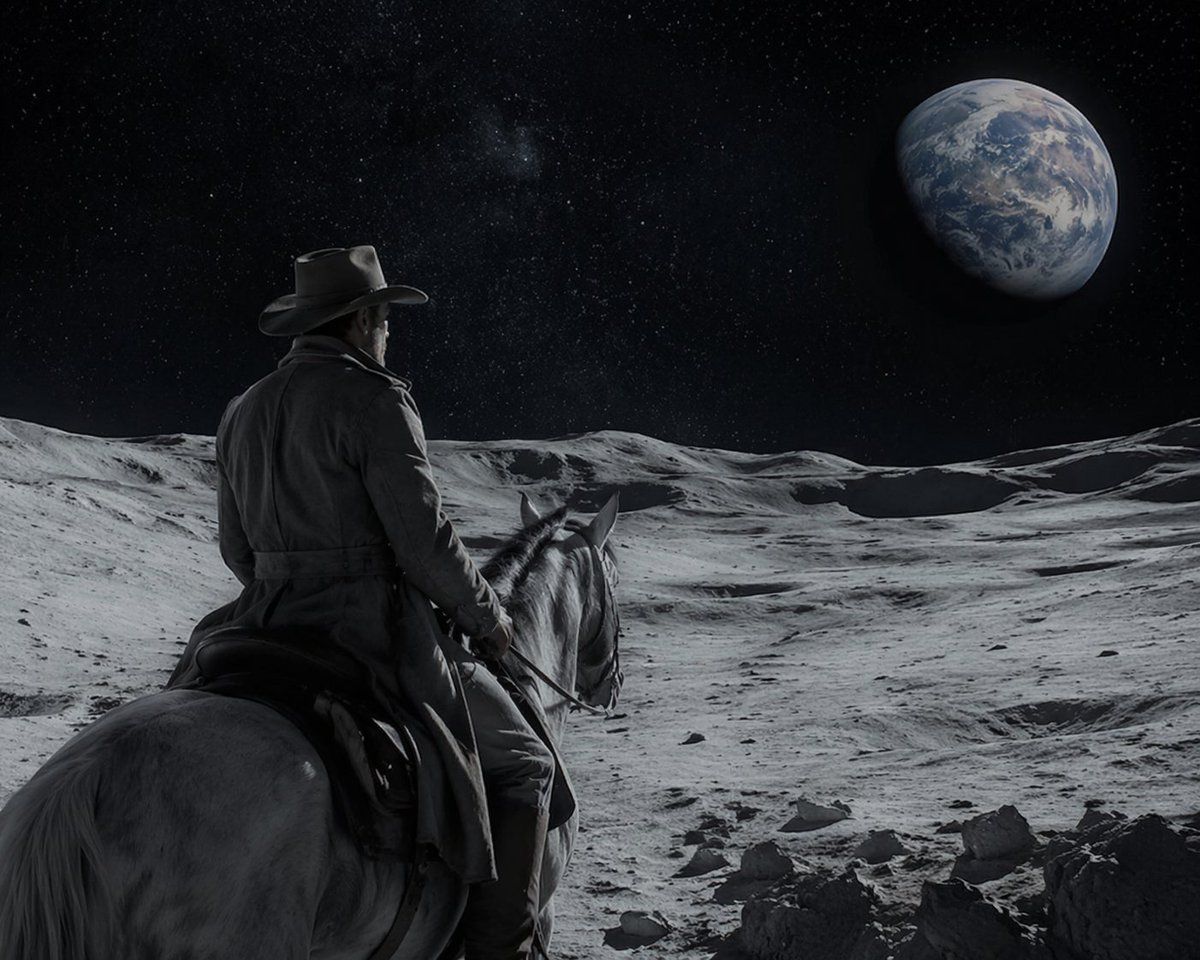
科幻西部:月球骑士
Enlarge

科幻西部:月球骑士

Prompt
A cinematic, highly realistic image of a {argument name="subject" default="cowboy"} riding a {argument name="mount" default="white horse"} on the {argument name="setting" default="surface of the moon"}. The figure is seen from behind, wearing a classic hat and a long duster coat, looking out over the barren, grey, and cratered lunar landscape. In the dark, starry space sky above, a large, detailed {argument name="celestial object" default="Earth"} is prominently visible in the upper right. The lighting is dramatic and monochromatic in the foreground, highlighting the textures of the terrain and the rider's coat, contrasting with the blue and white hues of the distant planet to create a surreal yet photorealistic sci-fi western scene.
Category
Photography & Realism
Model
GPT Image 2
Creator
Ma(s)ken?
Views4
Source ID
13556
Published
Apr 19, 2026

Guide

About "科幻西部:月球骑士"

What is this prompt for?

"科幻西部:月球骑士" AI image prompt for GPT Image 2 (Photography & Realism). 生成一张超现实、照片级逼真的图像,展示一名牛仔骑马在月球上眺望地球,非常适合科幻西部概念设计。 Copy it on Picva and recreate the look in…

The full copyable prompt and example visuals above are ready for AI image generation or one-click recreate in Picva.

How to use this prompt

  1. Step 1

    Open the prompt detail

    Review the example visuals, category, and full prompt text for "科幻西部:月球骑士".

  2. Step 2

    Copy the prompt

    Copy the prompt body from this page, or load it directly in Studio.

  3. Step 3

    Pick a model (GPT Image 2)

    Prefer GPT Image 2. If you switch models, keep subject and composition and tweak style terms.

  4. Step 4

    Generate and export

    Recreate the look in Picva, or export into your workflow for editing and publishing.

FAQ

What is the "科幻西部:月球骑士" prompt?
It is an AI image-generation prompt for GPT Image 2 in the Photography & Realism category. This page includes the full prompt text, example visuals, and a one-click recreate path in Picva.
How do I use this prompt to generate an image?
Copy the prompt from this page, or use Generate / Studio. Paste it into a compatible image model, or recreate the look in Picva with optional reference images.
Which model is this prompt for?
This page lists GPT Image 2. Most descriptive prompts also transfer to nearby image models such as GPT Image, Flux, or Midjourney with light style tweaks.
Can I use the result commercially?
You can usually copy the prompt for creation, but commercial use of the final image depends on the model terms, reference-image rights, and the generated content. Follow the source author and platform rules.