17

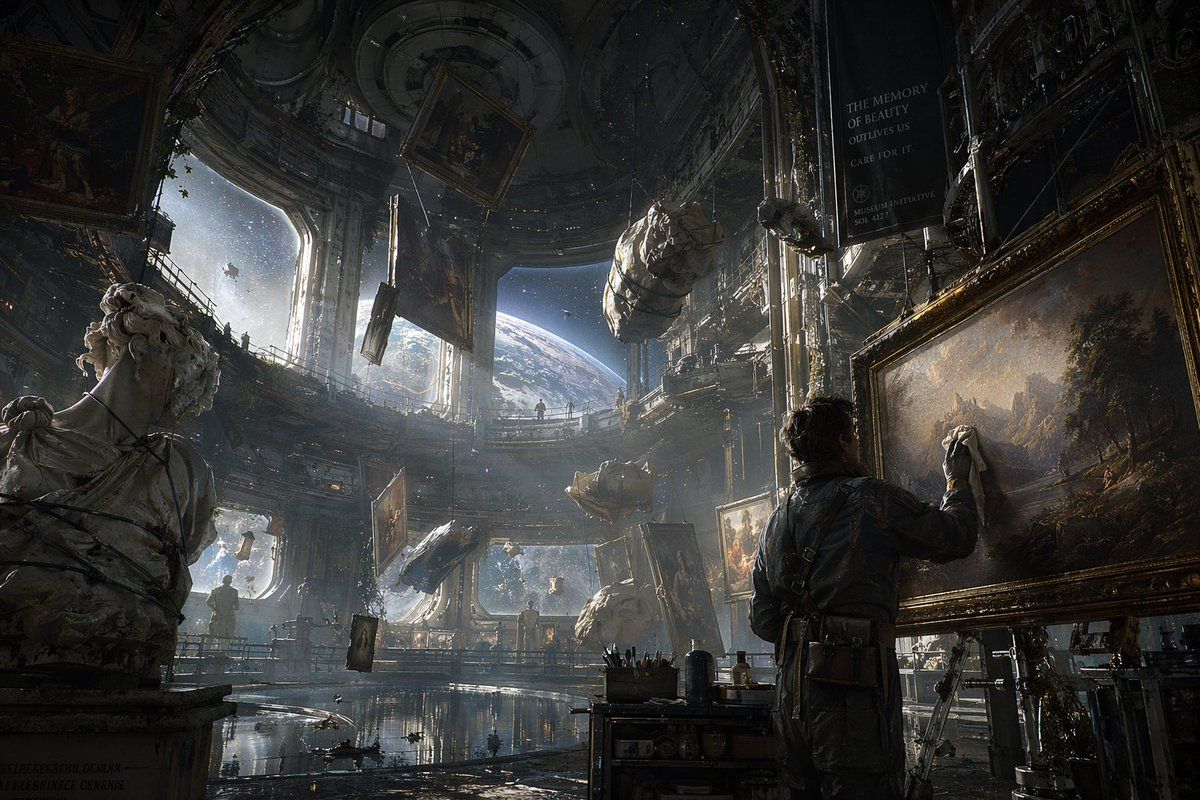
太空零重力艺术修复
Enlarge

太空零重力艺术修复

Prompt
A cinematic sci-fi illustration of a vast, ornate space station museum orbiting an {argument name="planet type" default="Earth-like planet"}. In the foreground, a man in a dark utility jumpsuit carefully cleans a large, framed {argument name="art style" default="classical landscape"} painting. To the left, a classical marble bust is bound in wire. The zero-gravity environment features floating artifacts, including wrapped bundles and framed paintings suspended in mid-air. Massive arched windows reveal a breathtaking view of space. {argument name="atmosphere" default="Volumetric light rays stream through the dusty atmosphere"}, illuminating the grand, decaying architecture. A hanging dark banner reads "{argument name="banner text" default="THE MEMORY OF BEAUTY OUTLIVES US\nCARE FOR IT.\n\nMUSEUM INITIATIVE\nSOL 4127"}". The lighting is dramatic and moody, emphasizing the epic scale of art preservation in space.
Category
Posters & Typography
Model
GPT Image 2
Creator
BrianChen
Views2
Source ID
13662
Published
Apr 15, 2026

Guide

About "太空零重力艺术修复"

What is this prompt for?

"太空零重力艺术修复" AI image prompt for GPT Image 2 (Posters & Typography). 生成一幅高度精细的电影级科幻场景,展示轨道空间站博物馆中正在进行的古典艺术品修复工作。 Copy it on Picva and recreate the look in one c…

The full copyable prompt and example visuals above are ready for AI image generation or one-click recreate in Picva.

How to use this prompt

  1. Step 1

    Open the prompt detail

    Review the example visuals, category, and full prompt text for "太空零重力艺术修复".

  2. Step 2

    Copy the prompt

    Copy the prompt body from this page, or load it directly in Studio.

  3. Step 3

    Pick a model (GPT Image 2)

    Prefer GPT Image 2. If you switch models, keep subject and composition and tweak style terms.

  4. Step 4

    Generate and export

    Recreate the look in Picva, or export into your workflow for editing and publishing.

FAQ

What is the "太空零重力艺术修复" prompt?
It is an AI image-generation prompt for GPT Image 2 in the Posters & Typography category. This page includes the full prompt text, example visuals, and a one-click recreate path in Picva.
How do I use this prompt to generate an image?
Copy the prompt from this page, or use Generate / Studio. Paste it into a compatible image model, or recreate the look in Picva with optional reference images.
Which model is this prompt for?
This page lists GPT Image 2. Most descriptive prompts also transfer to nearby image models such as GPT Image, Flux, or Midjourney with light style tweaks.
Can I use the result commercially?
You can usually copy the prompt for creation, but commercial use of the final image depends on the model terms, reference-image rights, and the generated content. Follow the source author and platform rules.