18

手写韩语日记
Enlarge

手写韩语日记

Prompt
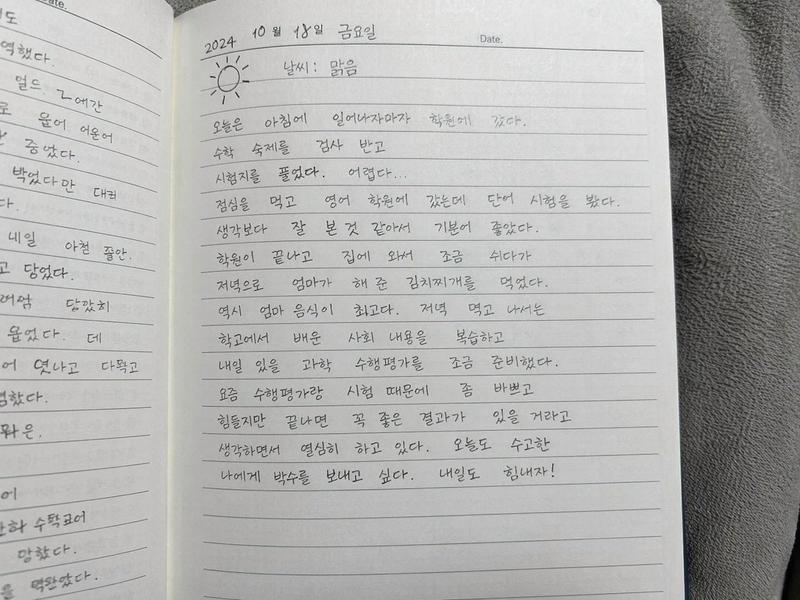
A close-up, slightly angled photograph of a spiral-bound notebook page filled with handwritten Korean text in pencil. The notebook has horizontal ruled lines and a black metal spiral binding on the left edge. At the top, the date "{argument name="date" default="2024년 11월 24일 일요일"}" and weather "{argument name="weather" default="날씨 맑음"}" with a small sun doodle are written. Below this, a paragraph of text recounts a daily journal entry about meeting friends, going to a cafe, and watching the sunset. The handwriting is neat but casual, with slight variations in pressure and spacing typical of natural handwriting. The lighting is soft and even, suggesting an indoor setting, casting subtle shadows from the spiral binding onto the paper.
Category
Charts & Infographics
Model
GPT Image 2
Creator
IDK
Views5
Source ID
13677
Published
Apr 15, 2026

Guide

About "手写韩语日记"

What is this prompt for?

"手写韩语日记" AI image prompt for GPT Image 2 (Charts & Infographics). 生成一张螺旋装订笔记本上手写韩语日记的逼真图像,适用于创作真实感十足的个人日记视觉素材。 Copy it on Picva and recreate the look in one cl…

The full copyable prompt and example visuals above are ready for AI image generation or one-click recreate in Picva.

How to use this prompt

  1. Step 1

    Open the prompt detail

    Review the example visuals, category, and full prompt text for "手写韩语日记".

  2. Step 2

    Copy the prompt

    Copy the prompt body from this page, or load it directly in Studio.

  3. Step 3

    Pick a model (GPT Image 2)

    Prefer GPT Image 2. If you switch models, keep subject and composition and tweak style terms.

  4. Step 4

    Generate and export

    Recreate the look in Picva, or export into your workflow for editing and publishing.

FAQ

What is the "手写韩语日记" prompt?
It is an AI image-generation prompt for GPT Image 2 in the Charts & Infographics category. This page includes the full prompt text, example visuals, and a one-click recreate path in Picva.
How do I use this prompt to generate an image?
Copy the prompt from this page, or use Generate / Studio. Paste it into a compatible image model, or recreate the look in Picva with optional reference images.
Which model is this prompt for?
This page lists GPT Image 2. Most descriptive prompts also transfer to nearby image models such as GPT Image, Flux, or Midjourney with light style tweaks.
Can I use the result commercially?
You can usually copy the prompt for creation, but commercial use of the final image depends on the model terms, reference-image rights, and the generated content. Follow the source author and platform rules.