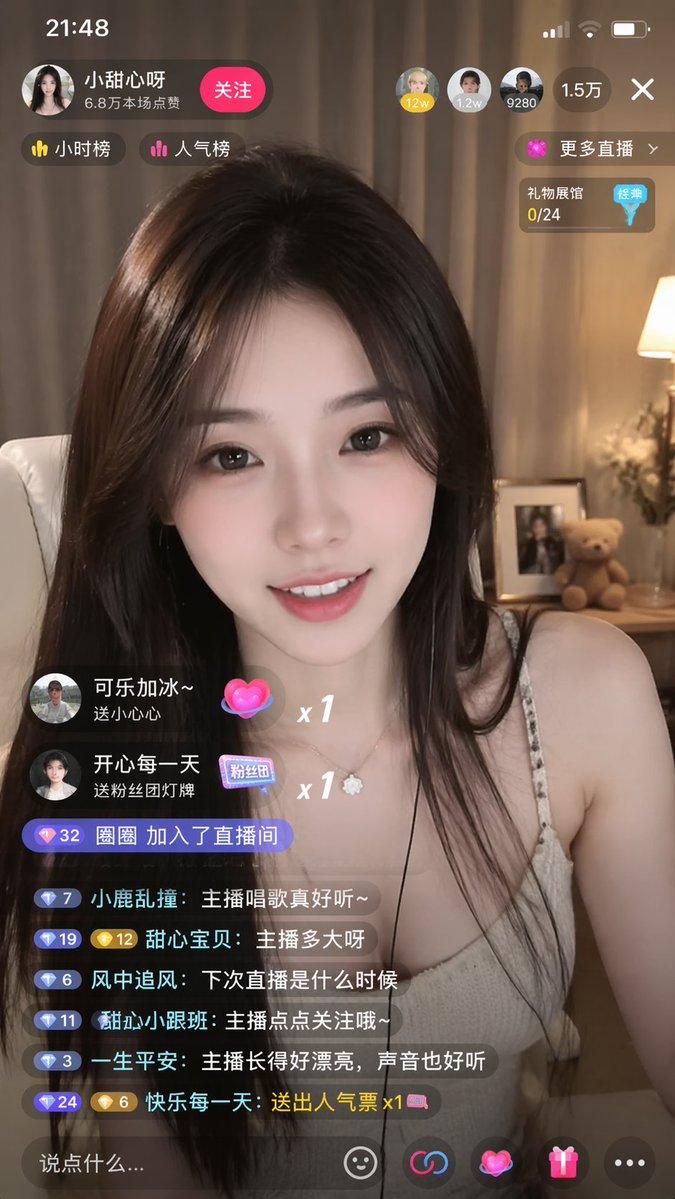
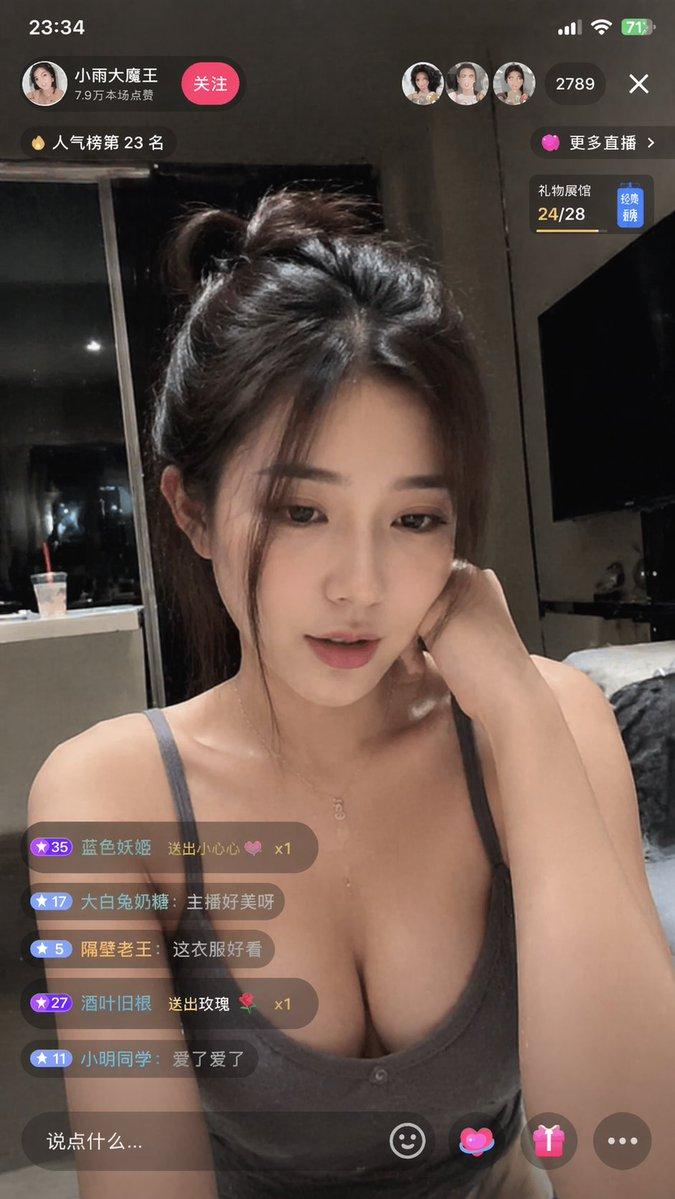
移动端直播 App UI 原型
Prompt
{
  "type": "mobile live streaming app interface mockup",
  "subject": {
    "description": "{argument name=\"subject appearance\" default=\"young Asian woman with long dark hair, wearing a white top, smiling gently and resting her chin on her hand\"}",
    "background": "cozy room with a sofa, bear pillow, pink roses, framed 'FLOWER' art, small lamp, and a shelf with a figurine"
  },
  "ui_layout": {
    "top_left": {
      "streamer_profile": {
        "avatar": "woman's face",
        "name": "{argument name=\"streamer name\" default=\"小鹿酱 💕\"}",
        "stats": "12.8万本场点赞",
        "button": "关注"
      },
      "badges": {
        "count": 2,
        "labels": ["小时榜第3名", "人气榜"]
      }
    },
    "top_right": {
      "top_viewers": {
        "count": 3,
        "avatars_with_scores": ["1.2w", "9800", "8700"]
      },
      "total_viewers": "{argument name=\"viewer count\" default=\"1.9万\"}",
      "close_button": "X",
      "more_streams_link": "更多直播 >",
      "wish_task": "许下心愿, 一起完成任务"
    },
    "middle_left": {
      "gift_alerts": {
        "count": 2,
        "items": [
          {
            "sender": "{argument name=\"gift sender 1\" default=\"@阿飞\"}",
            "action": "送小心心",
            "combo": "x 66"
          },
          {
            "sender": "向阳而生",
            "action": "送鲜花",
            "combo": "x 10"
          }
        ]
      }
    },
    "bottom_left": {
      "chat_messages": {
        "count": 7,
        "items": [
          "甜甜 加入了直播间",
          "尼古拉斯: {argument name=\"chat message 1\" default=\"主播今天好美呀~\"}",
          "小心心: 唱一首歌吧,想听你唱歌~",
          "一只小鹿: 支持支持,天天看你直播 😘",
          "快乐每一天: 人美心善,说话又好听!",
          "小可爱: 主播粉丝团怎么加入呀?",
          "系统: 直播内容严禁违规,文明直播,一起营造良好的直播环境。"
        ]
      }
    },
    "bottom_bar": {
      "input_field": "说点什么...",
      "icons": {
        "count": 5,
        "types": ["smiley face", "pink heart", "gift box", "three dots", "bar chart"]
      }
    },
    "bottom_right": {
      "floating_reactions": "cluster of floating pink and purple hearts"
    }
  }
}- Category
- Charts & Infographics
- Model
- GPT Image 2
- Creator
- Kevin的学堂
- Source ID
- 13778
- Published
- Apr 17, 2026
Views2