17

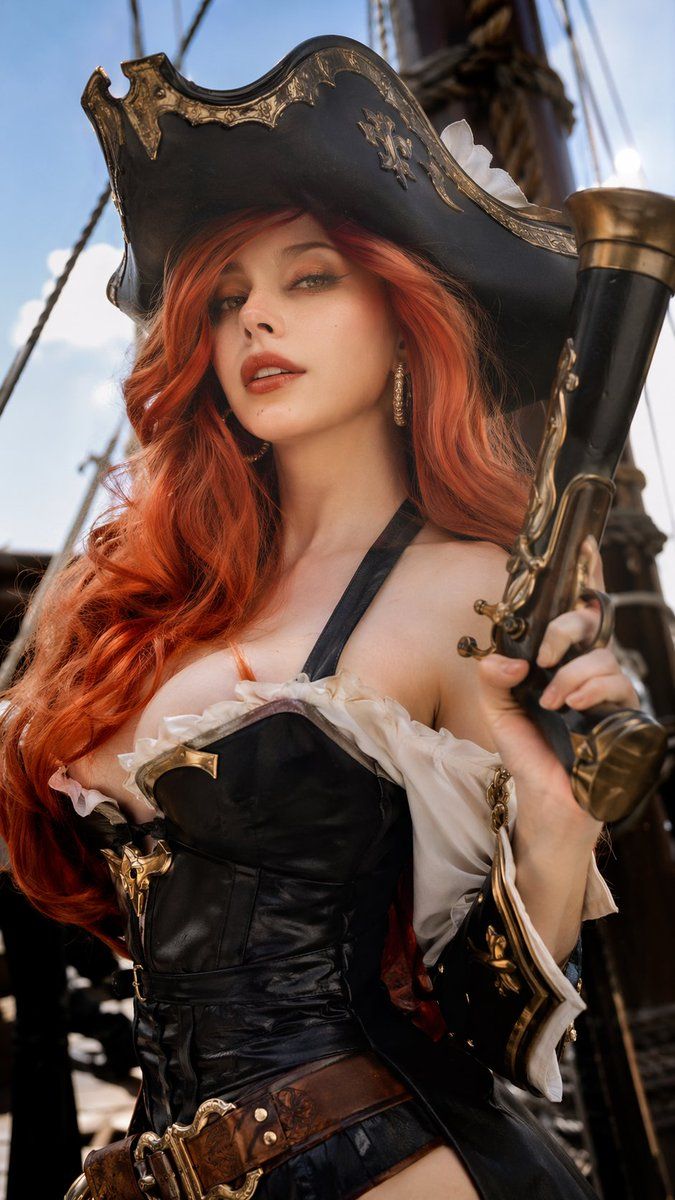
写实海盗 Cosplay 肖像
Enlarge

写实海盗 Cosplay 肖像

Prompt
A highly realistic, professionally retouched photograph of a female cosplayer dressed as {argument name="character" default="Miss Fortune from League of Legends"}. She has a {argument name="facial features" default="French woman's face"} with subtle makeup, green eyes, and long, voluminous wavy {argument name="hair color" default="red"} hair. Her detailed pirate costume features a weathered black tricorn hat with gold filigree, a black leather corset with a deep neckline and gold accents, white ruffled off-the-shoulder sleeves, and a wide brown leather belt. She holds a large, ornate {argument name="prop" default="flintlock pistol"} with brass detailing in her right hand. The background shows the wooden masts and rope rigging of a sailing ship under a bright blue sky. The cinematic, natural lighting highlights the rich textures of leather, metal, and skin, creating a photorealistic editorial portrait.
Category
Charts & Infographics
Model
GPT Image 2
Views6
Source ID
14059
Published
Apr 15, 2026

Guide

About "写实海盗 Cosplay 肖像"

What is this prompt for?

"写实海盗 Cosplay 肖像" AI image prompt for GPT Image 2 (Charts & Infographics). 生成一张高度写实、经过专业修图的女性 Cosplayer 肖像,身着精致的海盗服饰并手持道具武器。 Copy it on Picva and recreate the…

The full copyable prompt and example visuals above are ready for AI image generation or one-click recreate in Picva.

How to use this prompt

  1. Step 1

    Open the prompt detail

    Review the example visuals, category, and full prompt text for "写实海盗 Cosplay 肖像".

  2. Step 2

    Copy the prompt

    Copy the prompt body from this page, or load it directly in Studio.

  3. Step 3

    Pick a model (GPT Image 2)

    Prefer GPT Image 2. If you switch models, keep subject and composition and tweak style terms.

  4. Step 4

    Generate and export

    Recreate the look in Picva, or export into your workflow for editing and publishing.

FAQ

What is the "写实海盗 Cosplay 肖像" prompt?
It is an AI image-generation prompt for GPT Image 2 in the Charts & Infographics category. This page includes the full prompt text, example visuals, and a one-click recreate path in Picva.
How do I use this prompt to generate an image?
Copy the prompt from this page, or use Generate / Studio. Paste it into a compatible image model, or recreate the look in Picva with optional reference images.
Which model is this prompt for?
This page lists GPT Image 2. Most descriptive prompts also transfer to nearby image models such as GPT Image, Flux, or Midjourney with light style tweaks.
Can I use the result commercially?
You can usually copy the prompt for creation, but commercial use of the final image depends on the model terms, reference-image rights, and the generated content. Follow the source author and platform rules.