14

男士护肤着陆页模型
Enlarge

男士护肤着陆页模型

Prompt
{
  "type": "website landing page hero section",
  "theme": {
    "style": "sleek, professional, modern, dark mode",
    "colors": "{argument name=\"primary color theme\" default=\"deep navy blue and black\"}"
  },
  "layout": {
    "header": {
      "logo": "{argument name=\"brand name\" default=\"NEX SKIN\"}",
      "navigation_links": 5,
      "cta_button": "今すぐ始める >"
    },
    "hero_content_left": {
      "headline": "{argument name=\"main headline\" default=\"清潔感は、毎日のスキンケアから。\"}",
      "subheadline": "男の肌は、もっとシンプルでいい。",
      "body_text": "3 lines of descriptive text regarding skincare benefits",
      "action_buttons": 2,
      "features": {
        "count": 3,
        "labels": ["テカリ対策", "保湿", "オールインワン"],
        "format": "icon with title and subtext"
      }
    },
    "hero_visuals_right": {
      "model": "{argument name=\"model description\" default=\"handsome young Asian man with clean glowing skin\"}, touching chin, wearing black shirt",
      "product": "{argument name=\"product type\" default=\"men's all-in-one skincare lotion\"}, dark blue cylindrical bottle with water droplets, resting on dark rocky surface, backlit",
      "floating_element": "circular badge with text"
    },
    "bottom_statistics_bar": {
      "count": 3,
      "metrics": ["累計販売本数 120万本突破", "使用感満足度 92.1%", "リピート率 85.3%"],
      "format": "icon, label, and large percentage/number",
      "footnotes": "small text at bottom right"
    }
  }
}
Category
UI & Interfaces
Model
GPT Image 2
Views6
Source ID
14204
Published
Apr 20, 2026

Guide

About "男士护肤着陆页模型"

What is this prompt for?

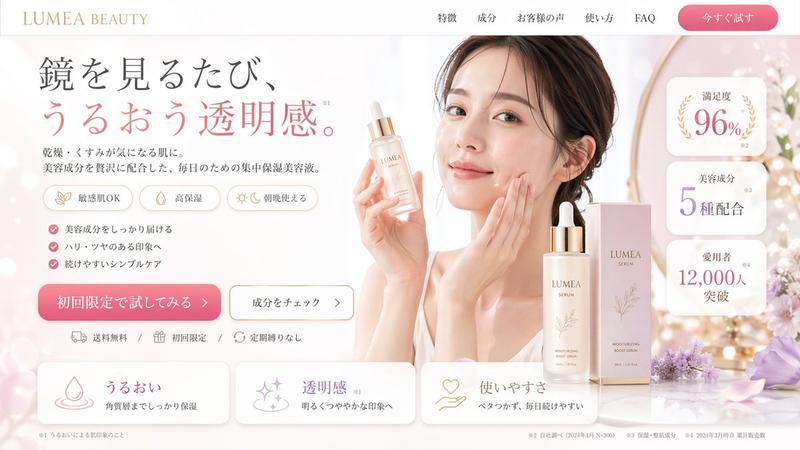
"男士护肤着陆页模型" AI image prompt for GPT Image 2 (UI & Interfaces). 为男士护肤产品生成一个时尚的深色主题网站首屏,包含模特展示、产品特写及功能统计数据。 Copy it on Picva and recreate the look in one click.

The full copyable prompt and example visuals above are ready for AI image generation or one-click recreate in Picva.

How to use this prompt

  1. Step 1

    Open the prompt detail

    Review the example visuals, category, and full prompt text for "男士护肤着陆页模型".

  2. Step 2

    Copy the prompt

    Copy the prompt body from this page, or load it directly in Studio.

  3. Step 3

    Pick a model (GPT Image 2)

    Prefer GPT Image 2. If you switch models, keep subject and composition and tweak style terms.

  4. Step 4

    Generate and export

    Recreate the look in Picva, or export into your workflow for editing and publishing.

FAQ

What is the "男士护肤着陆页模型" prompt?
It is an AI image-generation prompt for GPT Image 2 in the UI & Interfaces category. This page includes the full prompt text, example visuals, and a one-click recreate path in Picva.
How do I use this prompt to generate an image?
Copy the prompt from this page, or use Generate / Studio. Paste it into a compatible image model, or recreate the look in Picva with optional reference images.
Which model is this prompt for?
This page lists GPT Image 2. Most descriptive prompts also transfer to nearby image models such as GPT Image, Flux, or Midjourney with light style tweaks.
Can I use the result commercially?
You can usually copy the prompt for creation, but commercial use of the final image depends on the model terms, reference-image rights, and the generated content. Follow the source author and platform rules.