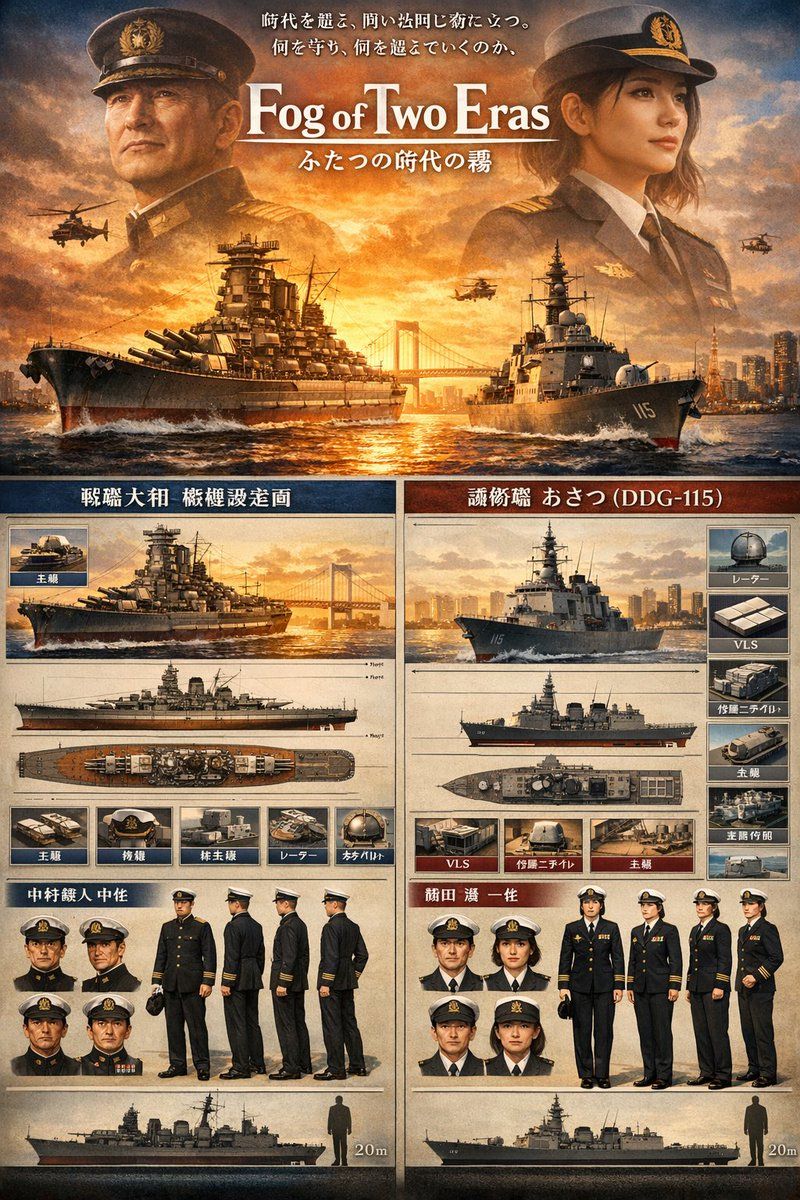
双时代海军对比海报
Prompt
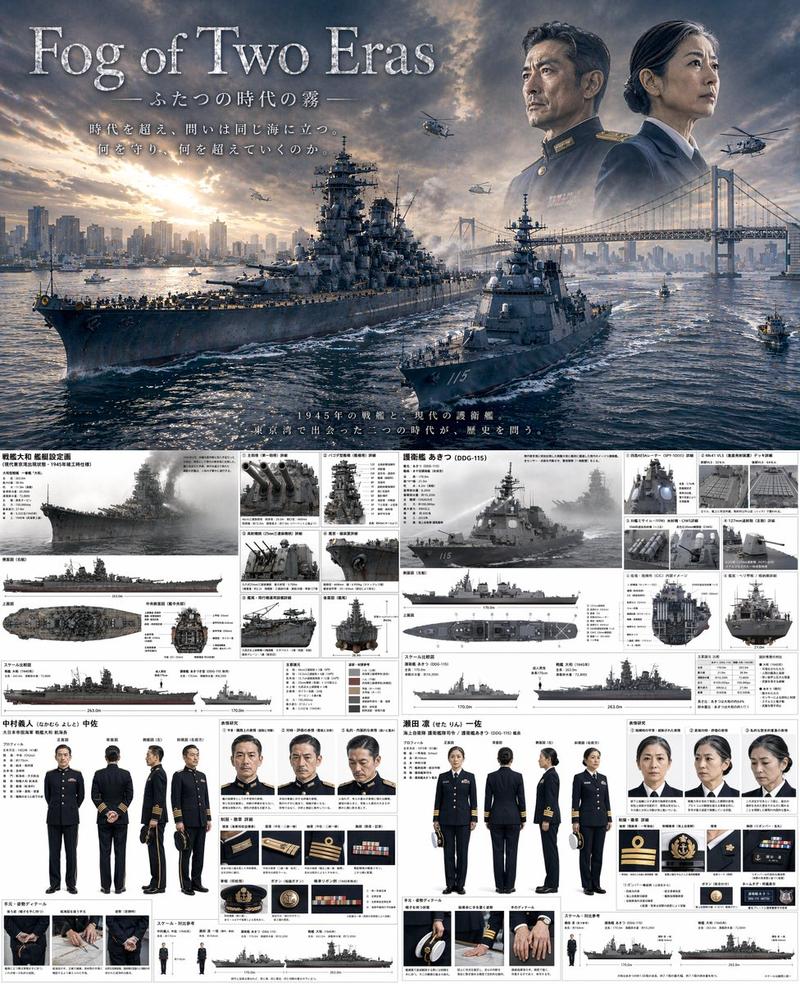
Create a cinematic Japanese naval comparison poster in a highly detailed, photorealistic concept-art style with a warm amber sunset palette, dramatic clouds, glowing backlight, and a premium movie-poster plus technical-reference-sheet layout. The composition is vertically stacked in 2 main zones. In the top hero zone, show 2 large semi-transparent officer portraits facing inward, one on the left in an older imperial-era naval uniform and one on the right in a modern maritime self-defense force style dress uniform, both wearing peaked caps and formal dark coats, with a blazing sunset sky behind them. Centered between them, place a large serif English title reading {argument name="headline text" default="Fog of Two Eras"}, with a smaller Japanese subtitle beneath it reading ふたつの時代の霧, and 2 lines of Japanese tagline text above the title. Below the title, on the ocean at golden hour, show 2 warships moving forward on slightly converging paths: on the left, a massive World War II-era battleship with many large gun turrets, tower superstructure, weathered dark hull, and white bow spray; on the right, a modern gray guided-missile destroyer with hull number 115 visible on the bow, sleek radar-equipped superstructure, and foamy wake. Add exactly 4 helicopters in the sky, 2 on the left side and 2 on the right side, plus a suspension bridge and distant modern city skyline on the horizon. In the lower reference-sheet zone, split the page into 2 vertical panels, left for the historical ship and right for the modern ship, each panel styled like a parchment-toned military specification board with dark blue and dark red header bars, fine dividing lines, inset image boxes, and Japanese labels. The left panel should present exactly 1 large perspective render of the battleship, 3 orthographic ship views beneath it, 5 small labeled equipment/detail thumbnails in a row, 4 small head-and-shoulders uniform portraits, 4 full-body character turnaround views of a male naval officer, and 1 bottom scale silhouette of the ship beside a human figure with a 20m marker. The right panel should present exactly 1 large perspective render of the modern destroyer, 3 orthographic ship views beneath it, 6 small labeled equipment/detail thumbnails arranged around the ship references, 4 small head-and-shoulders uniform portraits, 4 full-body character lineup views including a central female officer in white cap and dark uniform, and 1 bottom scale silhouette of the ship beside a human figure with a 20m marker. Use visible Japanese headers and labels throughout, including a left historical title area and a right title area naming the ship as 護衛艦 あさつ (DDG-115). Make the whole image feel like a museum exhibition poster, military design sheet, and prestige historical sci-fi drama key art combined, with ultra-sharp detail, realistic metal textures, ocean reflections, aged paper panels, symmetrical balance, and polished editorial typography.- Category
- Charts & Infographics
- Model
- GPT Image 2
- Creator
- Eni係鬼
- Source ID
- 14648
- Published
- Apr 21, 2026
Views4