老照片修复提示词
Prompt
在完全不改变布局、文字、构图或设计的前提下,请仅修复因时间流逝而产生的劣化(如泛黄、污渍、褪色、折痕和擦痕)。
- Category
- Photography & Realism
- Model
- GPT Image 2
- Creator
- プチpony
- Source ID
- 15233
- Published
- Apr 24, 2026
Views1
18
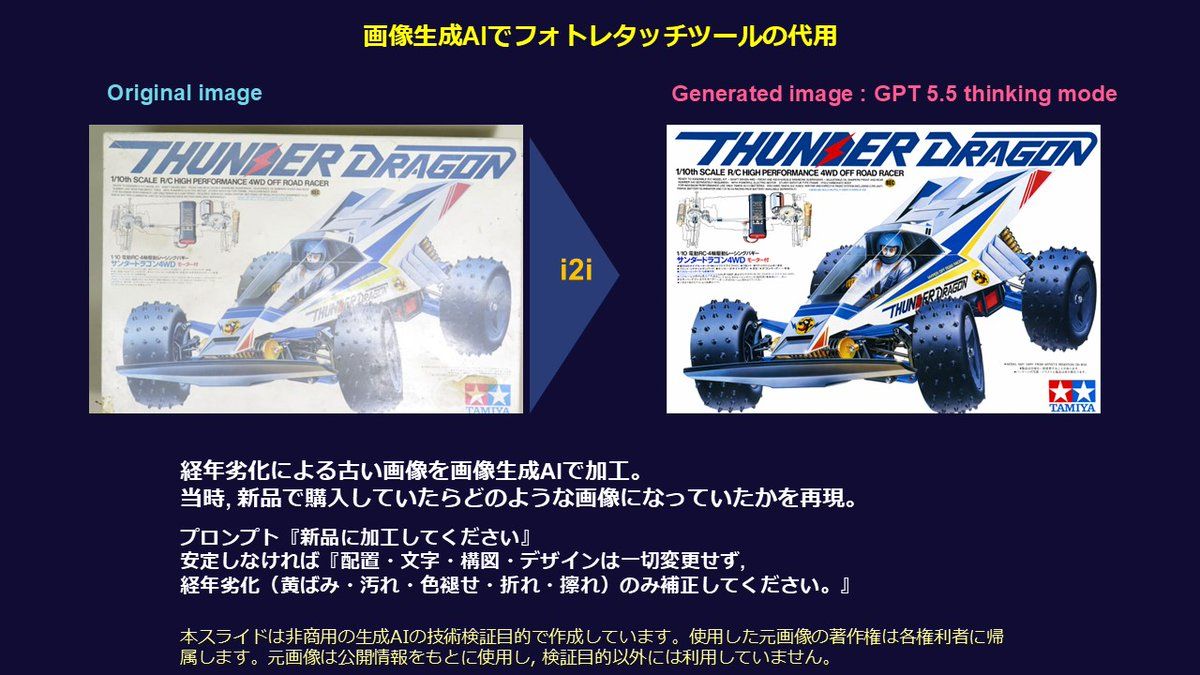
在完全不改变布局、文字、构图或设计的前提下,请仅修复因时间流逝而产生的劣化(如泛黄、污渍、褪色、折痕和擦痕)。
Guide
"老照片修复提示词" AI image prompt for GPT Image 2 (Photography & Realism). 专为 GPT Image 2 的图生图功能设计的精准修复提示词,旨在修复泛黄、污渍和折痕,同时保持原始构图不变。 Copy it on Picva and recreate the…
The full copyable prompt and example visuals above are ready for AI image generation or one-click recreate in Picva.
Step 1
Review the example visuals, category, and full prompt text for "老照片修复提示词".
Step 2
Copy the prompt body from this page, or load it directly in Studio.
Step 3
Prefer GPT Image 2. If you switch models, keep subject and composition and tweak style terms.
Step 4
Recreate the look in Picva, or export into your workflow for editing and publishing.