10

基于参考图的角色肖像提示词
Enlarge

基于参考图的角色肖像提示词

Prompt
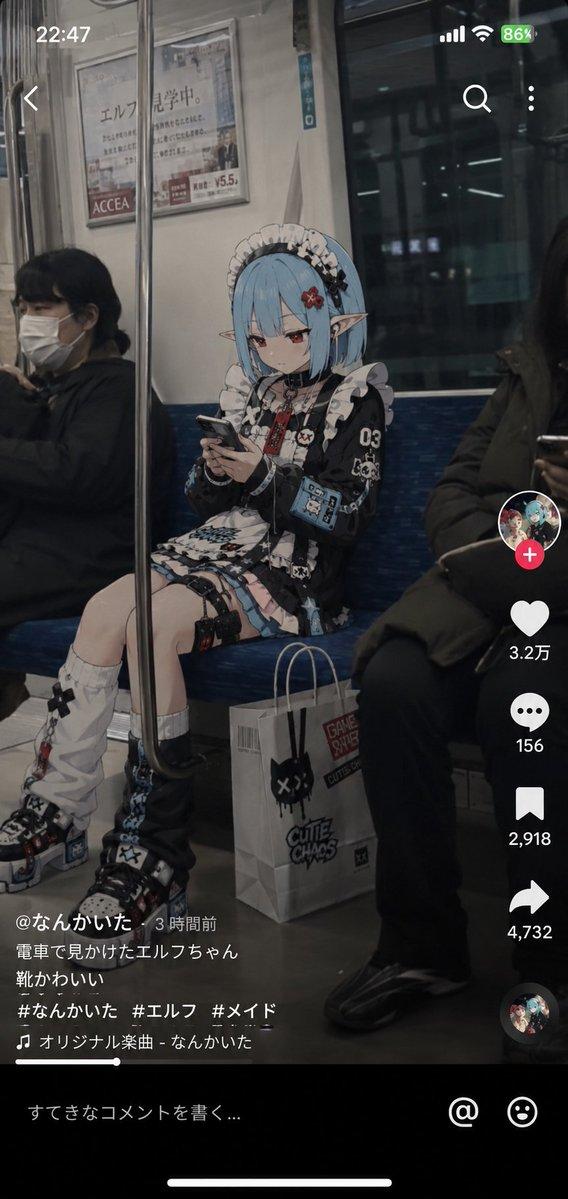
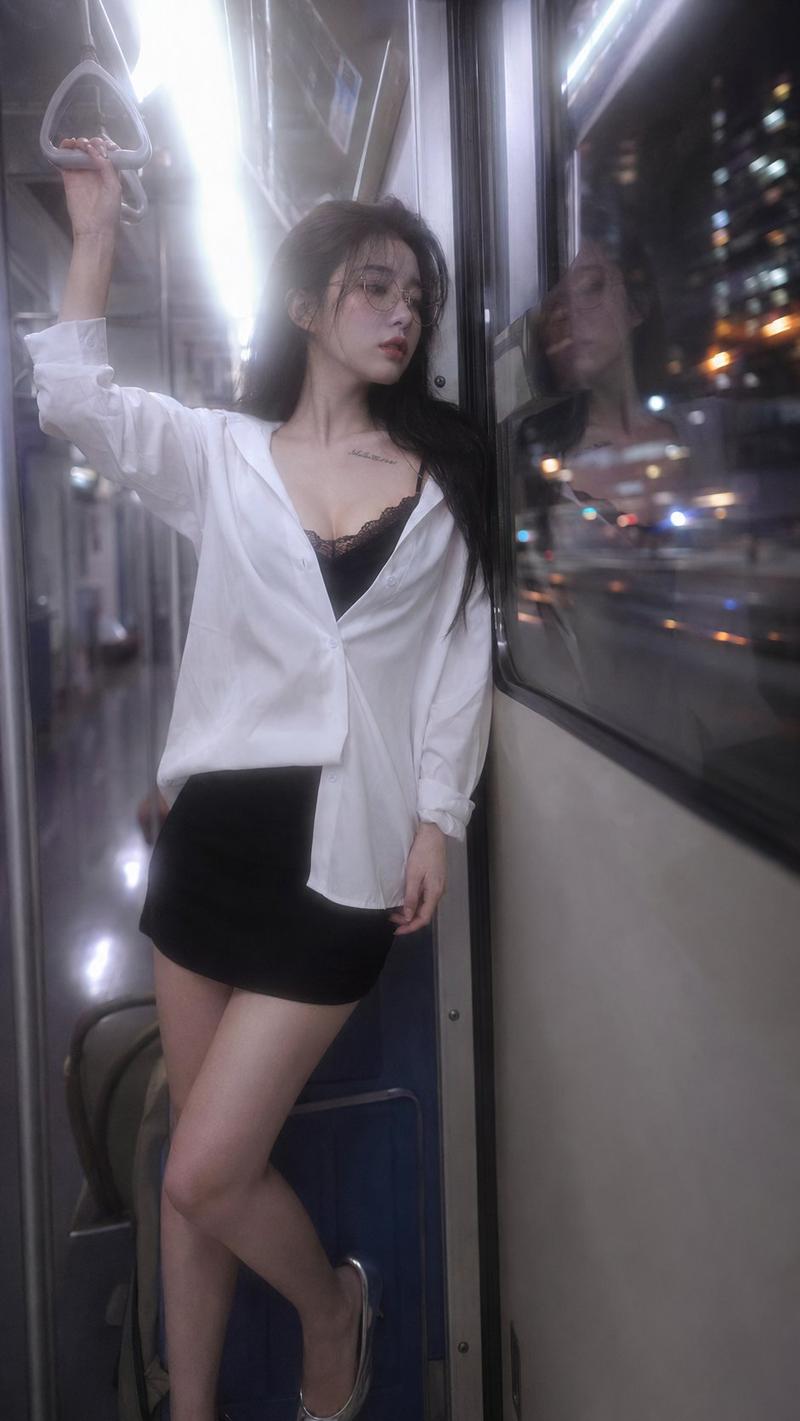
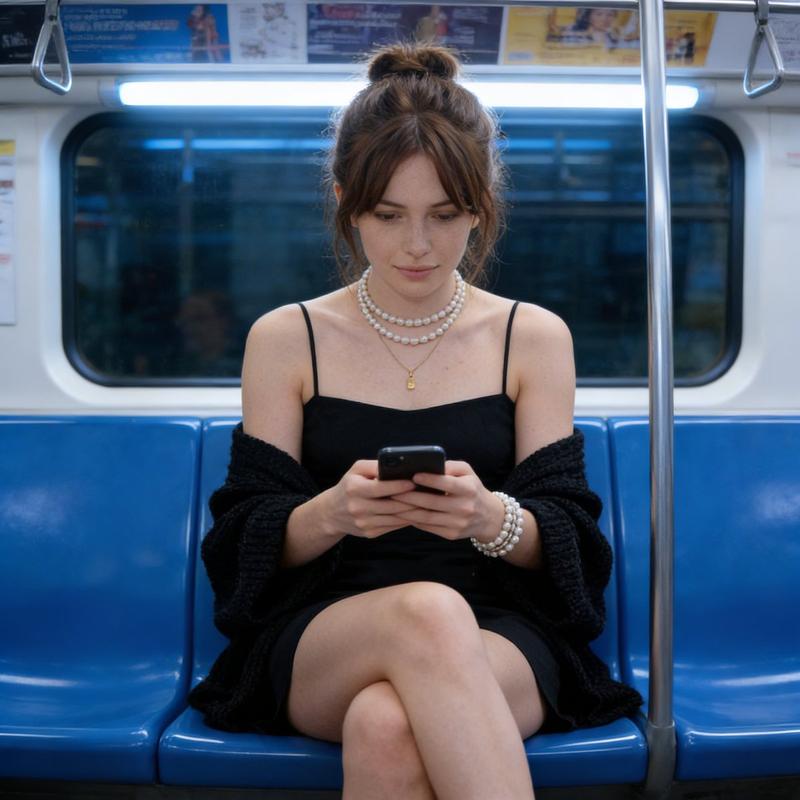
在{argument name="地点" default="台湾捷运车厢"}内,一位年轻女性坐在靠近车门的座位上,人物外貌与服装皆需参考上传图片中的女性(包含脸部特征、气质、发型与穿搭风格,服装需与图片中一致),低头专注于手机,呈现自然状态,没有看向镜头。人物位于画面右侧三分之一的位置,左侧有模糊的前景遮挡。
Category
Photography & Realism
Model
GPT Image 2
Views62
Source ID
15554
Published
Apr 24, 2026

Guide

About "基于参考图的角色肖像提示词"

What is this prompt for?

"基于参考图的角色肖像提示词" AI image prompt for GPT Image 2 (Photography & Realism). 一份高度详细的提示词,用于在特定场景中生成角色肖像,同时保持与参考图像的一致性。 Copy it on Picva and recreate the look in one…

The full copyable prompt and example visuals above are ready for AI image generation or one-click recreate in Picva.

How to use this prompt

  1. Step 1

    Open the prompt detail

    Review the example visuals, category, and full prompt text for "基于参考图的角色肖像提示词".

  2. Step 2

    Copy the prompt

    Copy the prompt body from this page, or load it directly in Studio.

  3. Step 3

    Pick a model (GPT Image 2)

    Prefer GPT Image 2. If you switch models, keep subject and composition and tweak style terms.

  4. Step 4

    Generate and export

    Recreate the look in Picva, or export into your workflow for editing and publishing.

FAQ

What is the "基于参考图的角色肖像提示词" prompt?
It is an AI image-generation prompt for GPT Image 2 in the Photography & Realism category. This page includes the full prompt text, example visuals, and a one-click recreate path in Picva.
How do I use this prompt to generate an image?
Copy the prompt from this page, or use Generate / Studio. Paste it into a compatible image model, or recreate the look in Picva with optional reference images.
Which model is this prompt for?
This page lists GPT Image 2. Most descriptive prompts also transfer to nearby image models such as GPT Image, Flux, or Midjourney with light style tweaks.
Can I use the result commercially?
You can usually copy the prompt for creation, but commercial use of the final image depends on the model terms, reference-image rights, and the generated content. Follow the source author and platform rules.