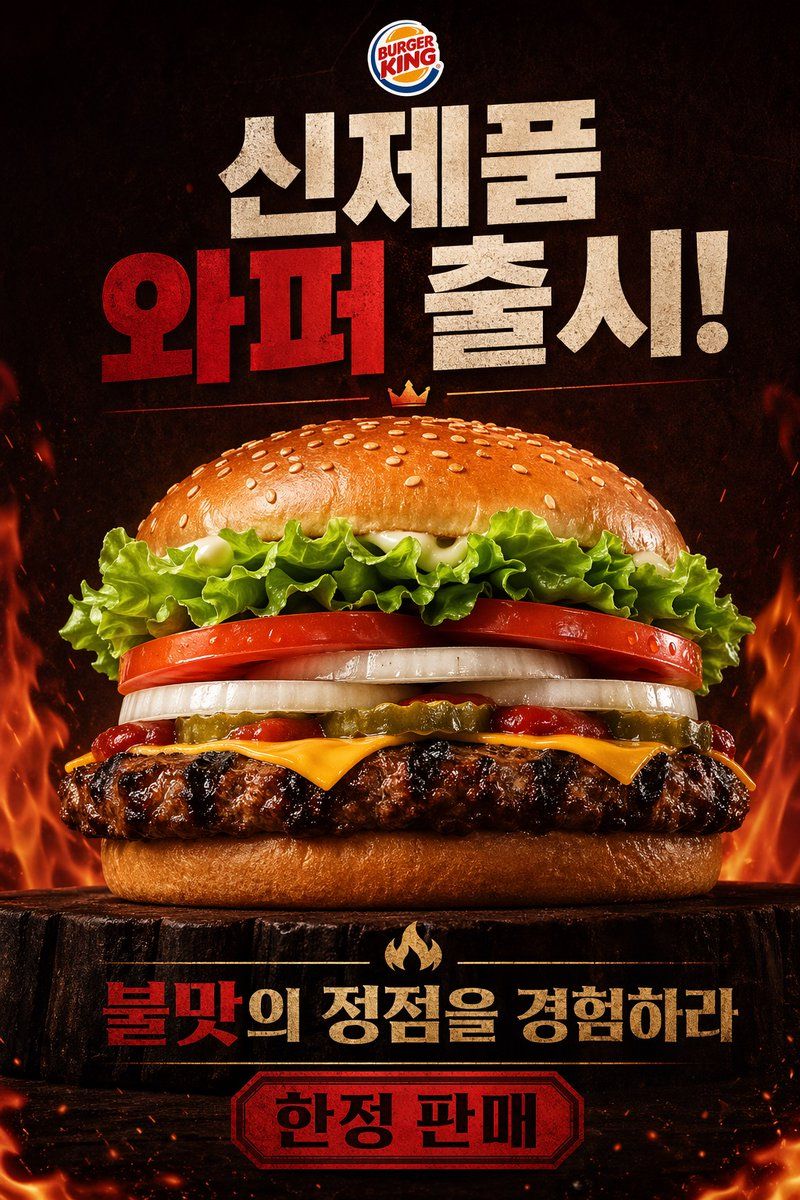
火辣 Burger King 皇堡海报
Prompt
A dramatic fast-food poster advertisement for Burger King, vertical composition, photorealistic studio food photography mixed with bold Korean promotional graphic design. Place the official Burger King logo centered at the very top. Below it, add huge distressed block Korean headline text in a stacked layout reading "신제품 와퍼 출시!" with "와퍼" in vivid deep red and the other words in textured off-white, all on a dark smoky black background. In the center, show one massive hero burger shot from a slightly low front angle, perfectly centered and filling most of the frame. The burger has 8 clearly visible layers and elements: a glossy sesame seed top bun, curly green leaf lettuce, thick red tomato slices, thick white onion rings, sliced pickles, streaks of ketchup, melted American cheese, a flame-grilled beef patty with heavy char marks, and a soft bottom bun. Add a tiny golden crown icon floating just above the top bun. The burger sits on a dark rustic wooden stump pedestal. Surround the lower half and side edges with dramatic orange flames, glowing embers, heat sparks, and smoky atmosphere to emphasize flame grilling. Near the bottom, place a secondary Korean slogan in bold text, centered, reading "불맛의 정점을 경험하라" with "불맛" in red and the remaining words in warm beige-gold, separated above by a small flame icon. At the very bottom, add a red badge-shaped label with a dark border containing the Korean text "한정 판매" in bold black. Use a high-contrast black, red, orange, and toasted brown color palette, intense cinematic lighting, glossy food highlights, crisp ingredient texture, premium commercial advertising finish, and a fiery indulgent mood.
- Category
- Charts & Infographics
- Model
- GPT Image 2
- Creator
- Azyu
- Source ID
- 15821
- Published
- Apr 24, 2026
Views5