20

雄伟黑豹奇幻场景
Enlarge

雄伟黑豹奇幻场景

Prompt
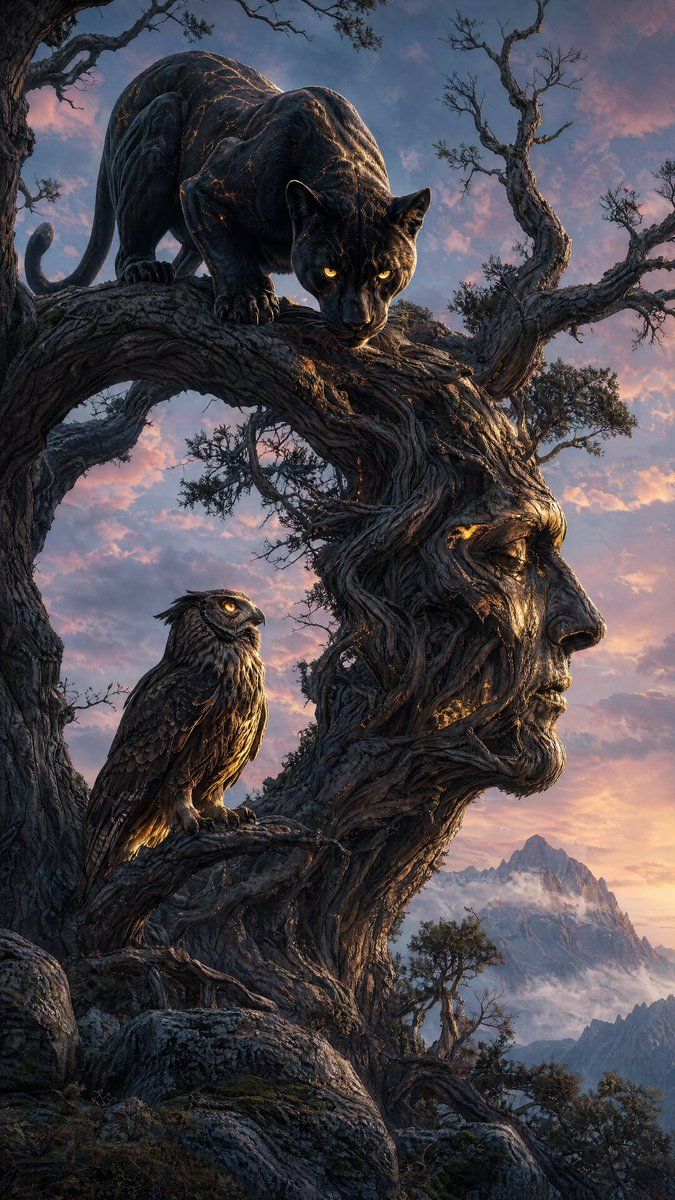
A majestic {argument name="animal" default="black panther"} with glossy obsidian fur and piercing glowing yellow eyes, crouched aggressively on a thick branch of an ancient gnarled tree that is shaped like a {argument name="tree shape" default="giant human head in profile"}. The tree trunk forms the neck and jaw, branches create the nose and mouth. Below the panther, a large brown owl with detailed feathers and intense eyes perches on a lower branch, looking up at the panther. Both animals have subtle glowing golden highlights on their bodies. Dramatic fantasy scene at twilight, soft pastel sky with pink and blue hues, misty mountains in the background, rocky foreground. Highly detailed, cinematic lighting, realistic textures, epic and mysterious atmosphere, digital painting style.
Category
Posters & Typography
Model
GPT Image 2
Views6
Source ID
15892
Published
Apr 25, 2026

Guide

About "雄伟黑豹奇幻场景"

What is this prompt for?

"雄伟黑豹奇幻场景" AI image prompt for GPT Image 2 (Posters & Typography). 创作一幅极具戏剧性的数字绘画,描绘了一只黑豹和一只猫头鹰栖息在黄昏时分一棵形状如人脸的超现实扭曲树木上。 Copy it on Picva and recreate the look…

The full copyable prompt and example visuals above are ready for AI image generation or one-click recreate in Picva.

How to use this prompt

  1. Step 1

    Open the prompt detail

    Review the example visuals, category, and full prompt text for "雄伟黑豹奇幻场景".

  2. Step 2

    Copy the prompt

    Copy the prompt body from this page, or load it directly in Studio.

  3. Step 3

    Pick a model (GPT Image 2)

    Prefer GPT Image 2. If you switch models, keep subject and composition and tweak style terms.

  4. Step 4

    Generate and export

    Recreate the look in Picva, or export into your workflow for editing and publishing.

FAQ

What is the "雄伟黑豹奇幻场景" prompt?
It is an AI image-generation prompt for GPT Image 2 in the Posters & Typography category. This page includes the full prompt text, example visuals, and a one-click recreate path in Picva.
How do I use this prompt to generate an image?
Copy the prompt from this page, or use Generate / Studio. Paste it into a compatible image model, or recreate the look in Picva with optional reference images.
Which model is this prompt for?
This page lists GPT Image 2. Most descriptive prompts also transfer to nearby image models such as GPT Image, Flux, or Midjourney with light style tweaks.
Can I use the result commercially?
You can usually copy the prompt for creation, but commercial use of the final image depends on the model terms, reference-image rights, and the generated content. Follow the source author and platform rules.