20

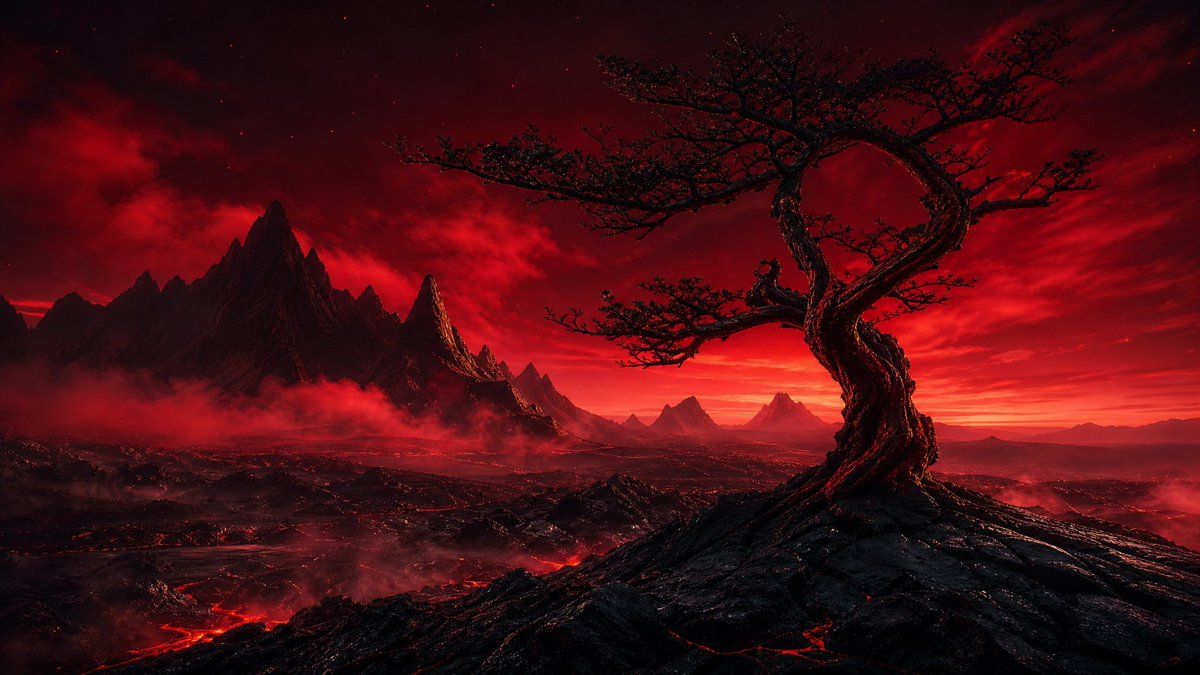
绯红火山心树
Enlarge

绯红火山心树

Prompt
Create a cinematic dark fantasy landscape in a wide 16:9 aspect ratio. The scene shows a solitary ancient twisted tree on the right foreground, its gnarled black trunk spiraling upward into a dramatic loop like a heart or ring, with sparse thorny branches silhouetted against a blood-red sky. Place the tree on a jagged volcanic ridge of black rock with glowing red lava cracks. In the midground and background, show a vast hostile wasteland with exactly 7 visible mountain peaks or peak clusters: one dominant sharp black mountain mass on the left, one narrow glowing spire just right of it, three smaller triangular peaks near the center horizon, and two faint distant peaks on the far right. Add low red fog and smoke drifting through the valleys, with glowing lava rivers snaking across the lower left and center ground. The sky should be intense crimson and black, filled with layered storm clouds, faint stars, and a blazing red-orange horizon glow. Use a limited palette of {argument name="main color palette" default="deep red, black, crimson, and ember orange"}, high contrast, dramatic rim lighting, ultra-detailed textures, epic scale, realistic fantasy concept art, no characters, no buildings, no text, no watermark. Emphasize the mood as {argument name="mood" default="ominous, apocalyptic, and romantic"} and make the focal subject a {argument name="foreground tree shape" default="twisted heart-shaped dead tree"} in a {argument name="environment" default="volcanic wasteland at red dusk"}.
Category
Posters & Typography
Model
GPT Image 2
Creator
NoPuppet
Views3
Source ID
21707
Published
May 20, 2026

Guide

About "绯红火山心树"

What is this prompt for?

"绯红火山心树" AI image prompt for GPT Image 2 (Posters & Typography). 一幅电影质感的黑暗奇幻风景画,描绘了红色火山荒原中一棵扭曲的心形树,非常适合史诗级概念艺术或氛围背景。 Copy it on Picva and recreate the look in…

The full copyable prompt and example visuals above are ready for AI image generation or one-click recreate in Picva.

How to use this prompt

  1. Step 1

    Open the prompt detail

    Review the example visuals, category, and full prompt text for "绯红火山心树".

  2. Step 2

    Copy the prompt

    Copy the prompt body from this page, or load it directly in Studio.

  3. Step 3

    Pick a model (GPT Image 2)

    Prefer GPT Image 2. If you switch models, keep subject and composition and tweak style terms.

  4. Step 4

    Generate and export

    Recreate the look in Picva, or export into your workflow for editing and publishing.

FAQ

What is the "绯红火山心树" prompt?
It is an AI image-generation prompt for GPT Image 2 in the Posters & Typography category. This page includes the full prompt text, example visuals, and a one-click recreate path in Picva.
How do I use this prompt to generate an image?
Copy the prompt from this page, or use Generate / Studio. Paste it into a compatible image model, or recreate the look in Picva with optional reference images.
Which model is this prompt for?
This page lists GPT Image 2. Most descriptive prompts also transfer to nearby image models such as GPT Image, Flux, or Midjourney with light style tweaks.
Can I use the result commercially?
You can usually copy the prompt for creation, but commercial use of the final image depends on the model terms, reference-image rights, and the generated content. Follow the source author and platform rules.





