20

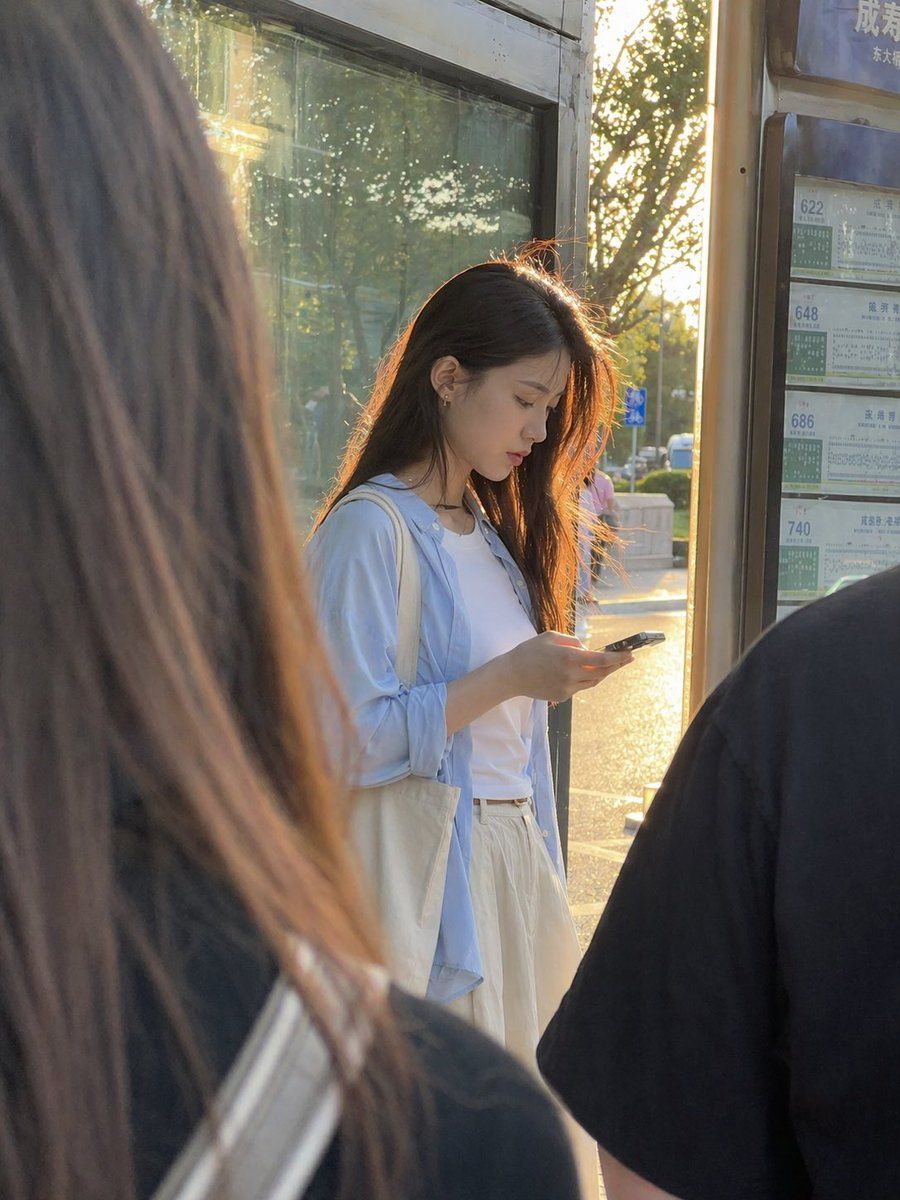
黄金时刻公交站抓拍
Enlarge

黄金时刻公交站抓拍

Prompt
A candid, ultra-realistic street photo of a young East Asian woman standing at a city bus stop during golden hour, viewed from slightly behind other waiting passengers so the composition feels naturally obstructed and documentary-like. She stands near the center-right of the frame, looking down at a smartphone in her hands, with long straight dark brown to black hair glowing with warm backlight from the low sun behind her. She wears a white T-shirt, an oversized pale blue button-up shirt left open, and loose cream or off-white high-waisted pants or a long skirt, with a canvas tote bag over one shoulder. Her posture is relaxed and absorbed in her phone. The scene includes exactly 2 blurred foreground figures framing her: 1 large out-of-focus figure with long hair on the left edge and 1 dark-shirted shoulder and back on the right edge. Behind her is a glass bus shelter panel reflecting trees and sunlight, and on the far right is a vertical bus route board showing exactly 4 route numbers: 622, 648, 686, and 740, with Chinese transit timetable styling. The lighting is warm, soft, and strongly backlit, creating rim light around her hair and a sun-drenched late-afternoon atmosphere. Use a smartphone photo aesthetic, shallow depth of field, natural color, realistic skin and fabric texture, urban everyday life in China, portrait orientation, subtle lens flare, and an unposed slice-of-life mood.
Category
Charts & Infographics
Model
GPT Image 2
Creator
John
Views0
Source ID
15992
Published
Apr 24, 2026

Guide

About "黄金时刻公交站抓拍"

What is this prompt for?

"黄金时刻公交站抓拍" AI image prompt for GPT Image 2 (Charts & Infographics). 此提示词可生成一张逼真的城市生活抓拍肖像,展示了一位在公交站的年轻女性,非常适合生活方式摄影和日常街头场景视觉素材。 Copy it on Picva and recreate t…

The full copyable prompt and example visuals above are ready for AI image generation or one-click recreate in Picva.

How to use this prompt

  1. Step 1

    Open the prompt detail

    Review the example visuals, category, and full prompt text for "黄金时刻公交站抓拍".

  2. Step 2

    Copy the prompt

    Copy the prompt body from this page, or load it directly in Studio.

  3. Step 3

    Pick a model (GPT Image 2)

    Prefer GPT Image 2. If you switch models, keep subject and composition and tweak style terms.

  4. Step 4

    Generate and export

    Recreate the look in Picva, or export into your workflow for editing and publishing.

FAQ

What is the "黄金时刻公交站抓拍" prompt?
It is an AI image-generation prompt for GPT Image 2 in the Charts & Infographics category. This page includes the full prompt text, example visuals, and a one-click recreate path in Picva.
How do I use this prompt to generate an image?
Copy the prompt from this page, or use Generate / Studio. Paste it into a compatible image model, or recreate the look in Picva with optional reference images.
Which model is this prompt for?
This page lists GPT Image 2. Most descriptive prompts also transfer to nearby image models such as GPT Image, Flux, or Midjourney with light style tweaks.
Can I use the result commercially?
You can usually copy the prompt for creation, but commercial use of the final image depends on the model terms, reference-image rights, and the generated content. Follow the source author and platform rules.




