毛玻璃拟态 UI 组件包
Prompt
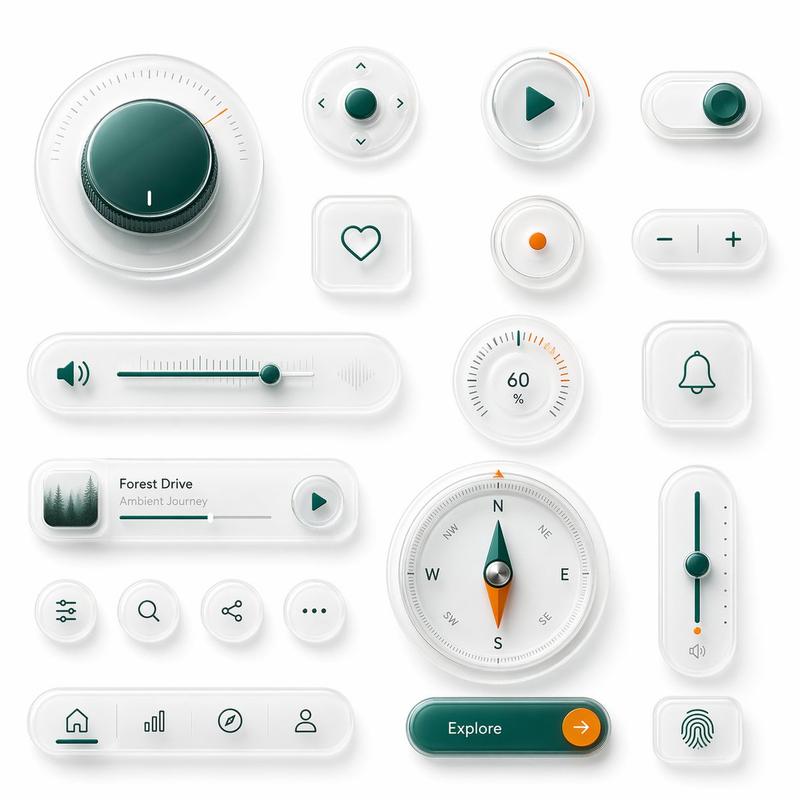
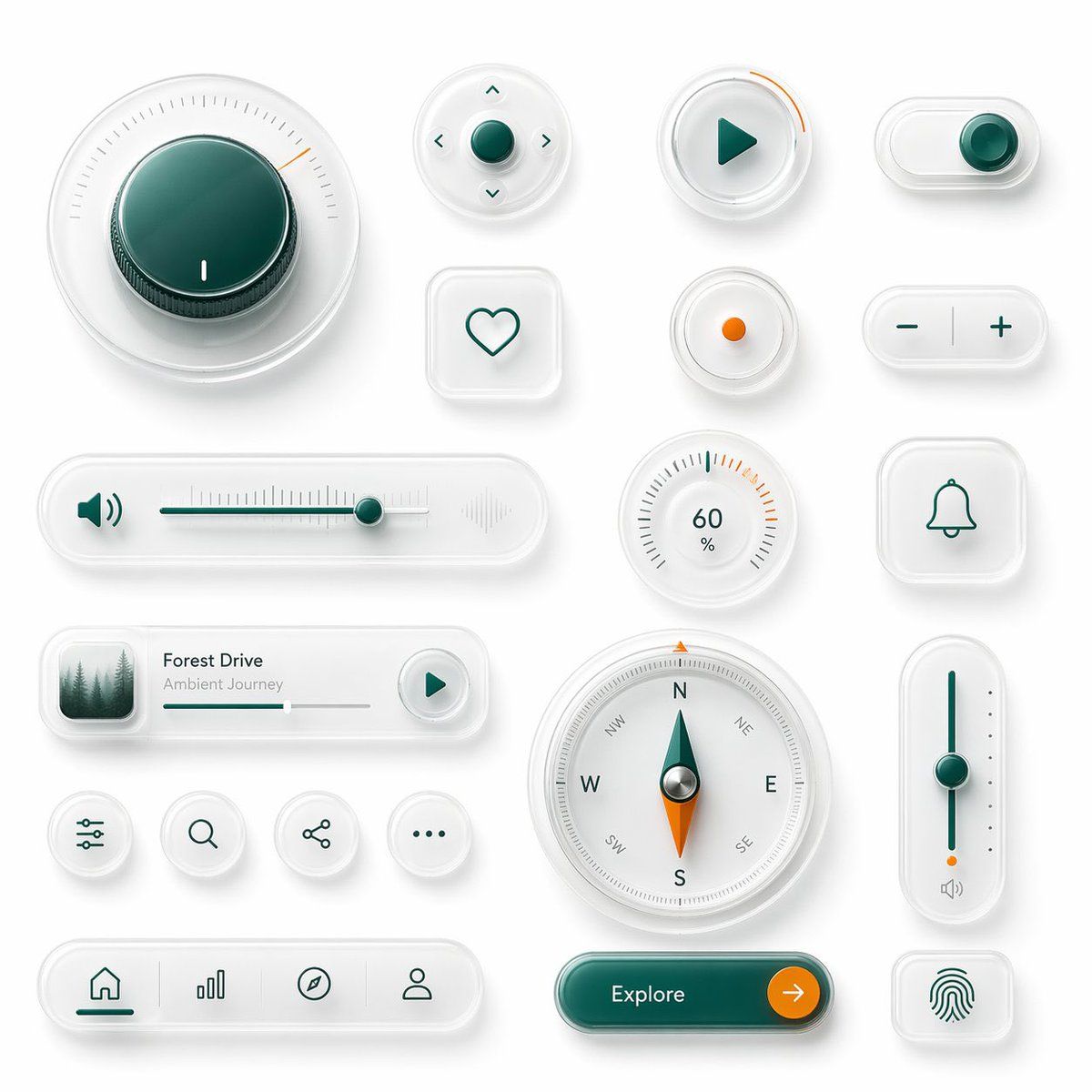
{"type":"glassmorphism UI component showcase","style":"premium minimalist neumorphic interface kit, frosted translucent white acrylic, soft shadows, subtle reflections, rounded corners, clean white background, teal green and orange accent colors, ultra-detailed 3D product render, top-down view","palette":{"background":"soft light gray-white","primary":"deep teal green","secondary":"bright orange","material":"milky translucent glass with satin plastic details"},"layout":{"composition":"single canvas with evenly spaced floating UI widgets arranged in a clean design-system presentation","sections":[{"title":"large dial","position":"top left","count":1,"labels":["circular rotary knob with radial tick marks and one orange indicator"]},{"title":"direction pad","position":"upper center","count":1,"labels":["round four-way control with center button and four arrow icons"]},{"title":"play button","position":"upper center-right","count":1,"labels":["round button with teal play triangle and orange progress arc"]},{"title":"toggle switch","position":"upper right","count":1,"labels":["horizontal pill toggle switched on"]},{"title":"favorite button","position":"mid upper center-left","count":1,"labels":["rounded square tile with heart outline"]},{"title":"status dot","position":"mid upper center-right","count":1,"labels":["small circular button with orange center dot"]},{"title":"stepper","position":"mid upper right","count":1,"labels":["horizontal pill with minus and plus symbols"]},{"title":"audio slider","position":"middle left","count":1,"labels":["long horizontal volume slider with speaker icon on left and waveform emboss on right"]},{"title":"percentage gauge","position":"middle center-right","count":1,"labels":["round gauge showing 60 % with radial ticks"]},{"title":"notification tile","position":"middle right","count":1,"labels":["rounded square tile with bell outline"]},{"title":"music card","position":"lower middle-left","count":1,"labels":["media card with forest thumbnail, title {argument name=\"track title\" default=\"Forest Drive\"}, subtitle {argument name=\"track subtitle\" default=\"Ambient Journey\"}, progress bar, and circular play button"]},{"title":"utility icons","position":"lower left-center","count":4,"labels":["sliders settings icon","search icon","share icon","more menu icon"]},{"title":"compass","position":"lower center","count":1,"labels":["large circular compass with N E S W markings and teal-orange needle"]},{"title":"vertical slider","position":"lower right-center","count":1,"labels":["tall rounded slider with teal track, teal knob, orange endpoint, and small speaker icon"]},{"title":"bottom navigation","position":"bottom left","count":1,"labels":["pill navigation bar with 4 icons: home, bar chart, compass, profile"]},{"title":"call to action","position":"bottom center-right","count":1,"labels":["pill button labeled {argument name=\"button text\" default=\"Explore\"} with orange circular arrow segment"]},{"title":"biometric tile","position":"bottom right","count":1,"labels":["rounded square tile with fingerprint icon"]}]},"rendering":{"lighting":"soft studio lighting from upper left","shadow":"diffuse layered shadows for floating depth","finish":"high-end consumer electronics aesthetic, polished yet minimal","quality":"sharp, clean, realistic 3D interface mockup suitable for a design system hero image"}}- Category
- Charts & Infographics
- Model
- GPT Image 2
- Creator
- 阿兰AI
- Source ID
- 15995
- Published
- Apr 25, 2026
Views2