AI 团队应用海报
Prompt
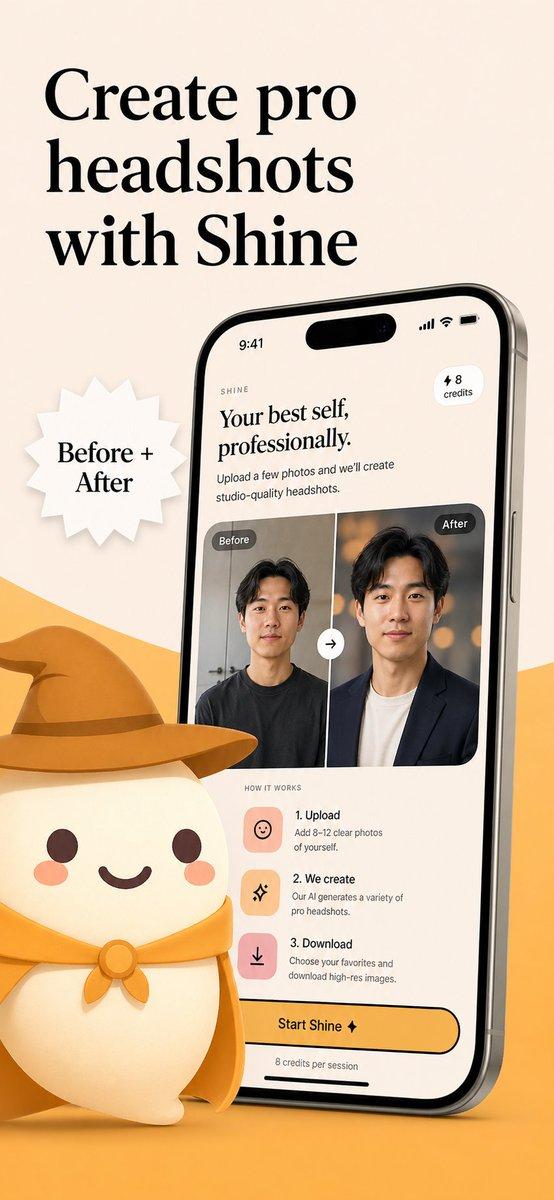
{"type":"app store marketing poster","style":"clean premium startup branding, whimsical 3D mascot illustration, soft studio lighting, polished iOS product render, warm minimal palette","background":{"color":"warm light beige","foreground wave":"large flowing mustard-yellow wave across the bottom"},"canvas":{"aspect_ratio":"9:16 vertical"},"headline":{"text":"{argument name=\"headline text\" default=\"Your AI team, all in one app\"}","position":"top left","font":"large elegant high-contrast serif in black","line_break":"2 lines"},"main_subject":{"device":{"type":"modern iPhone mockup","position":"left-center","angle":"slight three-quarter view facing right","screen":{"app_name":"THE MERLS","time":"9:41","header":"Meet the crew.","badge":"+ 5 Free","search_placeholder":"Try \"Fix my résumé\" + add a photo...","bottom_bar":{"left_icon":"home","center_pill":"⚡ 288 Merls","right_icon":"profile"},"cards":{"count":5,"items":[{"label":"VIDEO AGENT","title":"Cutter.","number":"#1","description":"AI UGC ads, anime scenes, talking-head clips, cinematic edits.","color":"golden yellow","character":"small rounded cream mascot wearing a brown wizard hat and holding a video camera"},{"label":"PHOTO AGENT","title":"Shine.","number":"#2","description":"Shine retouches exactly what you ask for — nothing else.","color":"peach orange","character":"small rounded cream mascot wearing a brown wizard hat, expressive face, holding a camera or editing device"},{"label":"RÉSUMÉ AGENT","title":"Editor.","number":"#3","description":"Editor rewrites your résumé and cover letter for the exact job.","color":"soft pink","character":"small rounded cream mascot wearing a brown wizard hat and using a pink laptop"},{"label":"WRITING AGENT","title":"Echo.","number":"#5","description":"Echo learns your voice for essays, captions, tweets, and more.","color":"warm beige","character":"small rounded cream mascot wearing a brown wizard hat beside a candle and desk props"},{"label":"SPACE AGENT","title":"Designer.","number":"#4","description":"Designer keeps your room's layout and reimagines the style.","color":"light cream","character":"small rounded cream mascot with a measuring tape or headband, holding a design tool beside a mug and interior props"}]}}},"badge":{"type":"white starburst sticker","position":"upper right of phone","text_lines":["5","Specialized","Agents"],"style":"paper-cut burst with subtle shadow"},"mascot":{"type":"large rounded marshmallow-like character","position":"bottom right, partially cropped","appearance":{"body_color":"cream","face":"one open brown eye, one closed smiling eye, pink cheek blush, tiny curved smile","hat":"oversized floppy brown wizard hat with band","cape":"golden yellow cape tied at the neck with a round clasp"}},"composition":{"focus":"headline, phone UI, sticker badge, large mascot","branding":"consistent warm beige, mustard, orange, pink, cream, and brown palette","mood":"friendly, magical, product-focused, approachable AI assistant ecosystem"}}- Category
- Charts & Infographics
- Model
- GPT Image 2
- Creator
- ashen
- Source ID
- 16941
- Published
- Apr 28, 2026
Views6