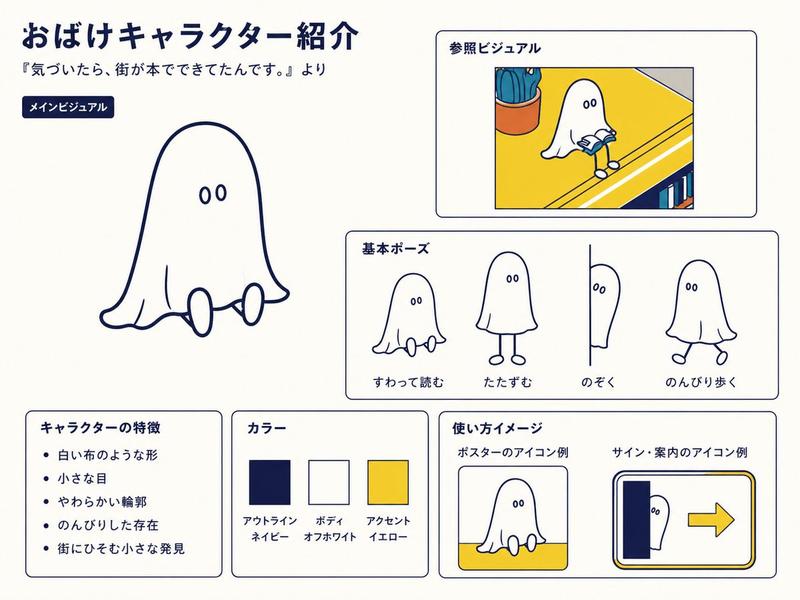
可爱甜瓜吉祥物角色设定集
Prompt
{"type":"cute Japanese mascot character sheet / original character design sheet","style":"soft watercolor and colored-pencil illustration, warm cream paper background, rounded kawaii shapes, pastel melon green palette, hand-drawn dashed borders, small hearts, sparkles and doodles, gentle storybook texture","character":{"name":"{argument name=\"character name\" default=\"もめもめメロン\"}","concept":"a squishy healing pudding-shaped melon from a gentle future, designed to be squeezed and cuddled","main colors":"{argument name=\"main colors\" default=\"pale melon green, cream, honey yellow, peach pink\"}","body":"large round pudding-like melon body with glossy highlights, white cantaloupe net pattern on the top, tiny oval feet, small round cheek-like arms, sleepy closed eyes, catlike w mouth, soft pink blush","top detail":"short green T-shaped melon stem handle on the crown","centerpiece":{"position":"left half","scale":"very large full-body mascot portrait sitting calmly","expression":"relaxed sleepy smile","surrounding doodles":"speech bubble reading もめ〜, peach hearts, green accent lines, sparkles, and a small melon slice with the caption メロンの香りつき〜"}},"layout":{"title":{"position":"top center-right","text":"{argument name=\"title text\" default=\"もめもめメロン\"}","lettering":"large bubbly green Japanese lettering with white outline and soft shadow, decorated with a tiny melon icon"},"subtitle":{"position":"under title on a ribbon banner","text":"揉むと癒やされる、プリン型メロンのゆる未来キャラ。","style":"brown handwritten text on pale cream ribbon with green ends"},"sections":[{"title":"プロフィール","position":"bottom left","count":1,"content":"ゆるい未来からやってきた、ぷるぷるのメロンプリン。あなたががんばりすぎた時、そっと寄りそってくれるよ。いっしょに、ゆるゆる もめもめしよ〜♪","visuals":"cloud-shaped dashed border, small melon icon at left, tiny heart at lower right"},{"title":"いろんな もめもめ♪","position":"middle column","count":3,"labels":["むにっ", "ぷるぷる", "Zzz…"],"items":["top small panel: a human hand gently presses the soft melon mascot, cheeks squish inward, speech bubble むにっ","middle small panel: mascot happily vibrating with motion lines, speech bubble ぷるぷる","bottom small panel: mascot lying asleep on a lavender cushion shadow, speech bubble Zzz…"]},{"title":"traits panel","position":"right side","count":4,"labels":["性格", "特技", "弱点", "口ぐせ"],"items":["heart icon row: 性格:のんびり / やさしい / すぐ寝る","sparkle icon row: 特技:手のひらの疲れを吸い取る / ぷるぷる振動 / 癒やし","sun icon row: 弱点:暑さ / スプーン / 高級フルーツ売り場","speech bubble icon row: 口ぐせ:『もめ〜』"]},{"title":"おすすめの楽しみ方","position":"bottom right","count":4,"labels":["手のひらにのせて…", "やさしくもみもみ…", "疲れがとけるよ〜", "いっしょにすやすや…ZZZ"],"items":["tiny mascot resting in cupped hands with a small heart","hands gently squeezing mascot cheeks","large heart icon indicating healing","mascot sleeping, with small blue bubbles"]}]},"composition":"wide 16:9 character sheet with the main mascot occupying the left half, information panels neatly arranged in the center and right, consistent rounded dashed boxes, all typography hand-lettered in Japanese, no harsh shadows, plenty of airy negative space","mood":"{argument name=\"mood\" default=\"sleepy, comforting, playful, healing\"}","rendering notes":"make the mascot look extremely soft, translucent and pudding-like, with subtle green-yellow gradients, glossy wet highlights, delicate cantaloupe mesh on top, and an overall handmade stationery aesthetic"}- Category
- Charts & Infographics
- Model
- GPT Image 2
- Source ID
- 18895
- Published
- May 7, 2026
Views4