12

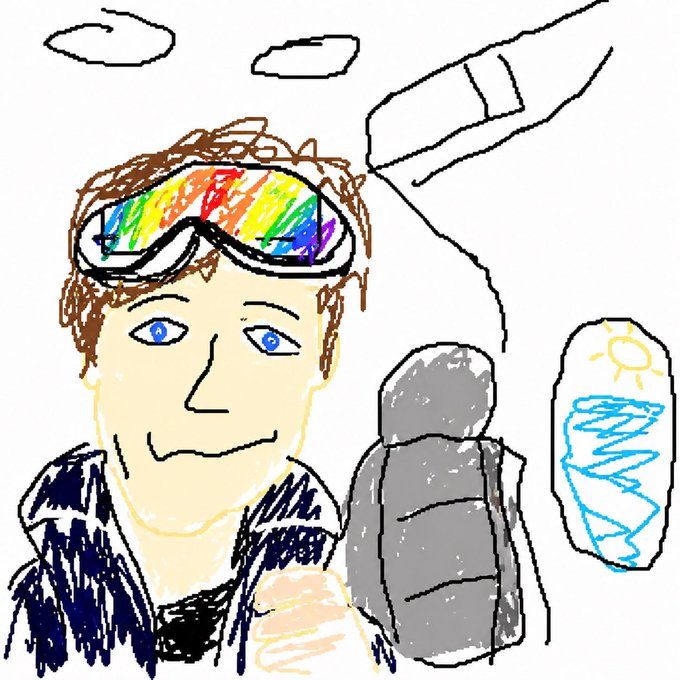
童趣彩虹护目镜涂鸦
Enlarge

童趣彩虹护目镜涂鸦

Prompt
A crude childlike digital doodle made in a simple paint program on a white background, showing a close-up selfie-style scene with 1 main person in the lower left and center. The person has messy medium brown hair, a dark blue jacket over a pale skin-toned neck and chest, and oversized ski goggles or visor glasses with a bright rainbow lens band arcing across the eyes in red, orange, yellow, green, blue, and purple. The face is largely obscured by a large square beige blur or censor block centered over the middle of the head and upper torso. One pale hand is raised near the bottom center as if giving a thumbs-up or holding something close to the camera. Around the figure are simple black-outline background doodles: 2 small cloud shapes near the top, 1 large angled airplane or rocket-like shape in the upper right, 1 gray rounded standing object to the right of the person that resembles a rock, backpack, or bundled figure, and 1 tall white rectangular object at the far right with a yellow sun drawn near the top and blue zigzag scribbles below. Use rough uneven hand-drawn lines, messy coloring outside the lines, minimal shading, a naive children's drawing aesthetic, and low-detail playful composition.
Category
Posters & Typography
Model
GPT Image 2
Views1
Source ID
17713
Published
May 1, 2026

Guide

About "童趣彩虹护目镜涂鸦"

What is this prompt for?

"童趣彩虹护目镜涂鸦" AI image prompt for GPT Image 2 (Posters & Typography). 该提示词可生成一种类似 MS Paint 风格、充满童趣的凌乱涂鸦,描绘了一个戴着彩虹护目镜的人物,周围环绕着简单的涂鸦物体,适用于稚拙艺术或刻意追求粗糙感的插画。 Copy it…

The full copyable prompt and example visuals above are ready for AI image generation or one-click recreate in Picva.

How to use this prompt

  1. Step 1

    Open the prompt detail

    Review the example visuals, category, and full prompt text for "童趣彩虹护目镜涂鸦".

  2. Step 2

    Copy the prompt

    Copy the prompt body from this page, or load it directly in Studio.

  3. Step 3

    Pick a model (GPT Image 2)

    Prefer GPT Image 2. If you switch models, keep subject and composition and tweak style terms.

  4. Step 4

    Generate and export

    Recreate the look in Picva, or export into your workflow for editing and publishing.

FAQ

What is the "童趣彩虹护目镜涂鸦" prompt?
It is an AI image-generation prompt for GPT Image 2 in the Posters & Typography category. This page includes the full prompt text, example visuals, and a one-click recreate path in Picva.
How do I use this prompt to generate an image?
Copy the prompt from this page, or use Generate / Studio. Paste it into a compatible image model, or recreate the look in Picva with optional reference images.
Which model is this prompt for?
This page lists GPT Image 2. Most descriptive prompts also transfer to nearby image models such as GPT Image, Flux, or Midjourney with light style tweaks.
Can I use the result commercially?
You can usually copy the prompt for creation, but commercial use of the final image depends on the model terms, reference-image rights, and the generated content. Follow the source author and platform rules.