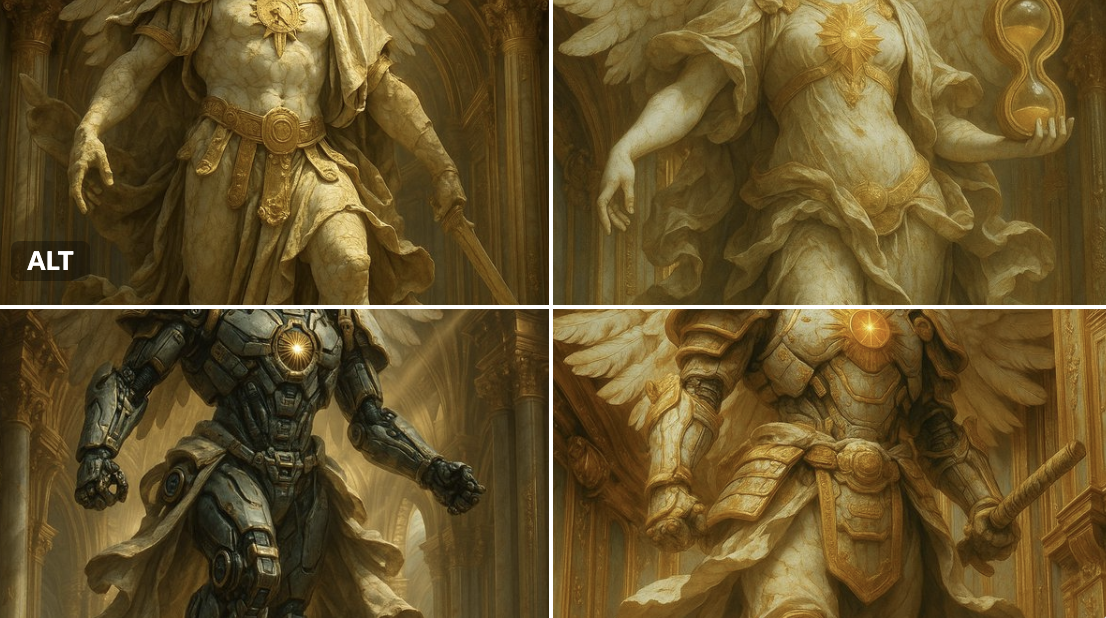
Clockwork Titan Baroque Painting
Prompt
Create a monumental {argument name="painting style" default="Baroque oil painting with Romantic-era grandeur"} depicting a colossal {argument name="mechanical deity" default="golden clockwork titan"} emerging from stormy, radiant clouds above an ancient crowd. The titan is enormous and divine, built from intricate brass and gold gears, engraved armor plates, pistons, rings, clock faces, and celestial machinery; its head is a dense crown of rotating mechanical structures with a single blazing golden light at the center like an eye. Show the figure from a dramatic low angle, with one massive articulated hand reaching down toward the viewer in extreme foreshortening, fingers made of cylindrical metal segments and ornate joints. Behind its head, place a circular halo of glowing mechanical rings and sunburst light, sending warm rays through towering dark clouds. Below, depict a vast crowd of robed ancient people in awe, many raising their arms toward the titan; include ruined classical architecture and columns at the left and right edges for scale. Use a cinematic wide composition, chiaroscuro lighting, deep shadows, glowing amber highlights, smoky atmosphere, turbulent clouds, dense painterly brushwork, intricate detail, mythic apocalyptic mood, and museum-quality classical realism. Keep the palette dominated by {argument name="main color palette" default="antique gold, bronze, umber, charcoal gray, and warm celestial amber"}. No modern text, no sci-fi neon, no cartoon styling; make it feel like a lost grand master painting of a divine machine descending from heaven.- Category
- Posters & Typography
- Model
- GPT Image 2
- Creator
- Mark Kretschmann
- Source ID
- 17983
- Published
- May 2, 2026
Views4