18

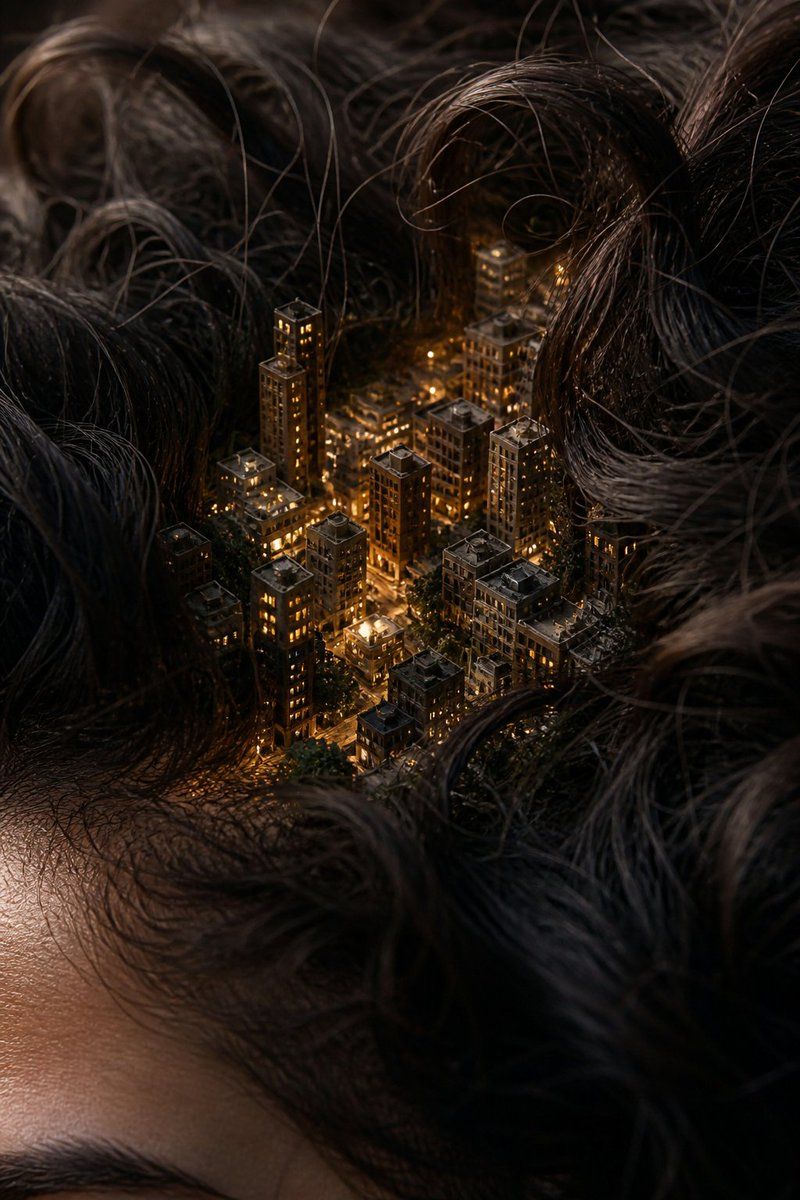
微缩城市:微观世界
Enlarge

微缩城市:微观世界

Prompt
Macro photograph of a {argument name="subject" default="miniature city hidden in human hair"}, clearly on a real human head, with part of the forehead and hairline visible, realistic skin texture with pores tiny people walking through the streets between the hair strands, extremely small but realistic proportions macro photography, {argument name="lens" default="85mm lens"}, shallow depth of field, natural lighting, neutral colors, no warm tones ultra realistic hair with visible roots, natural imperfections, slightly messy strands realistic materials, slightly dirty buildings, no perfect surfaces photorealistic, looks like a real photo, no illustration, no CGI, no glow
Category
Charts & Infographics
Model
GPT Image 2
Views5
Source ID
18317
Published
May 4, 2026

Guide

About "微缩城市:微观世界"

What is this prompt for?

"微缩城市:微观世界" AI image prompt for GPT Image 2 (Charts & Infographics). 一个微距摄影提示词,旨在创作出构建在人类发丝间的逼真微缩城市,呈现高细节与自然的皮肤纹理。 Copy it on Picva and recreate the look in on…

The full copyable prompt and example visuals above are ready for AI image generation or one-click recreate in Picva.

How to use this prompt

  1. Step 1

    Open the prompt detail

    Review the example visuals, category, and full prompt text for "微缩城市:微观世界".

  2. Step 2

    Copy the prompt

    Copy the prompt body from this page, or load it directly in Studio.

  3. Step 3

    Pick a model (GPT Image 2)

    Prefer GPT Image 2. If you switch models, keep subject and composition and tweak style terms.

  4. Step 4

    Generate and export

    Recreate the look in Picva, or export into your workflow for editing and publishing.

FAQ

What is the "微缩城市:微观世界" prompt?
It is an AI image-generation prompt for GPT Image 2 in the Charts & Infographics category. This page includes the full prompt text, example visuals, and a one-click recreate path in Picva.
How do I use this prompt to generate an image?
Copy the prompt from this page, or use Generate / Studio. Paste it into a compatible image model, or recreate the look in Picva with optional reference images.
Which model is this prompt for?
This page lists GPT Image 2. Most descriptive prompts also transfer to nearby image models such as GPT Image, Flux, or Midjourney with light style tweaks.
Can I use the result commercially?
You can usually copy the prompt for creation, but commercial use of the final image depends on the model terms, reference-image rights, and the generated content. Follow the source author and platform rules.