19

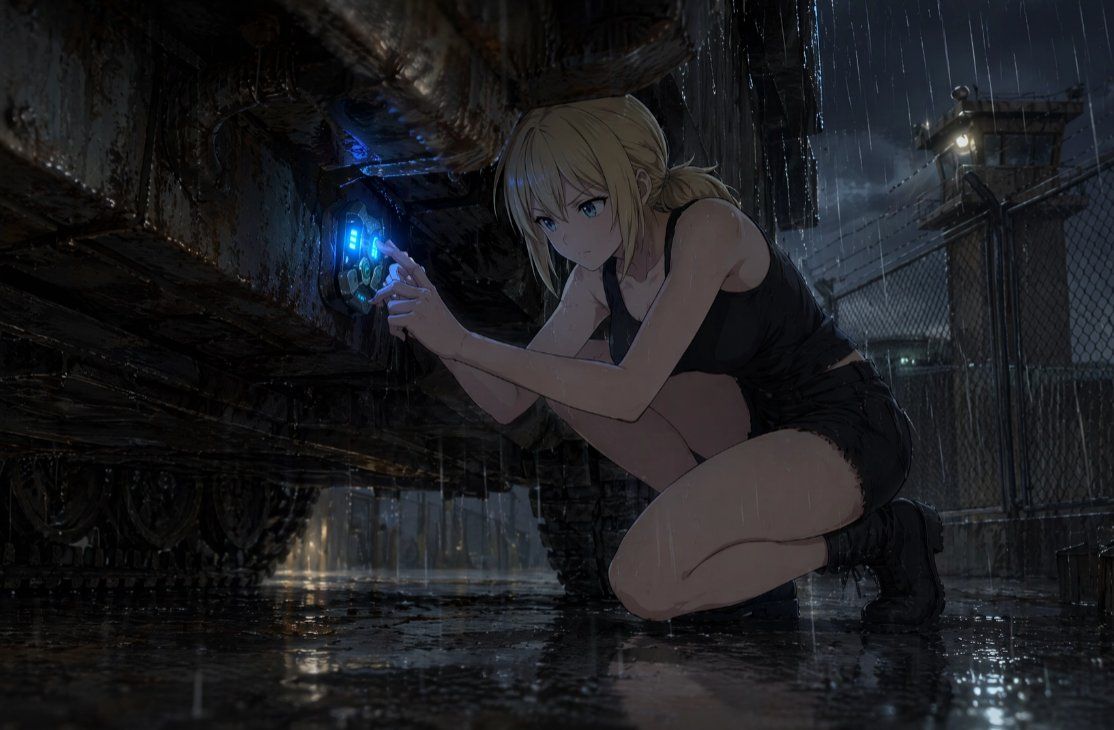
雨中科幻潜入场景
Enlarge

雨中科幻潜入场景

Prompt
Create a cinematic dark sci-fi anime illustration of {argument name="character name" default="a young blonde woman"} crouching on one knee in heavy rain at night, working covertly beneath the rusted undercarriage of a massive armored vehicle or industrial machine. She has {argument name="hair color" default="pale blonde"} hair tied back in a messy low bun with loose wet strands, and her face is intentionally obscured by a flat dark gray square censor block. She wears a soaked black sleeveless crop top, black short shorts, and black tactical ankle boots, with rainwater glistening on her skin. Her hands are pressed to a circular futuristic access port on the machine, which emits a vivid electric {argument name="glowing device color" default="blue"} light with small cyan interface bars and mechanical details, suggesting hacking, repairing, or activating hidden technology. The setting is a grim fenced military-industrial compound with wet asphalt, puddle reflections, chain-link fencing, distant guard tower lights, barbed wire silhouettes, and storm clouds. Use dramatic low-angle composition, the massive corroded vehicle dominating the left side, the crouching figure on the right, strong chiaroscuro lighting, rain streaks, reflective ground, detailed rust, grime, dripping water, moody blue-gray palette, high-detail anime realism, cinematic concept art, widescreen 16:9 framing, tense prologue atmosphere.
Category
UI & Interfaces
Model
GPT Image 2
Views5
Source ID
18422
Published
May 4, 2026

Guide

About "雨中科幻潜入场景"

What is this prompt for?

"雨中科幻潜入场景" AI image prompt for GPT Image 2 (UI & Interfaces). 生成一幅充满电影质感的暗黑科幻动漫场景,描绘一名特工在雨中的军事基地内,蹲伏在生锈的机械下方与发光设备进行交互。 Copy it on Picva and recreate the look i…

The full copyable prompt and example visuals above are ready for AI image generation or one-click recreate in Picva.

How to use this prompt

  1. Step 1

    Open the prompt detail

    Review the example visuals, category, and full prompt text for "雨中科幻潜入场景".

  2. Step 2

    Copy the prompt

    Copy the prompt body from this page, or load it directly in Studio.

  3. Step 3

    Pick a model (GPT Image 2)

    Prefer GPT Image 2. If you switch models, keep subject and composition and tweak style terms.

  4. Step 4

    Generate and export

    Recreate the look in Picva, or export into your workflow for editing and publishing.

FAQ

What is the "雨中科幻潜入场景" prompt?
It is an AI image-generation prompt for GPT Image 2 in the UI & Interfaces category. This page includes the full prompt text, example visuals, and a one-click recreate path in Picva.
How do I use this prompt to generate an image?
Copy the prompt from this page, or use Generate / Studio. Paste it into a compatible image model, or recreate the look in Picva with optional reference images.
Which model is this prompt for?
This page lists GPT Image 2. Most descriptive prompts also transfer to nearby image models such as GPT Image, Flux, or Midjourney with light style tweaks.
Can I use the result commercially?
You can usually copy the prompt for creation, but commercial use of the final image depends on the model terms, reference-image rights, and the generated content. Follow the source author and platform rules.