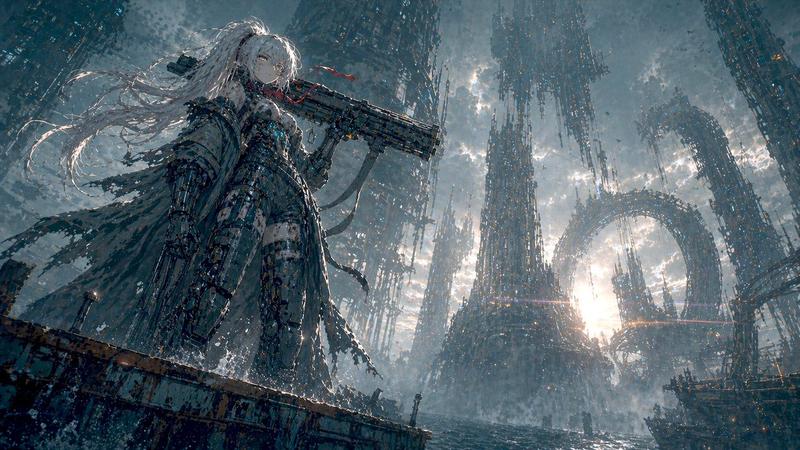
极繁主义天空寺庙之城
Prompt
Create an ultra-detailed maximalist fantasy cityscape in a monumental East Asian architectural style, viewed from a low wide-angle perspective looking upward through a deep canyon of stacked temples and cliffside structures. The scene centers on a vast ornate palace gate and tiered temple complex with dark curved roofs, gilded carved trim, red pillars, hanging crimson banners, lanterns, prayer flags, rope bridges, suspended balconies, and countless tiny architectural details. Behind it rises an impossible vertical megastructure of densely layered pagodas, towers, terraces, sky bridges, circular observatory-like platforms, and scaffolded shrines climbing into misty clouds, as if an ancient sacred city has grown into a colossal mountain metropolis. Add {argument name="architectural culture" default="Tibetan, Chinese, and Himalayan temple influences"}, {argument name="primary accent color" default="deep crimson red"}, abundant gold ornamentation, weathered dark wood, stone walls, carved metalwork, and lush patches of greenery clinging to ledges. Include multiple thin waterfalls streaming down the left and right cliff faces, drifting mist, shafts of sunlight breaking through dramatic blue sky and cumulus clouds, atmospheric haze for immense scale, tiny figures and walkways for depth, and dense foreground framing from shadowed roof eaves on both sides. Use {argument name="visual style" default="cinematic hyperreal fantasy concept art"}, extremely high detail, epic scale, sharp ornate textures, volumetric lighting, rich contrast, awe-inspiring vertical composition, 16:9 widescreen, no text, no modern vehicles, no sci-fi neon.- Category
- Posters & Typography
- Model
- GPT Image 2
- Creator
- 老范讲故事🎙️
- Source ID
- 18626
- Published
- May 6, 2026
Views7