18

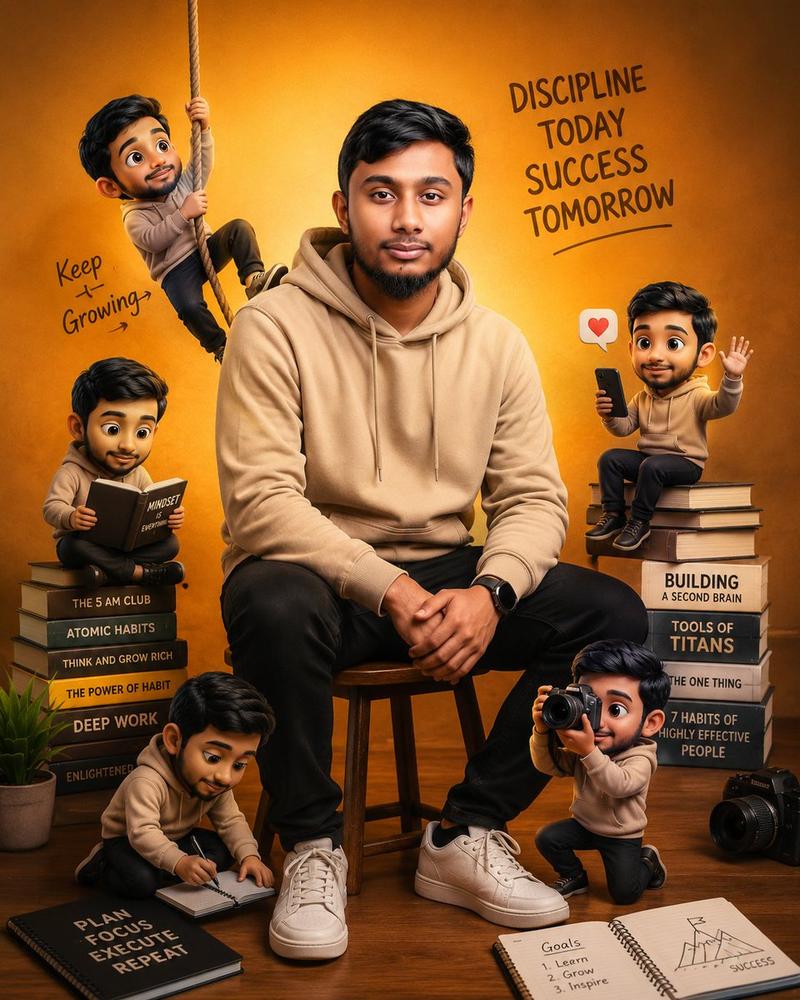
自我提升主题励志海报
Enlarge

自我提升主题励志海报

Prompt
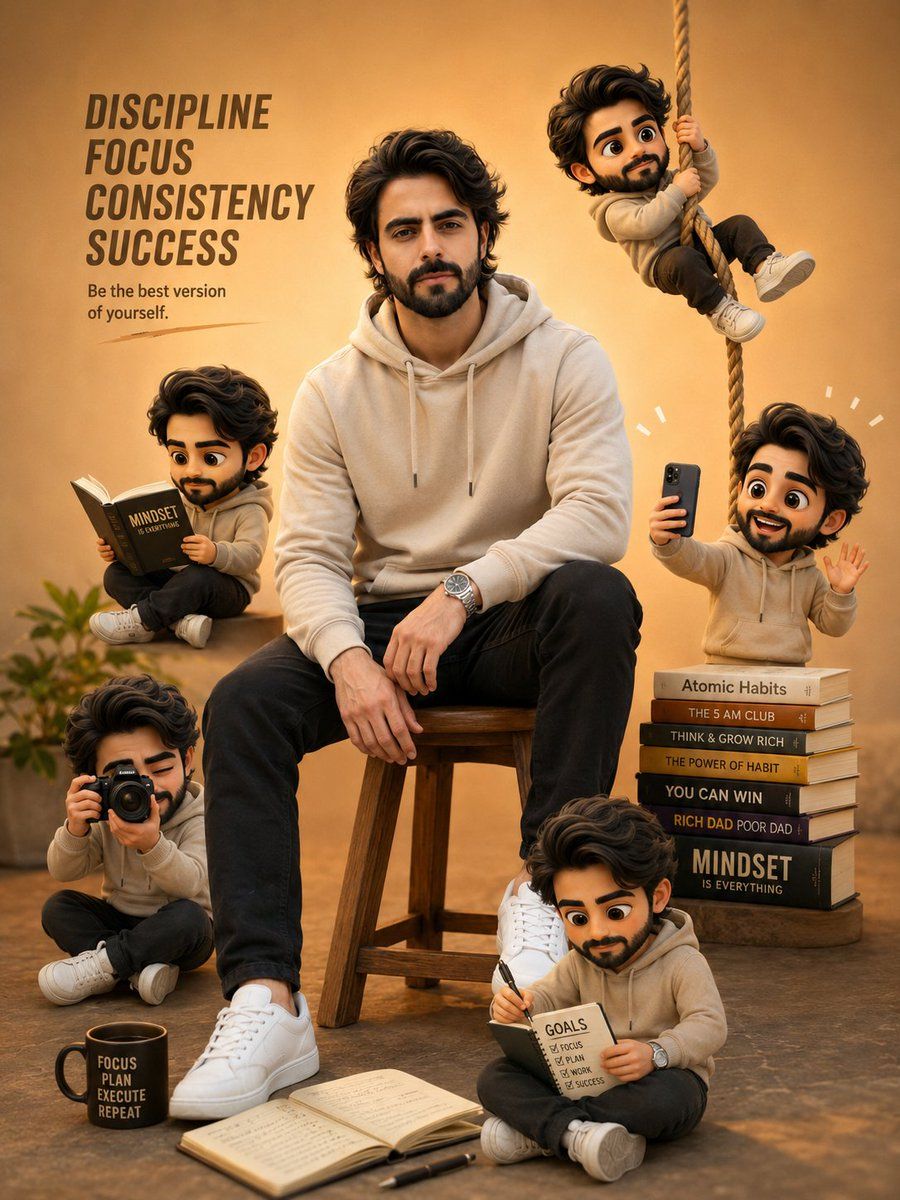
A young boy sitting on a stool, wearing a {argument name="outfit color" default="beige hoodie and black pants"}, calm confident expression, surrounded by multiple cute mini cartoon versions of himself in different poses (sitting, climbing rope, taking photos, waving using phone), warm yellow-orange gradient background, modern motivational poster style, soft cinematic lighting, highly detailed face, 3D cartoon characters, depth of field, aesthetic composition, books stacked beside him ({argument name="theme" default="self-improvement theme"}), notebook on floor,
Category
Posters & Typography
Model
GPT Image 2
Creator
Zar⭕on
Views3
Source ID
18767
Published
May 7, 2026

Guide

About "自我提升主题励志海报"

What is this prompt for?

"自我提升主题励志海报" AI image prompt for GPT Image 2 (Posters & Typography). 一个现代 3D 插画提示词,描绘了一个被多个迷你卡通版自己环绕的男孩,旨在制作成励志海报。 Copy it on Picva and recreate the look in on…

The full copyable prompt and example visuals above are ready for AI image generation or one-click recreate in Picva.

How to use this prompt

  1. Step 1

    Open the prompt detail

    Review the example visuals, category, and full prompt text for "自我提升主题励志海报".

  2. Step 2

    Copy the prompt

    Copy the prompt body from this page, or load it directly in Studio.

  3. Step 3

    Pick a model (GPT Image 2)

    Prefer GPT Image 2. If you switch models, keep subject and composition and tweak style terms.

  4. Step 4

    Generate and export

    Recreate the look in Picva, or export into your workflow for editing and publishing.

FAQ

What is the "自我提升主题励志海报" prompt?
It is an AI image-generation prompt for GPT Image 2 in the Posters & Typography category. This page includes the full prompt text, example visuals, and a one-click recreate path in Picva.
How do I use this prompt to generate an image?
Copy the prompt from this page, or use Generate / Studio. Paste it into a compatible image model, or recreate the look in Picva with optional reference images.
Which model is this prompt for?
This page lists GPT Image 2. Most descriptive prompts also transfer to nearby image models such as GPT Image, Flux, or Midjourney with light style tweaks.
Can I use the result commercially?
You can usually copy the prompt for creation, but commercial use of the final image depends on the model terms, reference-image rights, and the generated content. Follow the source author and platform rules.