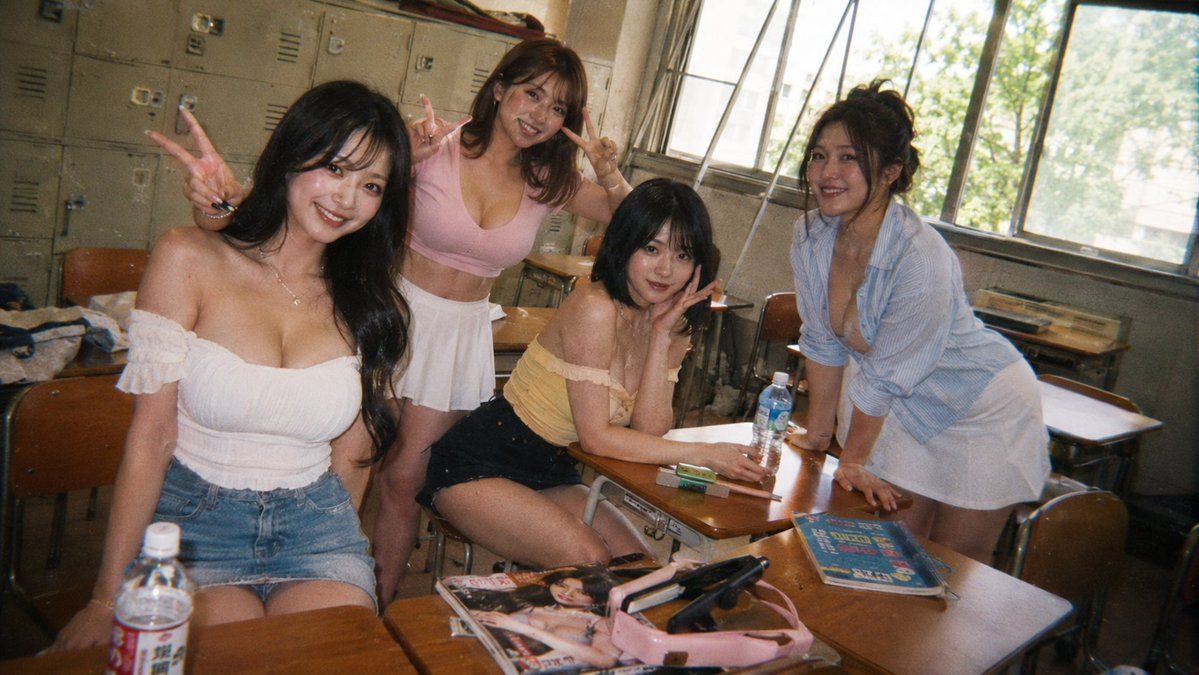
课堂好友抓拍
Prompt
Create a candid 35mm disposable-camera style photo of {argument name="group description" default="four young adult women friends"} posing casually in an old Japanese classroom during daytime. The scene has exactly 4 people: one seated at the front left in a white off-shoulder ruffled crop top and denim mini skirt making a peace sign, one standing behind her in a pink fitted V-neck crop top and white pleated mini skirt making double peace signs, one seated center-right in a pale yellow off-shoulder top and black shorts leaning on a desk with one hand near her face, and one standing at the far right leaning forward on a desk in a light blue striped button-up shirt over a white mini skirt. Their faces are intentionally anonymized with soft rectangular blur masks. Use a nostalgic classroom setting with rows of wooden desks and chairs, beige metal lockers along the back wall, large open windows on the right with bright green trees outside, warm afternoon sunlight, dusty air, and a casual after-school atmosphere. Include visible desk objects: exactly 2 plastic drink bottles, 1 magazine with a glamorous cover on the front desk, 1 pink handbag, 1 black hair styling tool or case, 1 blue-covered book on the right desk, and small stationery items. Compose the shot as a wide horizontal snapshot from slightly above desk height with mild wide-angle distortion, tilted framing, natural clutter, film grain, soft focus, harsh flash highlights mixed with window light, muted colors, and realistic analog imperfections. The overall mood should feel like an unposed vacation snapshot among friends in a classroom, fashionable and playful but photorealistic.- Category
- Posters & Typography
- Model
- GPT Image 2
- Creator
- AI Girl's Photo Studio
- Source ID
- 18842
- Published
- May 6, 2026
Views3