20

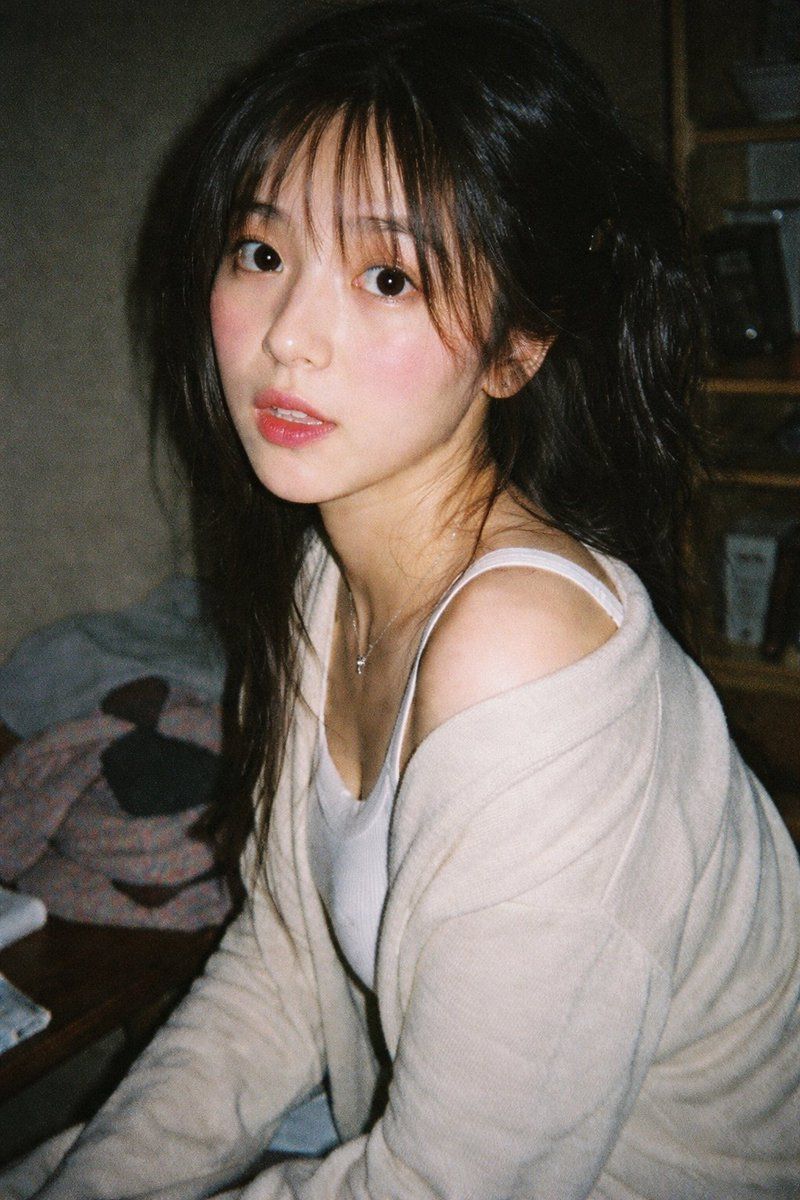
复古 35mm 闪光灯人像
Enlarge

复古 35mm 闪光灯人像

Prompt
A vintage 35mm film photograph of a {argument name="subject description" default="young Asian woman"} with {argument name="hair style" default="long dark wavy hair and wispy bangs"}. She is wearing a {argument name="clothing" default="white ribbed tank top and a loose beige knit cardigan slipping off one shoulder"}, along with a delicate silver necklace. She has soft makeup with pink blush and glossy lips, looking directly at the camera with slightly parted lips. The lighting is harsh direct camera flash, creating a candid, amateur snapshot aesthetic. The background is a {argument name="setting" default="dimly lit, slightly messy room with clothes on a table and a wooden shelf"}. The image features heavy film grain, slightly muted colors, and a nostalgic, highly realistic photographic texture.
Category
Charts & Infographics
Model
GPT Image 2
Creator
Ecoo
Views3
Source ID
14145
Published
Apr 20, 2026

Guide

About "复古 35mm 闪光灯人像"

What is this prompt for?

"复古 35mm 闪光灯人像" AI image prompt for GPT Image 2 (Charts & Infographics). 生成一张具有复古胶片美感和直接闪光灯照明效果的高写实抓拍人像。 Copy it on Picva and recreate the look in one click.

The full copyable prompt and example visuals above are ready for AI image generation or one-click recreate in Picva.

How to use this prompt

  1. Step 1

    Open the prompt detail

    Review the example visuals, category, and full prompt text for "复古 35mm 闪光灯人像".

  2. Step 2

    Copy the prompt

    Copy the prompt body from this page, or load it directly in Studio.

  3. Step 3

    Pick a model (GPT Image 2)

    Prefer GPT Image 2. If you switch models, keep subject and composition and tweak style terms.

  4. Step 4

    Generate and export

    Recreate the look in Picva, or export into your workflow for editing and publishing.

FAQ

What is the "复古 35mm 闪光灯人像" prompt?
It is an AI image-generation prompt for GPT Image 2 in the Charts & Infographics category. This page includes the full prompt text, example visuals, and a one-click recreate path in Picva.
How do I use this prompt to generate an image?
Copy the prompt from this page, or use Generate / Studio. Paste it into a compatible image model, or recreate the look in Picva with optional reference images.
Which model is this prompt for?
This page lists GPT Image 2. Most descriptive prompts also transfer to nearby image models such as GPT Image, Flux, or Midjourney with light style tweaks.
Can I use the result commercially?
You can usually copy the prompt for creation, but commercial use of the final image depends on the model terms, reference-image rights, and the generated content. Follow the source author and platform rules.