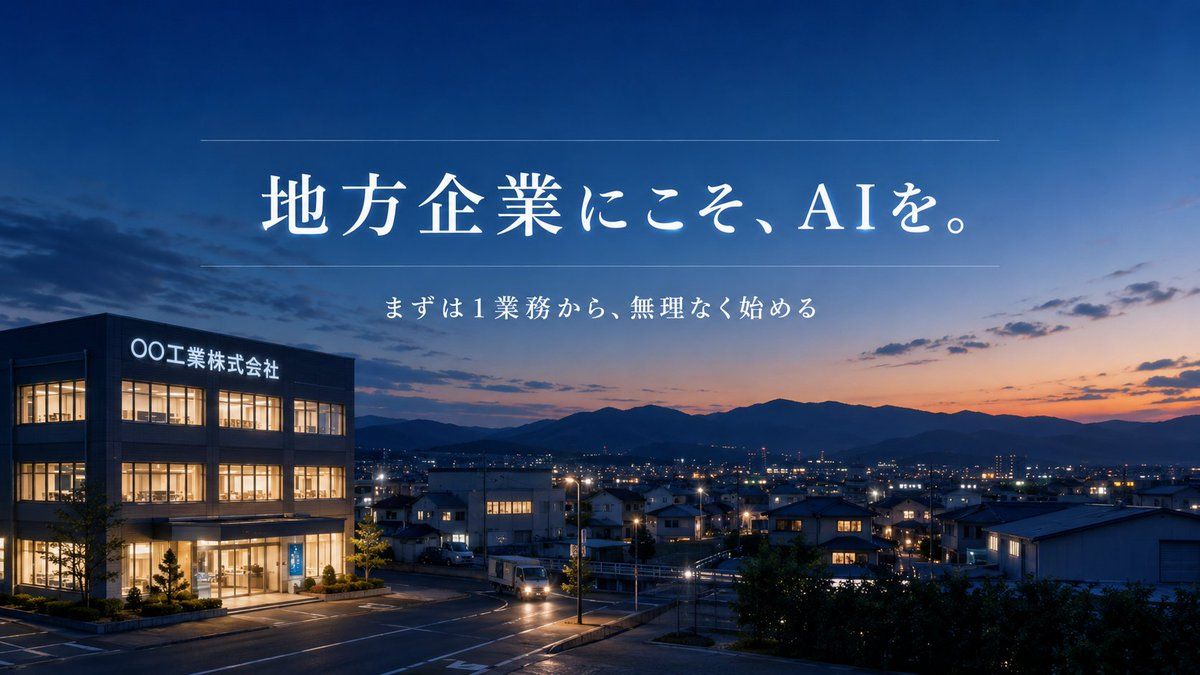
区域性 AI 企业横幅广告
Prompt
Create a cinematic 16:9 corporate promotional banner for a regional Japanese business adopting AI. Show a realistic evening twilight cityscape in a quiet local industrial town, viewed from a slightly elevated roadside perspective. On the left foreground, place a modern three-story office/factory building with warm illuminated windows, glass entrance, small landscaped trees, and a glowing exterior sign reading {argument name="company sign text" default="〇〇工業株式会社"}. The middle and right background should show low residential and industrial buildings, streetlights, a few car headlights on curved roads, distant town lights, and layered dark mountain silhouettes beneath a deep blue-to-orange sunset sky with scattered clouds. Overlay elegant white Japanese Mincho-style serif typography centered in the upper half: large headline {argument name="headline text" default="地方企業にこそ、AIを。"}, with thin horizontal divider lines above and below the headline area, and a smaller centered subtitle beneath it reading {argument name="subtitle text" default="まずは1業務から、無理なく始める"}. Use a calm, trustworthy, premium consulting-ad atmosphere, photorealistic lighting, high dynamic range, crisp building details, soft dusk gradients, balanced negative space for the text, no people, no clutter, professional Japanese corporate advertising design.- Category
- Charts & Infographics
- Model
- GPT Image 2
- Creator
- はな
- Source ID
- 18904
- Published
- May 7, 2026
Views2



![[Nano Banana Pro] Photo × Music Playback Effect 写真 × 音楽再生エフェクト (Prompt below/プロ](https://cdn.pixshop.app/prompt-library/tweet-2001562159499870510/preview-0-1768139800879-801utgn7.jpeg)