20

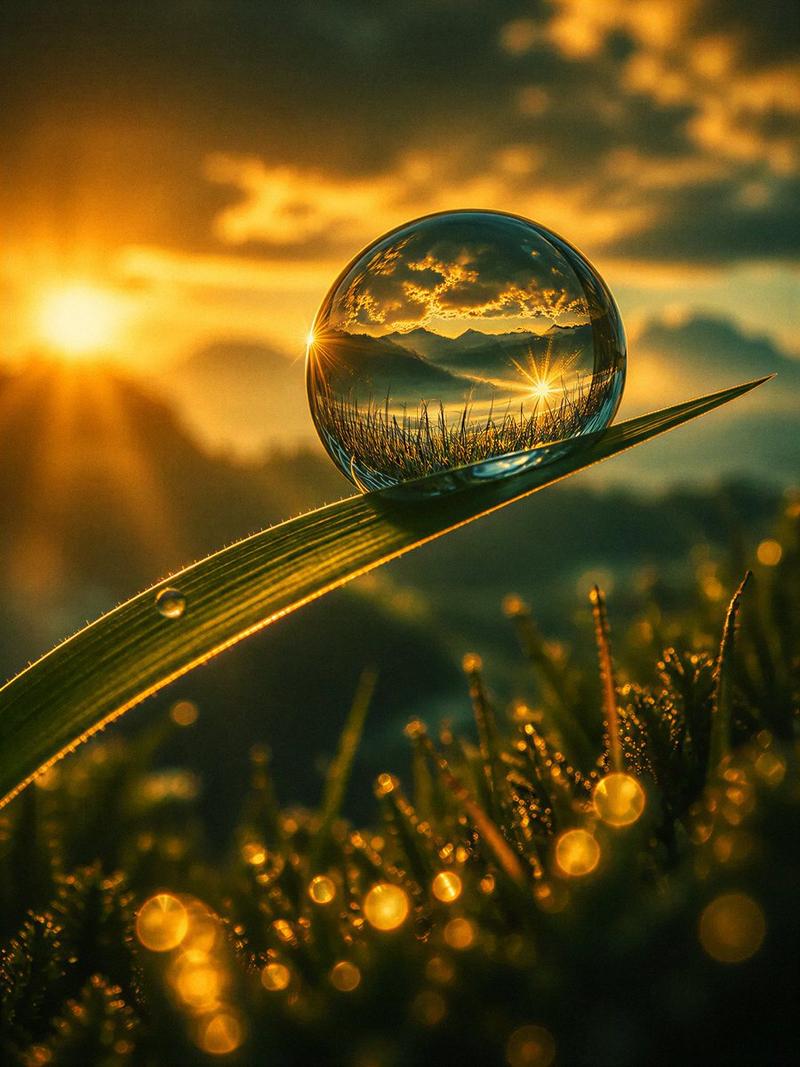
蛛网上的微距露珠
Enlarge

Example images

蛛网上的微距露珠

Prompt
Extreme macro photograph of a single large teardrop-shaped dewdrop suspended from a diagonal spider silk strand at sunrise, with the dewdrop acting like a lens and clearly refracting an upside-down green forest and the glowing sun inside it. The spider web crosses the frame diagonally from lower left to upper right, with many tiny bead-like dew droplets along the silk and additional fine web strands forming delicate geometric lines in the foreground and right side. Warm golden sunlight sits softly blurred in the background to the left, creating circular bokeh, subtle lens flare, and a dreamy woodland atmosphere. Use a shallow depth of field with razor-sharp focus on the main dewdrop and nearby dew beads, creamy blurred trees and foliage behind, natural greens and amber highlights, photorealistic detail, 100mm macro lens look, f/2.8 aperture, sunrise backlighting, high dynamic range, realistic optics, no text, no people.
Category
Charts & Infographics
Model
GPT Image 2
Creator
Venice
Views7
Source ID
19084
Published
May 8, 2026

Guide

About "蛛网上的微距露珠"

What is this prompt for?

"蛛网上的微距露珠" AI image prompt for GPT Image 2 (Charts & Infographics). 一张超写实微距日出场景照片,展示了森林在蛛丝上一颗露珠内的折射景象。 Copy it on Picva and recreate the look in one click.

The full copyable prompt and example visuals above are ready for AI image generation or one-click recreate in Picva.

How to use this prompt

  1. Step 1

    Open the prompt detail

    Review the example visuals, category, and full prompt text for "蛛网上的微距露珠".

  2. Step 2

    Copy the prompt

    Copy the prompt body from this page, or load it directly in Studio.

  3. Step 3

    Pick a model (GPT Image 2)

    Prefer GPT Image 2. If you switch models, keep subject and composition and tweak style terms.

  4. Step 4

    Generate and export

    Recreate the look in Picva, or export into your workflow for editing and publishing.

FAQ

What is the "蛛网上的微距露珠" prompt?
It is an AI image-generation prompt for GPT Image 2 in the Charts & Infographics category. This page includes the full prompt text, example visuals, and a one-click recreate path in Picva.
How do I use this prompt to generate an image?
Copy the prompt from this page, or use Generate / Studio. Paste it into a compatible image model, or recreate the look in Picva with optional reference images.
Which model is this prompt for?
This page lists GPT Image 2. Most descriptive prompts also transfer to nearby image models such as GPT Image, Flux, or Midjourney with light style tweaks.
Can I use the result commercially?
You can usually copy the prompt for creation, but commercial use of the final image depends on the model terms, reference-image rights, and the generated content. Follow the source author and platform rules.