19

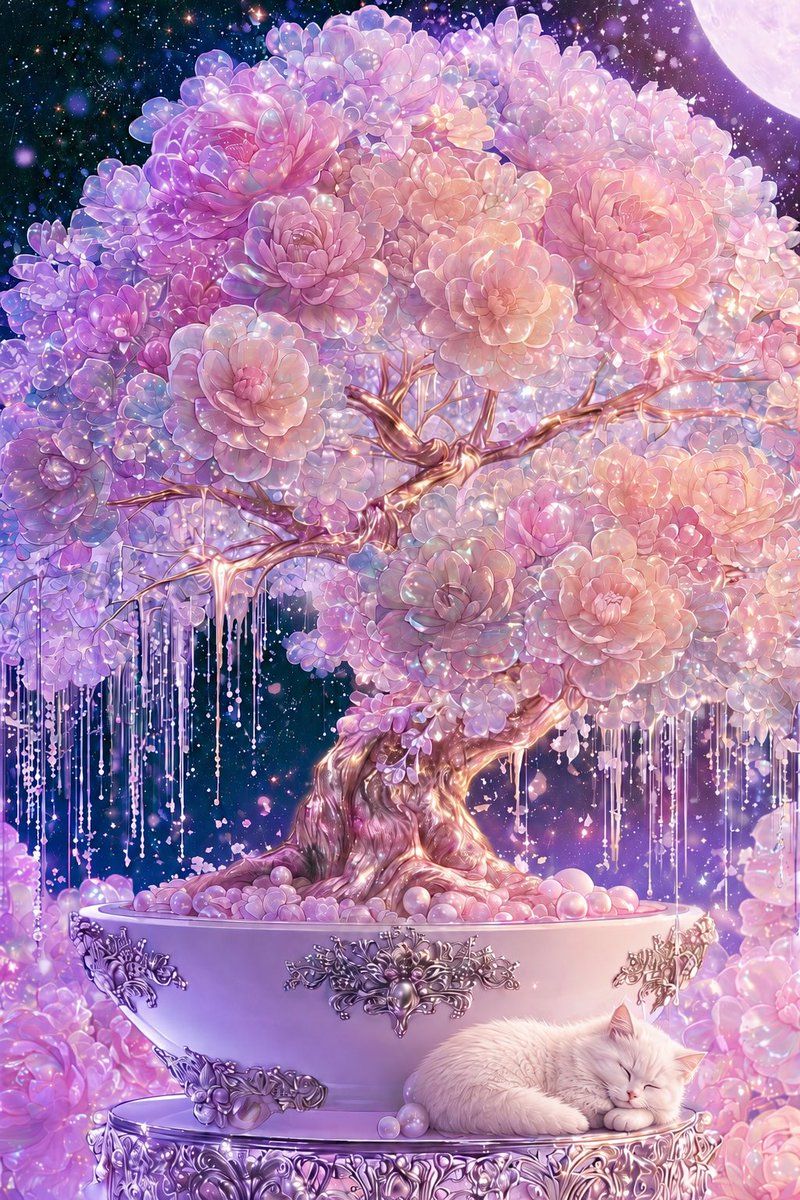
梦幻宇宙盆景与沉睡的猫
Enlarge

梦幻宇宙盆景与沉睡的猫

Prompt
Create a lavish vertical fantasy illustration of one enormous flowering bonsai tree in a wide porcelain planter, set in a dreamy cosmic night garden. The bonsai has a twisted, glossy, rose-gold trunk and branching limbs, with a dense rounded canopy made from countless succulent-like rosette blossoms in {argument name="flower colors" default="pearl pink, lavender, lilac, peach, and opalescent white"}; the petals should look translucent, dewy, and jewel-like with sparkling highlights. Add many long hanging crystal-bead strands and delicate dripping garlands beneath the branches, like luminous wisteria made of pearls and glass. The planter is one large pale pink-lavender bowl with ornate silver baroque floral metal ornaments on the front, sitting on an intricately carved circular silver pedestal. At the lower right, place exactly one sleeping {argument name="animal" default="white fluffy cat"} curled peacefully on the pedestal beside a few pastel pearl spheres. The background is a deep starry galaxy sky filled with glowing bokeh, tiny stars, floating petals, and magical dust, with exactly one large pale moon partially visible in the upper right corner. Surround the base with soft clusters of pink and purple blossoms and glowing pearls. Use an ultra-detailed anime fantasy art style, romantic and ethereal, high saturation pastels, iridescent lighting, soft bloom, crystalline sparkle, ornate decorative craftsmanship, serene bedtime mood, vertical composition, no text, no watermark.
Category
Charts & Infographics
Model
GPT Image 2
Creator
星_AIart
Views4
Source ID
19372
Published
May 9, 2026

Guide

About "梦幻宇宙盆景与沉睡的猫"

What is this prompt for?

"梦幻宇宙盆景与沉睡的猫" AI image prompt for GPT Image 2 (Charts & Infographics). 生成一幅梦幻般的柔和色调奇幻盆景场景,包含宝石花朵、华丽的银饰细节、星空以及一只沉睡的猫,适用于装饰插画。 Copy it on Picva and recreate the…

The full copyable prompt and example visuals above are ready for AI image generation or one-click recreate in Picva.

How to use this prompt

  1. Step 1

    Open the prompt detail

    Review the example visuals, category, and full prompt text for "梦幻宇宙盆景与沉睡的猫".

  2. Step 2

    Copy the prompt

    Copy the prompt body from this page, or load it directly in Studio.

  3. Step 3

    Pick a model (GPT Image 2)

    Prefer GPT Image 2. If you switch models, keep subject and composition and tweak style terms.

  4. Step 4

    Generate and export

    Recreate the look in Picva, or export into your workflow for editing and publishing.

FAQ

What is the "梦幻宇宙盆景与沉睡的猫" prompt?
It is an AI image-generation prompt for GPT Image 2 in the Charts & Infographics category. This page includes the full prompt text, example visuals, and a one-click recreate path in Picva.
How do I use this prompt to generate an image?
Copy the prompt from this page, or use Generate / Studio. Paste it into a compatible image model, or recreate the look in Picva with optional reference images.
Which model is this prompt for?
This page lists GPT Image 2. Most descriptive prompts also transfer to nearby image models such as GPT Image, Flux, or Midjourney with light style tweaks.
Can I use the result commercially?
You can usually copy the prompt for creation, but commercial use of the final image depends on the model terms, reference-image rights, and the generated content. Follow the source author and platform rules.