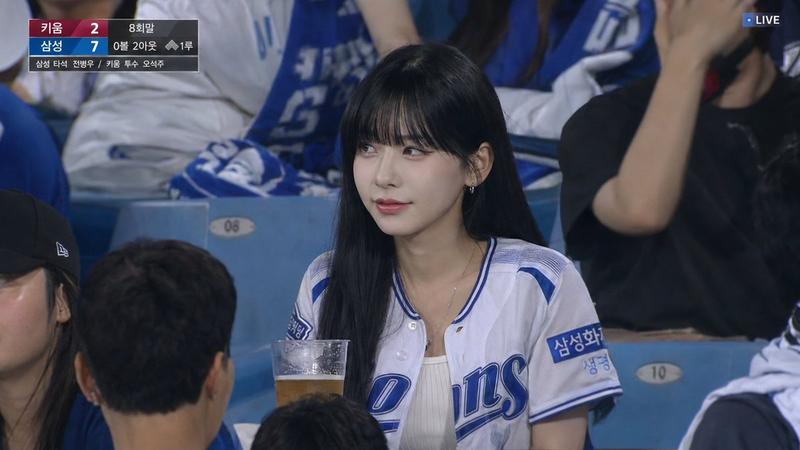
NBA 场边球迷镜头转播
Prompt
{"type":"ultra-realistic NBA on TNT broadcast screenshot photo","scene":"courtside fan cam during a live professional basketball game, shot from a TV broadcast camera with shallow telephoto compression, arena crowd filling the background, realistic stadium lighting, authentic sports broadcast color grading, 16:9 horizontal frame","main_subject":{"position":"center foreground, leaning forward over courtside seats","description":"{argument name=\"central fan description\" default=\"glamorous adult woman with long dark wavy hair wearing a white off-shoulder cropped top, seated courtside and looking toward the camera\"}","face":"covered by a soft rectangular privacy blur, matching the anonymized crowd style"},"crowd":{"description":"dense courtside audience behind and around the subject, fans standing, clapping, holding drinks, wearing mixed basketball apparel","visible_team_apparel_count":14,"team_apparel_breakdown":["4 Lakers-themed shirts or jerseys in yellow/purple","6 New York Knicks-themed shirts or jerseys in blue/orange/white","4 Brooklyn Nets-themed shirts or jerseys in black/white"],"privacy_blurs":{"count":24,"style":"soft rectangular face-obscuring blur blocks in skin-tone colors placed over individual faces throughout the crowd"}},"broadcast_graphics":{"count":5,"components":[{"name":"top-left scoreboard","content":"NBA logo vertical strip, 4TH QTR, game clock {argument name=\"game clock\" default=\"8:45\"}, teams {argument name=\"scoreboard teams and score\" default=\"LAL 105, BKN 101\"}, red shot-clock box reading SHOT 22"},{"name":"top-right network watermark","content":"semi-transparent circular TNT logo"},{"name":"center-lower segment label","content":"NBA ON TNT | COURTSIDE FAN CAM"},{"name":"bottom headline ticker","content":"{argument name=\"headline text\" default=\"LEBRON JAMES WITH A MASSIVE DUNK... KEVIN DURANT RESPONDS...\"}"},{"name":"bottom social ticker","content":"Twitter-style icon followed by @SportsFanatic: {argument name=\"social ticker quote\" default=\"Check out the courtside energy! #NBAPlayoffs\"}"}]},"composition":"make it look like a paused live TV broadcast screenshot, with the subject centered, crowd cropped naturally at the edges, courtside seats visible at the bottom, scoreboard occupying the upper-left corner, watermark in the upper-right corner, and two stacked lower-third bars across the bottom","style":"photorealistic, high-detail broadcast still, realistic arena depth, slight compression artifacts, clean sharp typography, convincing TNT/NBA-style graphics, no illustration or cartoon look"}- Category
- Charts & Infographics
- Model
- GPT Image 2
- Creator
- DanFei
- Source ID
- 19526
- Published
- May 10, 2026
Views4