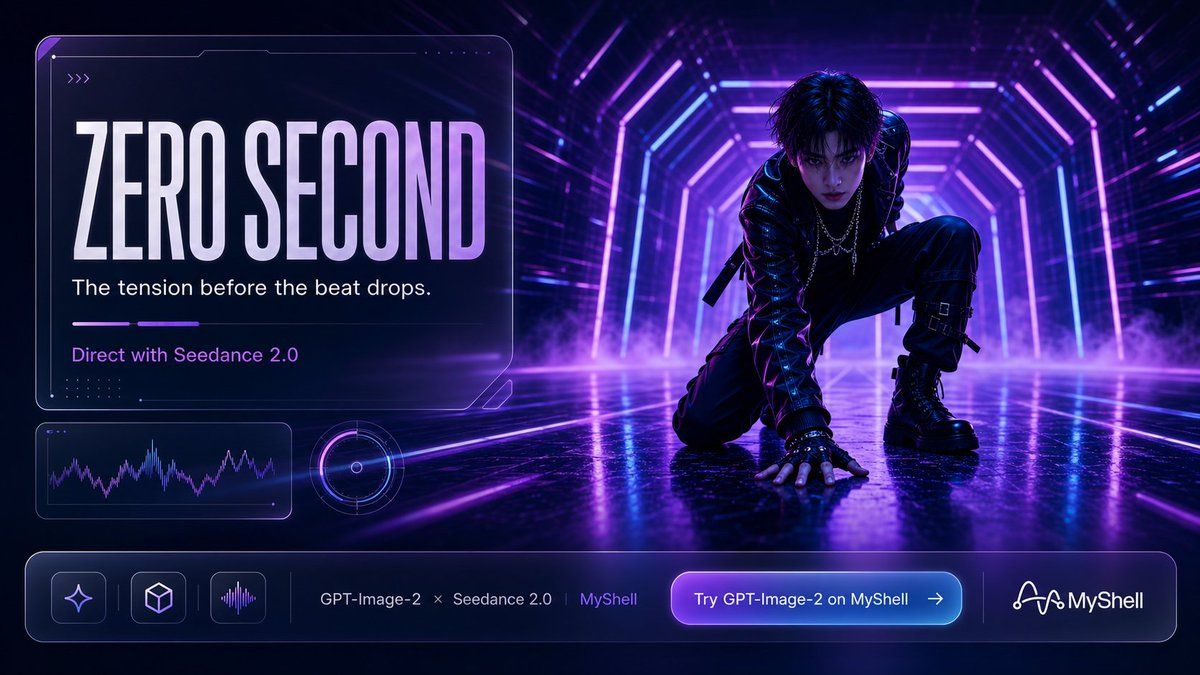
赛博朋克 AI 发布横幅
Prompt
{"type":"cinematic cyberpunk promotional hero banner with futuristic UI overlay","format":"wide 16:9 social media ad","scene":{"setting":"dark neon tunnel stage with geometric hexagonal light frames receding into depth, glossy wet reflective floor, purple fog drifting near the ground, high contrast nightclub atmosphere","color palette":"black, electric violet, magenta, cyan blue, white highlights","lighting":"dramatic backlighting, rim light on subject, volumetric neon glow, reflections and bloom","camera":"low angle wide shot, subject on right third, large translucent title card on left, shallow cinematic haze"},"main subject":{"description":"androgynous cyberpunk performer or dancer crouching on one knee in a powerful pre-performance pose, one hand pressed to the reflective floor, head tilted down, face obscured by a soft dark square privacy block","outfit":"black glossy leather jacket, layered chains, black tactical pants with buckles and straps, fingerless gloves, heavy black combat boots","mood":"tense, stylish, anticipatory, like the instant before a beat drop"},"text":{"headline":"{argument name=\"headline text\" default=\"ZERO SECOND\"}","subheadline":"{argument name=\"tagline\" default=\"The tension before the beat drops.\"}","credit line":"{argument name=\"credit line\" default=\"Direct with Seedance 2.0\"}","call to action":"{argument name=\"button text\" default=\"Try GPT-Image-2 on MyShell\"}","footer brand":"{argument name=\"brand name\" default=\"MyShell\"}"},"layout":{"left title card":{"position":"upper left","count":1,"description":"large rounded transparent glassmorphism panel with thin white outline, tiny corner notches, faint circuit accents, small triple-chevron mark near top left","contents":["huge condensed uppercase headline with white-to-lavender gradient","single-line white subheadline","short purple horizontal progress indicator made of 2 segments","purple credit line"]},"small data widgets":{"position":"lower left under title card","count":2,"items":["rounded rectangular waveform chart panel with purple-blue audio line graph","circular glowing radar or audio dial widget with concentric rings and a center dot"]},"bottom navigation bar":{"position":"full width along bottom","count":7,"items":["rounded glassmorphism footer container","three square icon buttons: sparkle icon, cube icon, vertical waveform icon","text sequence reading GPT-Image-2 × Seedance 2.0 | MyShell","large purple-to-cyan glowing call-to-action button with right arrow","thin vertical divider lines","white connected-node MyShell logo mark","MyShell wordmark"]}},"style":{"rendering":"high-end 3D cinematic advertising render mixed with sleek tech UI design","typography":"tall condensed bold sans-serif for headline, clean modern sans-serif for secondary text","ui treatment":"transparent glass panels, neon outlines, soft inner glow, rounded corners, futuristic HUD details","quality":"ultra detailed, sharp, polished, professional launch campaign visual"},"negative prompts":"no extra people, no cluttered text, no misspelled English, no daylight, no warm vintage colors, no cartoon style, no low-resolution artifacts"}- Category
- Charts & Infographics
- Model
- GPT Image 2
- Creator
- Ikechukwu 🛠 🤖
- Source ID
- 19866
- Published
- May 12, 2026
Views1












