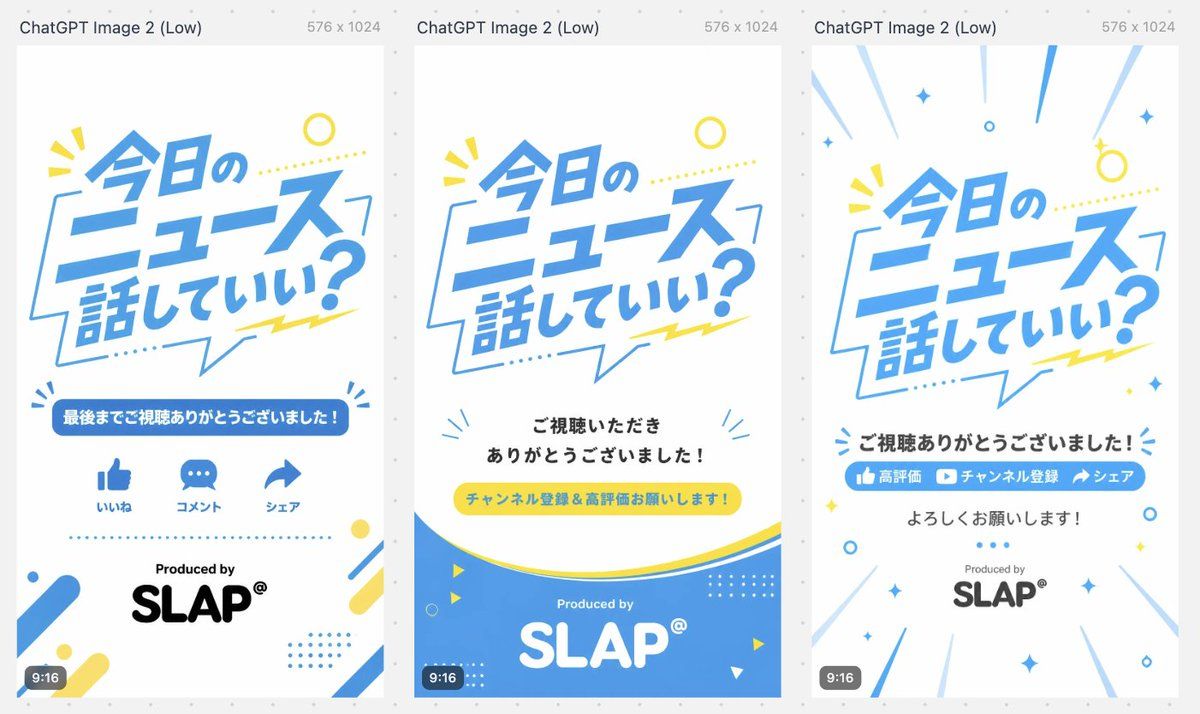
日文短视频片尾变体
Prompt
{"type":"three-variant vertical short-video outro storyboard / end-card design sheet","canvas":{"overall":"wide comparison image containing three tall smartphone-format cards side by side on a light gray dotted background","each_card_size":"9:16 vertical, 576 x 1024, white background","top_caption":"Each card has a small gray header above it reading ChatGPT Image 2 (Low) and 576 x 1024."},"style":{"visual_style":"clean Japanese pop graphic design for news or commentary shorts, bright and friendly, flat vector typography, lots of white space","palette":"sky blue, white, lemon yellow, black, light gray accents","typography":"large bold slanted Japanese headline lettering in blue, rounded sans-serif supporting text, playful speech-bubble shapes and dotted decorations","branding":"Produced by SLAP® near the bottom of each card"},"shared_main_headline":{"text":"{argument name=\"main headline text\" default=\"今日のニュース話していい?\"}","position":"upper half of every vertical card","appearance":"large dynamic blue Japanese text inside or overlapping a thin blue speech-bubble outline, slightly tilted, with yellow dotted line and small yellow burst marks"},"layout":{"variant_count":3,"variants":[{"title":"Variant 1: engagement icons outro","position":"left card","elements_count":6,"elements":["Large headline in upper center","Blue rounded banner with the text {argument name=\"thank you banner text\" default=\"最後までご視聴ありがとうございました!\"}","Three blue social icons in one row: thumbs-up labeled いいね, speech bubble labeled コメント, share arrow labeled シェア","Dotted blue horizontal divider","Produced by text above large black SLAP® logo","Corner decorations: blue/yellow rounded diagonal bars, dots, small circular accents, and tiny burst marks"],"bottom_badge":"small dark rounded 9:16 label at lower left"},{"title":"Variant 2: subscription request with blue wave footer","position":"center card","elements_count":6,"elements":["Large headline in upper center","Centered black message: {argument name=\"viewer thanks text\" default=\"ご視聴いただきありがとうございました!\"}","Yellow pill-shaped call-to-action button with blue text: {argument name=\"call to action text\" default=\"チャンネル登録&高評価お願いします!\"}","Large curved blue wave footer with thin yellow curve above it","White Produced by and large white SLAP® logo inside the blue footer","Small decorative triangles, circles, dotted grids, and blue radiating marks around the lower area"],"bottom_badge":"small dark rounded 9:16 label at lower left"},{"title":"Variant 3: energetic subscribe/share outro","position":"right card","elements_count":7,"elements":["Large headline in upper center with radiating blue speed lines from the edges","Bold black centered message: {argument name=\"closing thanks text\" default=\"ご視聴ありがとうございました!\"}","Blue horizontal call-to-action bar containing three segments: thumbs-up icon 高評価, play-button icon チャンネル登録, share arrow シェア","Centered black text below: よろしくお願いします!","Produced by above gray/black SLAP® logo","Scattered blue and yellow sparkle, circle, diamond, and dot decorations","Diagonal motion lines around the border creating a celebratory burst effect"],"bottom_badge":"small dark rounded 9:16 label at lower left"}]},"composition_notes":"Generate a single landscape image showing all three 9:16 end-card designs aligned evenly from left to right with narrow gaps, like a design comparison preview. Keep the Japanese text crisp and legible, maintain strong blue/yellow brand consistency, and make the cards look ready for short-form video endings."}- Category
- Charts & Infographics
- Model
- GPT Image 2
- Creator
- 塚本 賢志 / Kenshi Tsukamoto
- Source ID
- 19896
- Published
- May 12, 2026
Views6