餐厅 Logo 指南项目
Prompt
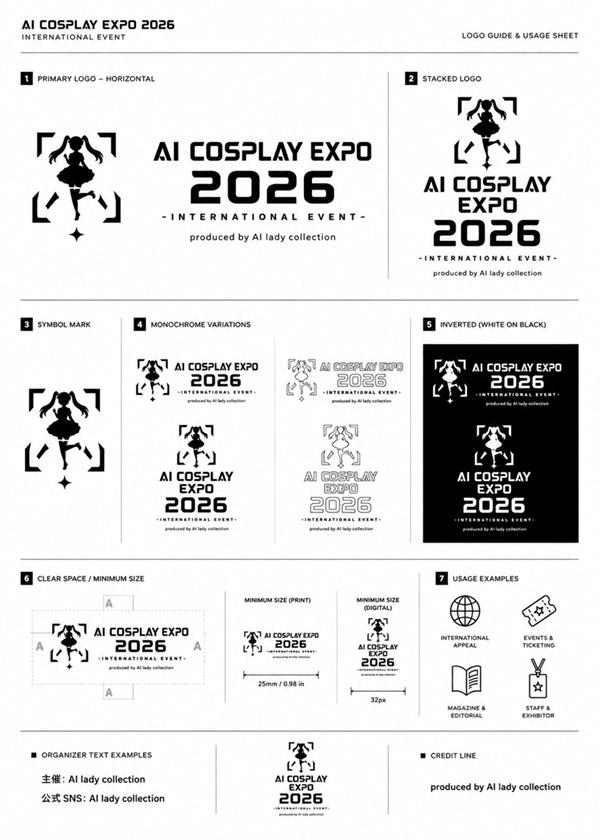
Using the provided reference image as the brand inspiration, transform the fried chicken burger and waffle fries meal into a polished one-page logo guidelines board for a restaurant brand named {argument name="brand name" default="Can Dende"}. Create a cheerful, modern fast-casual identity derived from the food in the reference: turn the crispy fried topping into a playful mascot/icon above the wordmark, and build a bold custom logo in a warm palette inspired by the photo. Design the output as a clean editorial brand sheet on an off-white background with navy and red typography, yellow scalloped borders at the top and bottom, and small sparkle doodles. Include these exact sections and counts: 1 main header reading "LOGO GUIDELINES" with the brand name beneath it; 1 "PRIMARY LOGO" section with the main logo and an "ABOUT THE LOGO" text block; 1 "LOGO VARIANTS" section with 3 variants labeled "FULL COLOR", "SINGLE COLOR", and "REVERSED"; 1 "COLOR VARIATIONS" section with 4 tiles labeled "YELLOW BACKGROUND", "NAVY BACKGROUND", "PINK BACKGROUND", and "NAVY ON CREAM"; 1 "MINIMUM SIZE" section showing the logo with a width guide and the text "1.25 in / 120 px MINIMUM WIDTH"; 1 "CLEAR SPACE" section with a spacing diagram based on the height of the letter C; 1 "INCORRECT USAGE" section with 4 wrong examples labeled "Don't change the colors", "Don't stretch or distort", "Don't rotate the logo", and "Don't add effects or shadows"; 1 "USAGE NOTES" section with 4 bullet points; and a handwritten-style closing tagline at bottom right that says {argument name="tagline text" default="It's a vibe. It's a smile. It's yours."}. Keep the composition crisp, print-ready, highly legible, and presentation-quality, like a real branding deliverable for a restaurant.- Category
- Charts & Infographics
- Model
- GPT Image 2
- Creator
- Freddy Montes
- Source ID
- 15040
- Published
- Apr 22, 2026
Views2
![Playful brand kit for [Promptsref], bold colors, fun typography, modern layout](https://i.pixshop.app/storage/v1/render/image/public/prompt-source-media/promptsref/work-2299/image-1-dac91c41a7f5035b.png?width=800&quality=75&resize=contain)