17

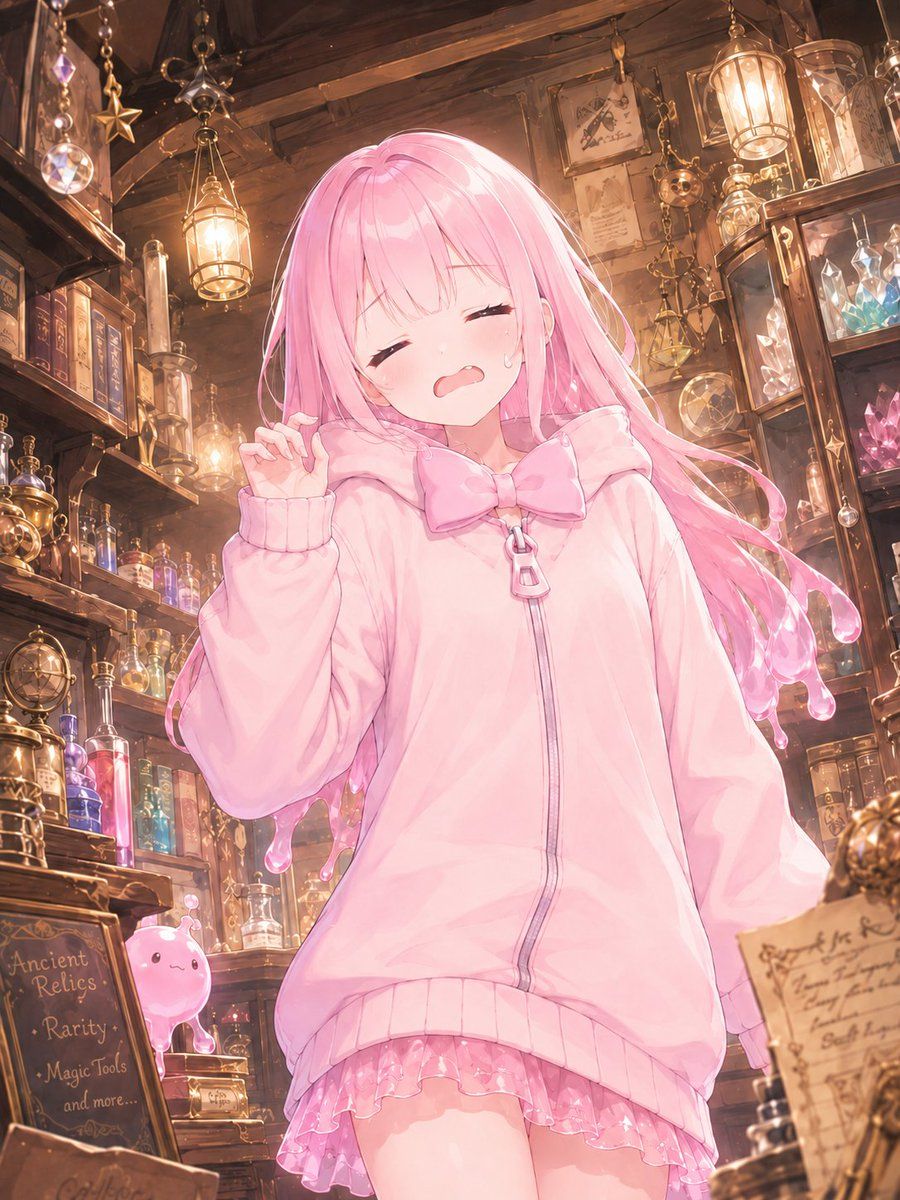
古董魔法店里的粉色魔法少女
Enlarge

古董魔法店里的粉色魔法少女

Prompt
Create a vertical anime-style illustration of a cute young magical girl standing inside a cozy, cluttered antique magic shop. The character has very long flowing {argument name="hair color" default="pastel pink"} hair with glossy strands and soft rim lighting, and her face is intentionally covered by a centered solid pastel pink square censor block. She wears an oversized {argument name="hoodie color" default="pale pink"} zip-up hoodie with ribbed cuffs and hem, a large bow at the collar, a zipper pull shaped like a small charm, and a frilly translucent pink skirt peeking out underneath. Her pose is gentle and shy, one hand lifted near her cheek with delicate fingers, body angled slightly forward, soft moe proportions, dreamy magical-girl atmosphere. The setting is a warm wooden apothecary and relic shop packed with shelves of old books, glass potion bottles, glowing crystals, brass instruments, hanging lanterns, star charms, prisms, hourglasses, framed papers, and mystical trinkets. Include a small cute pink slime mascot on a lower shelf at the left. Add a chalkboard sign in the foreground reading {argument name="chalkboard text" default="Ancient Relics / Rarity / Magic Tools / and more..."}. Use warm golden lantern light mixed with pink highlights, detailed painterly anime rendering, high detail background, whimsical fantasy ambience, soft depth of field, sparkling glass reflections, vertical composition, polished gpt-image-2 aesthetic.
Category
Charts & Infographics
Model
GPT Image 2
Views12
Source ID
19906
Published
May 12, 2026

Guide

About "古董魔法店里的粉色魔法少女"

What is this prompt for?

"古董魔法店里的粉色魔法少女" AI image prompt for GPT Image 2 (Charts & Infographics). 生成一张在温馨奇幻古董店背景下的精致动漫魔法少女肖像,适用于原创角色设计或社交媒体插画。 Copy it on Picva and recreate the look in…

The full copyable prompt and example visuals above are ready for AI image generation or one-click recreate in Picva.

How to use this prompt

  1. Step 1

    Open the prompt detail

    Review the example visuals, category, and full prompt text for "古董魔法店里的粉色魔法少女".

  2. Step 2

    Copy the prompt

    Copy the prompt body from this page, or load it directly in Studio.

  3. Step 3

    Pick a model (GPT Image 2)

    Prefer GPT Image 2. If you switch models, keep subject and composition and tweak style terms.

  4. Step 4

    Generate and export

    Recreate the look in Picva, or export into your workflow for editing and publishing.

FAQ

What is the "古董魔法店里的粉色魔法少女" prompt?
It is an AI image-generation prompt for GPT Image 2 in the Charts & Infographics category. This page includes the full prompt text, example visuals, and a one-click recreate path in Picva.
How do I use this prompt to generate an image?
Copy the prompt from this page, or use Generate / Studio. Paste it into a compatible image model, or recreate the look in Picva with optional reference images.
Which model is this prompt for?
This page lists GPT Image 2. Most descriptive prompts also transfer to nearby image models such as GPT Image, Flux, or Midjourney with light style tweaks.
Can I use the result commercially?
You can usually copy the prompt for creation, but commercial use of the final image depends on the model terms, reference-image rights, and the generated content. Follow the source author and platform rules.