17

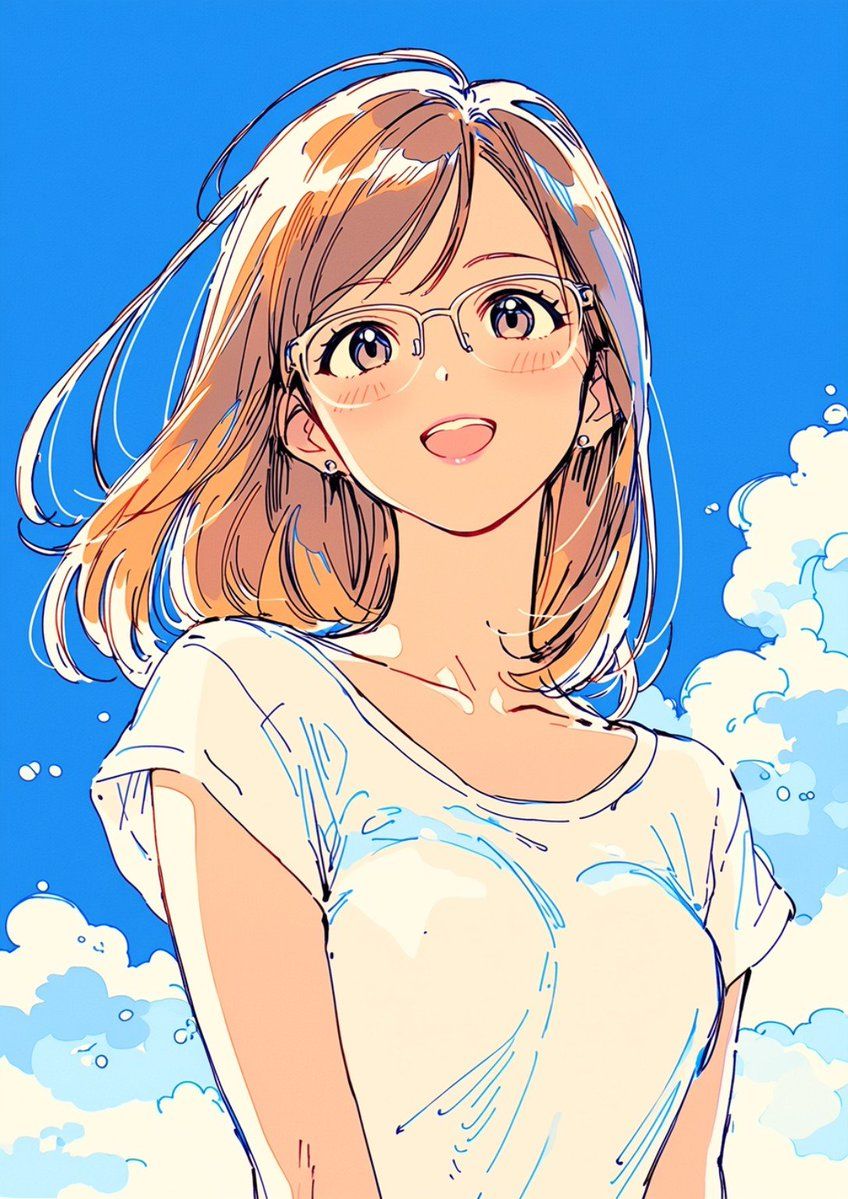
夏季动漫少女肖像
Enlarge

夏季动漫少女肖像

Prompt
Create a vibrant single-panel anime illustration of {argument name="character description" default="a young woman with shoulder-length honey-blonde hair"} shown from the waist up against a saturated clear blue summer sky with soft white cumulus clouds. She has a breezy chin-to-shoulder bob haircut with loose windblown strands, peachy skin, a slender neck and shoulders, and wears {argument name="outfit" default="a loose white short-sleeve T-shirt with a wide neckline slipping slightly off one shoulder"}. Compose her slightly leaning forward in a relaxed casual pose, cropped close like a portrait poster. Place {argument name="face covering" default="a plain peach-colored rectangular block over the center of her face, obscuring all facial features"}. Use a clean modern Japanese anime style with expressive sketchy navy and cyan linework, warm peach and cream shading, bright sunlight, airy highlights on the hair, minimal background detail, crisp high-contrast colors, and a cheerful summer atmosphere.
Category
Posters & Typography
Model
GPT Image 2
Views13
Source ID
19911
Published
May 12, 2026

Guide

About "夏季动漫少女肖像"

What is this prompt for?

"夏季动漫少女肖像" AI image prompt for GPT Image 2 (Posters & Typography). 生成一张明亮的动漫风格半身肖像,描绘了一位在蓝色夏日天空下、被风吹拂着金发的少女,身穿白色 T 恤,适用于角色艺术或海报风格插画。 Copy it on Picva and recre…

The full copyable prompt and example visuals above are ready for AI image generation or one-click recreate in Picva.

How to use this prompt

  1. Step 1

    Open the prompt detail

    Review the example visuals, category, and full prompt text for "夏季动漫少女肖像".

  2. Step 2

    Copy the prompt

    Copy the prompt body from this page, or load it directly in Studio.

  3. Step 3

    Pick a model (GPT Image 2)

    Prefer GPT Image 2. If you switch models, keep subject and composition and tweak style terms.

  4. Step 4

    Generate and export

    Recreate the look in Picva, or export into your workflow for editing and publishing.

FAQ

What is the "夏季动漫少女肖像" prompt?
It is an AI image-generation prompt for GPT Image 2 in the Posters & Typography category. This page includes the full prompt text, example visuals, and a one-click recreate path in Picva.
How do I use this prompt to generate an image?
Copy the prompt from this page, or use Generate / Studio. Paste it into a compatible image model, or recreate the look in Picva with optional reference images.
Which model is this prompt for?
This page lists GPT Image 2. Most descriptive prompts also transfer to nearby image models such as GPT Image, Flux, or Midjourney with light style tweaks.
Can I use the result commercially?
You can usually copy the prompt for creation, but commercial use of the final image depends on the model terms, reference-image rights, and the generated content. Follow the source author and platform rules.