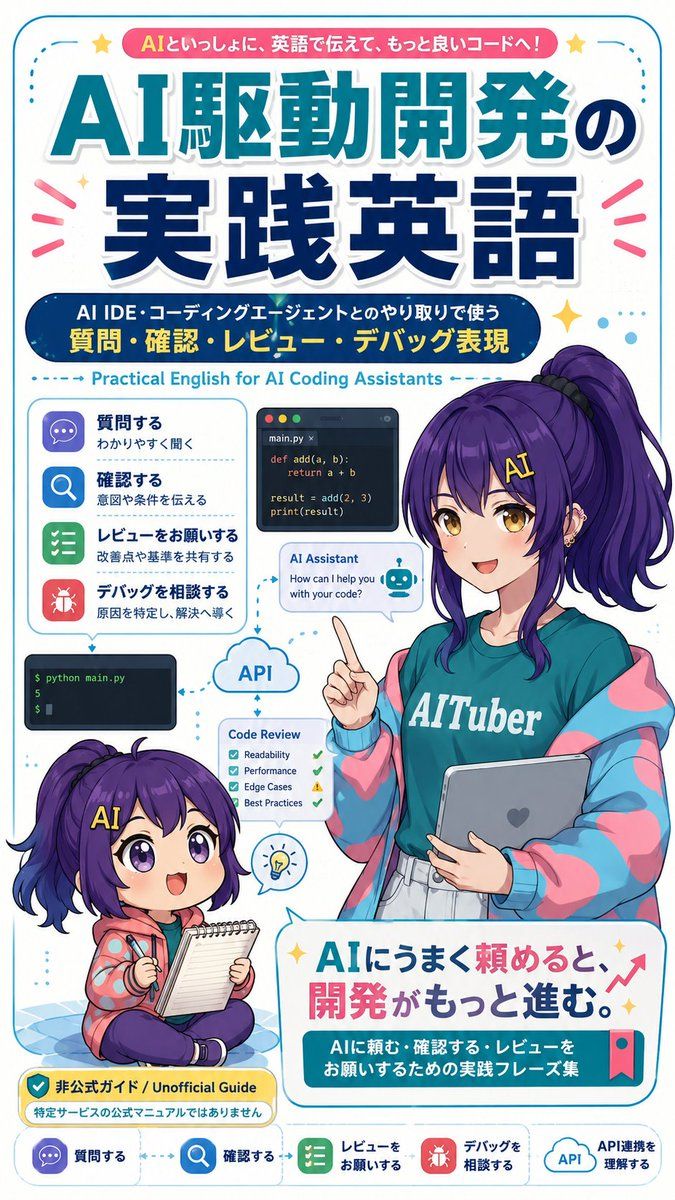
AI 编程英语学习海报
Prompt
{"type":"vertical Japanese educational poster / magazine-cover infographic for English learning with AI coding assistants","format":"tall smartphone-friendly poster, 2:3 aspect ratio, rounded cyan border, clean white background, dense but playful layout, glossy anime + flat infographic hybrid style","main_text":{"top_ribbon":"{argument name=\"top ribbon text\" default=\"AIといっしょに、英語で伝えて、もっと良いコードへ!\"}","main_headline":"{argument name=\"main headline\" default=\"AI駆動開発の実践英語\"}","subheadline":"{argument name=\"subheadline\" default=\"AI IDE・コーディングエージェントとのやり取りで使う 質問・確認・レビュー・デバッグ表現\"}","english_subtitle":"Practical English for AI Coding Assistants","bottom_slogan":"{argument name=\"bottom slogan\" default=\"AIにうまく頼めると、開発がもっと進む。\"}","bottom_caption":"AIに頼む・確認する・レビューをお願いするための実践フレーズ集"},"characters":{"count":2,"adult_character":{"position":"right side, occupying the middle and lower-right","description":"anime-style young woman instructor with long high ponytail, deep purple hair, teal T-shirt reading 'AITuber', oversized pastel pink and cyan jacket, light skirt, holding a tablet with a heart mark, raising one index finger as if teaching; her face is covered by a soft blurred rectangular censor block","hair_color":"{argument name=\"hair color\" default=\"deep purple\"}"},"chibi_character":{"position":"lower-left","description":"small chibi version of the same purple-haired character sitting cross-legged on a blue checkered mat, smiling with big violet eyes, yellow 'AI' hair clip, holding a pen and notepad, wearing a coral hoodie with blue dots and dark pants"}},"layout":{"sections":[{"title":"left phrase category list","position":"left-middle","count":4,"items":[{"label":"質問する","subtext":"わかりやすく聞く","icon":"purple chat bubble"},{"label":"確認する","subtext":"意図や条件を伝える","icon":"blue magnifying glass"},{"label":"レビューをお願いする","subtext":"改善点や基準を共有する","icon":"green checklist"},{"label":"デバッグを相談する","subtext":"原因を特定し、解決へ導く","icon":"red bug"}]},{"title":"coding workflow mini panels","position":"center-left to center","count":5,"items":[{"description":"dark code editor card with filename main.py and simple Python function add(a, b), return a + b, result = add(2, 3), print(result)"},{"description":"AI Assistant chat bubble saying 'How can I help you with your code?' with a small robot icon"},{"description":"dark terminal panel showing '$ python main.py' and output '5'"},{"description":"cloud labeled 'API' connected by dotted arrows"},{"description":"Code Review checklist card with four checks: Readability, Performance, Edge Cases, Best Practices"}]},{"title":"guide label","position":"bottom-left above footer","count":1,"items":[{"label":"非公式ガイド / Unofficial Guide","subtext":"特定サービスの公式マニュアルではありません","style":"yellow rounded warning badge with shield check icon"}]},{"title":"footer navigation","position":"very bottom","count":5,"items":[{"label":"質問する","icon":"purple chat bubble"},{"label":"確認する","icon":"blue magnifying glass"},{"label":"レビューをお願いする","icon":"green checklist"},{"label":"デバッグを相談する","icon":"red bug"},{"label":"API連携を理解する","icon":"API cloud"}]}],"decorations":"cyan dotted arrows linking panels, pink attention rays around headline, yellow sparkle stars, small blue dots, red upward growth arrow near bottom slogan, bookmark ribbon on bottom card"},"typography":"large bold Japanese display headline with teal upper line and navy lower line, white stroke and drop shadow; rounded sans-serif captions; strong cyan, navy, pink, yellow palette","rendering":"crisp vector-like poster design, high-resolution, polished Japanese learning-material cover, cheerful and educational, no photorealism"}- Category
- Charts & Infographics
- Model
- GPT Image 2
- Creator
- トクツー
- Source ID
- 19915
- Published
- May 12, 2026
Views4














