酷炫动漫偶像后台
Prompt
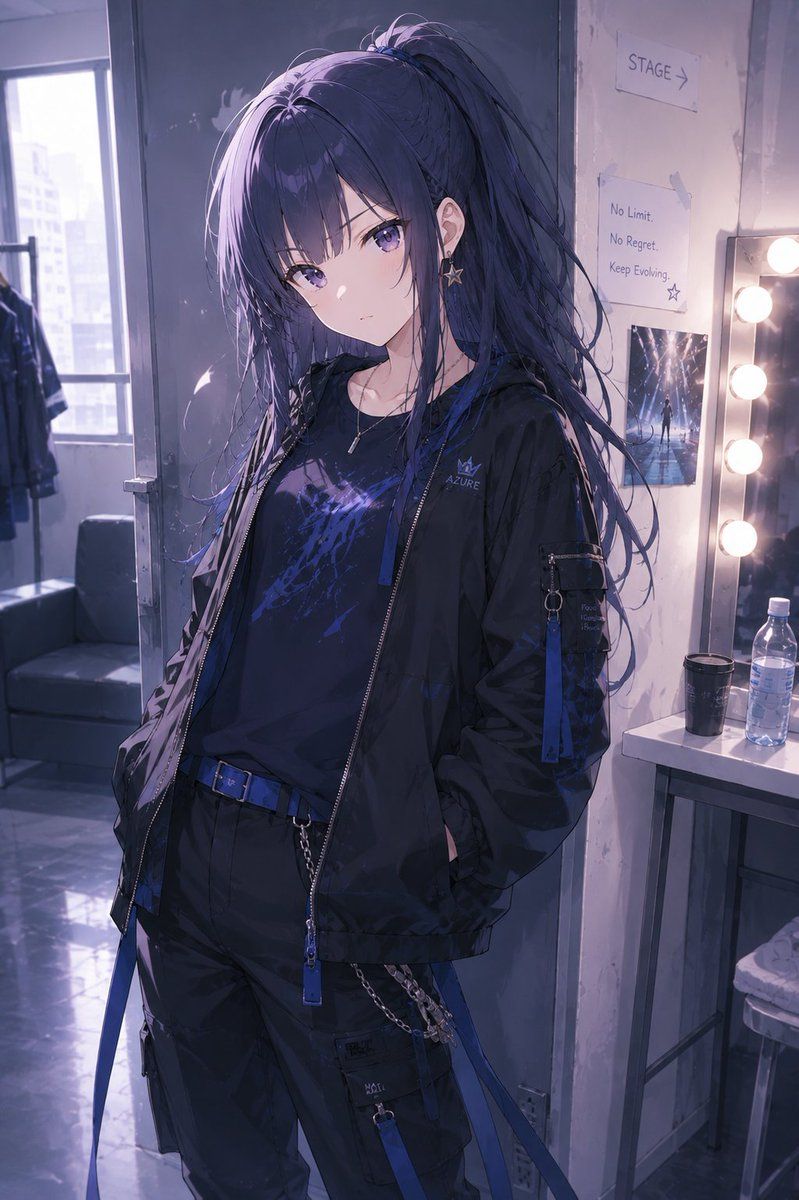
Create a vertical anime-style illustration of a cool young female performer, {argument name="character name" default="Azure"}, standing in a backstage dressing room before going on stage. She has very long {argument name="hair color" default="dark navy blue"} hair tied in a high messy ponytail with loose strands and purple-blue highlights, a slim build, pale skin, and a composed, aloof attitude; her face is deliberately obscured by a soft square blur in the center of the image. Dress her in a black streetwear techwear outfit: oversized black zip-up jacket with blue zipper pulls and small crown logo reading “AZURE,” black graphic T-shirt with electric blue-purple abstract print, black cargo pants with blue straps, a blue belt, metal chain details, pockets, and dangling accessories. Add a small star earring, a thin necklace, and subtle metallic hardware. Pose her casually with hands in jacket pockets, body angled slightly, looking confident and detached. The setting is a dim backstage makeup room with a vanity mirror on the right lined with warm round bulbs, a plastic water bottle, a black cup, a stool, taped paper signs on the wall including “STAGE →” and a motivational note reading “No Limit. No Regret. Keep Evolving.”, plus a small concert-photo poster. On the left, show an open window with hazy daylight, distant city buildings, a clothing rack, and a dark sofa. Use cinematic cool violet-blue lighting mixed with warm vanity light, glossy reflective floor, soft depth of field, detailed fabric folds, realistic anime rendering, moody idol backstage atmosphere, highly polished digital illustration, portrait orientation, no extra characters.- Category
- Charts & Infographics
- Model
- GPT Image 2
- Creator
- りーりむ
- Source ID
- 19943
- Published
- May 12, 2026
Views4