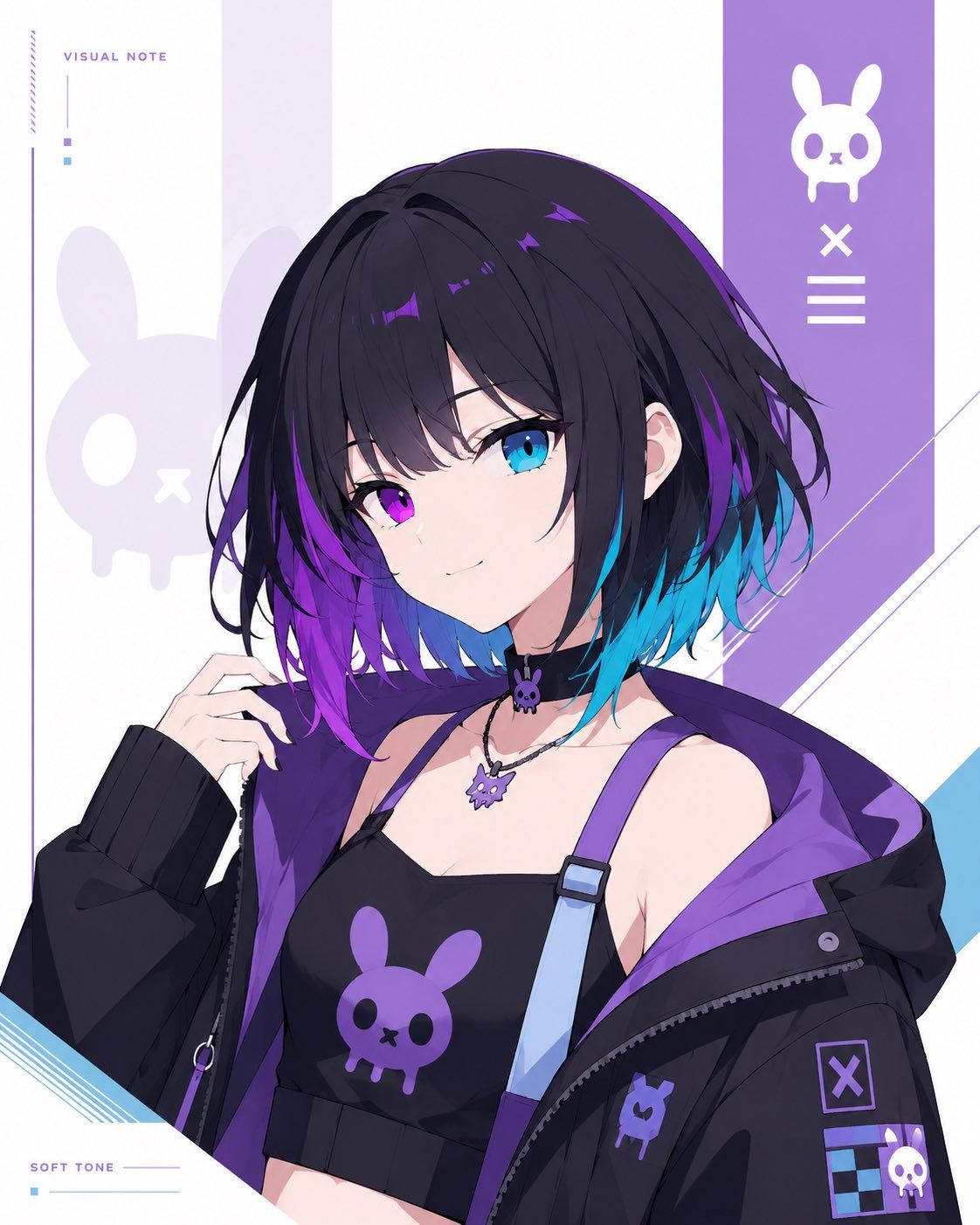
极简赛博兔娘角色卡
Prompt
Goal: Create a clean minimalist original character card illustration on a white background, featuring a bust-up anime girl with a cyber-goth streetwear look and a custom bunny-skull symbol motif.

Canvas: Vertical 4:5 rectangular card, bright white base, airy editorial layout, no circular frames, no round masks, no round windows, no cropped circular portrait. Keep the character naturally framed from chest to head, centered slightly right.

Main subject: Draw {argument name="character name" default="unnamed cyber bunny girl"} as a youthful anime-style female character with short messy bob hair, mostly {argument name="hair color" default="black with vivid purple and cyan-blue underside gradients"}. Her face is intentionally covered by a centered square soft gradient block, about one third of the canvas width, in muted gray-lavender tones. Show one visible ear, loose layered bangs, tousled strands, and glossy purple highlights. Pose her with one hand raised near her hair, shoulders angled slightly, confident but understated.

Outfit: Black cropped camisole with a large purple bunny-skull logo on the chest; one pale blue suspender strap with a purple connector; oversized black zip hoodie falling off the shoulders with a vivid purple lining. Add ribbed black sleeve cuffs, zipper details, small patches, and a collar/choker area with two visible accessories: 1 small black choker charm shaped like the bunny skull and 1 silver necklace with a purple bunny-skull pendant.

Background and layout: Minimal white graphic card design with pale lavender vertical panels and angular diagonal accents. Place a tall purple vertical band on the upper right containing exactly 3 white icon elements stacked vertically: 1 bunny-skull symbol at the top, 1 X mark in the middle, and 1 three-line menu mark below. Add a large faint lavender bunny-skull silhouette on the left behind the character. Add thin decorative lines, small square color chips, and diagonal blue line accents near the lower left and right edges.

Visible text: Include exactly 2 small English labels in a thin modern sans-serif font: “VISUAL NOTE” near the upper left and “SOFT TONE” near the lower left. Keep the typography tiny, spaced out, and secondary to the character.

Symbol count: Use exactly 5 visible bunny-skull motifs total: 1 large faint background silhouette on the left, 1 white icon in the right purple band, 1 purple logo on the camisole, 1 small purple patch on the hoodie, and 1 purple necklace pendant. Additional charm details may echo the shape but should remain small and not dominate.

Visual style: High-quality anime illustration, crisp linework, soft cel shading, polished digital art, cool purple/cyan palette, minimalist character-card composition, clean negative space, no watermark, no extra characters, no clutter.- Category
- Posters & Typography
- Model
- GPT Image 2
- Creator
- あまり🖋️AI &フリー素材配布
- Source ID
- 25717
- Published
- Jun 14, 2026
Views0











