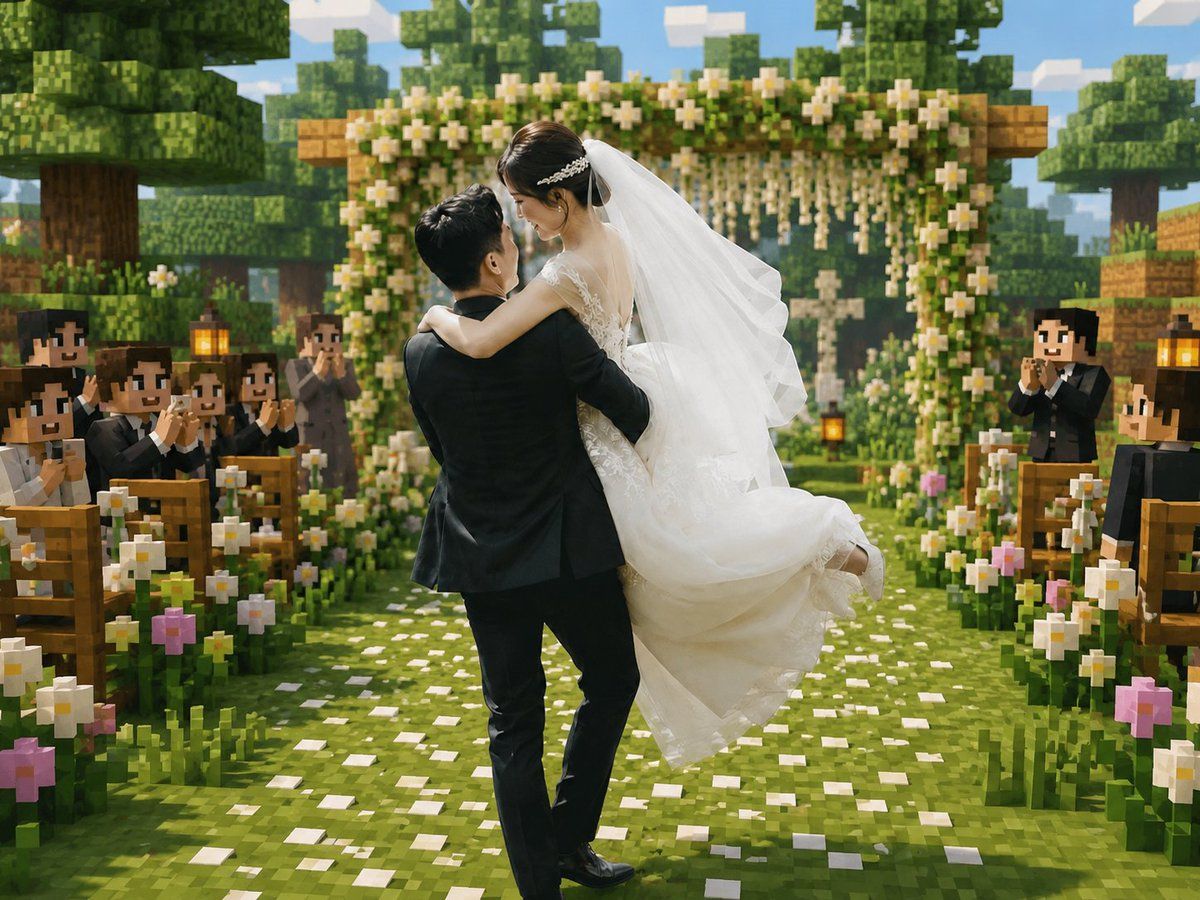
Minecraft 体素风婚礼仪式
Prompt
Create a cinematic Minecraft-inspired voxel wedding scene that blends realistic newlyweds with a blocky game world. In the center foreground, show a groom in a black suit lifting and carrying a bride in a flowing white lace wedding dress; the couple should be the only mostly realistic photographic figures, with softly anonymized/blurred faces, while the environment and guests are fully voxel/block-style. The bride wears a long white veil, delicate hair accessory, sleeveless lace bodice, and voluminous skirt lifted by motion; the groom faces away slightly, holding her romantically. Place them on a grassy aisle covered with scattered white flower petals, leading toward a square wooden floral wedding arch decorated with dense green leaves, white blossoms, and hanging flower strands. Surround the aisle with exactly two rows of wooden benches, one row on the left and one on the right, filled with blocky Minecraft-style wedding guests in dark formal suits and white shirts, clapping and smiling; include visible lanterns on posts near the seating. Add abundant blocky flowers along both sides of the aisle, mostly white daisies with a few pink blossoms. The background should show cubic trees, layered voxel foliage, wooden blocks, a bright blue sky with rectangular clouds, warm daylight, soft depth of field, and a joyful romantic atmosphere. Use a square-to-landscape 4:3 composition, centered perspective down the aisle, high-detail voxel textures, vibrant greens, warm highlights, realistic fabric detail on the bride and groom, and a seamless blend of real wedding photography with Minecraft game-map aesthetics. No text, no watermark, no UI elements.
- Category
- Charts & Infographics
- Model
- GPT Image 2
- Creator
- Larus Canus
- Source ID
- 20101
- Published
- May 13, 2026
Views5