粉色机甲偶像婚纱设计图
Prompt
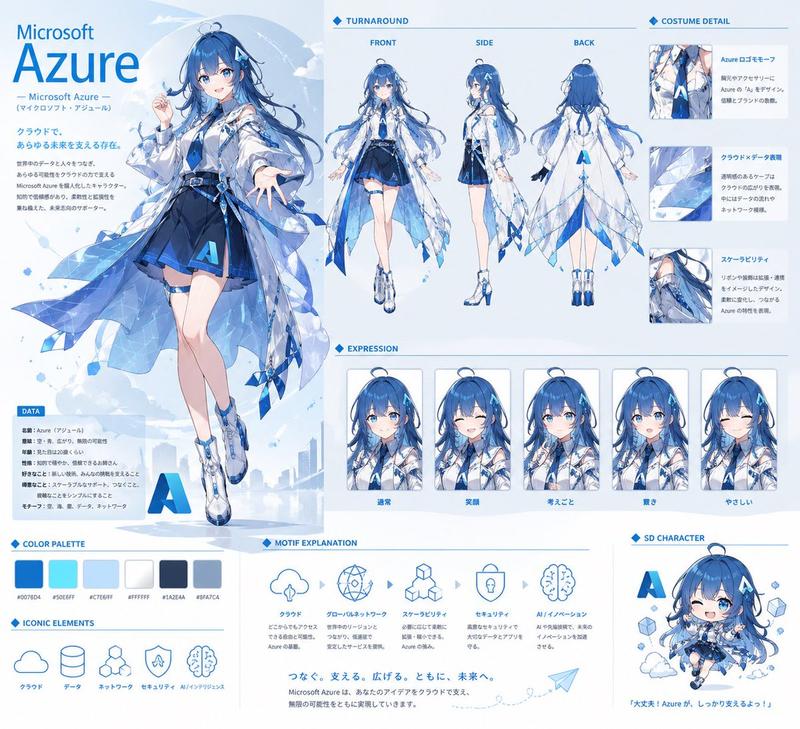
Goal: Create a vertical anime bridal fashion character sheet for {argument name="character name" default="Roboco-san"}, a cybernetic idol bride in a soft pink mecha-themed wedding dress, presented as a luxury magazine design board titled {argument name="headline text" default="WEDDING DRESS Collection"}.

Canvas: Portrait 3:4 composition, pale blush-pink border with ornate thin lines, rose motifs, delicate filigree corners, glossy high-resolution anime illustration. Use a dreamy cathedral wedding atmosphere with stained-glass windows, sheer curtains, sparkling floor reflections, floating petals, soft bloom lighting, and a romantic pink-white color palette.

Main layout: Split the page into two major columns. The left column is a large full-body hero illustration taking about half the canvas width. The right column is a detailed fashion-spec panel with title, description text, and multiple labeled inset views. Add a bottom information strip spanning the page.

Hero illustration: Show one full-body anime bride with very long {argument name="hair color" default="brown to rose-pink gradient hair"}, flowing waist-length twin-tail-like hair strands, a pink rose flower crown, translucent veil, and a gentle bridal pose holding a large bouquet. Her face should be softly obscured or simplified with no sharp facial detail. She wears a white and blush-pink asymmetrical wedding dress with a corset bodice, heart-shaped neckline, off-shoulder puff sleeves, layered ruffled skirt, translucent overskirt, pink ribbons, rose decorations, pearl-like trim, silver mechanical accents, and one visible cybernetic/mecha leg. Include high-heeled platform bridal shoes with pink roses and ankle straps. Bouquet should be round and dense with pink roses, white filler flowers, green leaves, and long trailing pink ribbons.

Visible text and typography: Use elegant serif and script typography in dusty rose. Large title on the right reads “WEDDING DRESS” with “Collection” below in cursive. Include smaller English text “Roboco-san Bridal Style 2024” and Japanese-style descriptive body copy as decorative filler. Add vertical Japanese quote on the left side of the hero illustration: {argument name="side quote" default="キミとなら、未来もずっと幸せでいられる気がするの……♡"}. Add bottom center quote: {argument name="bottom quote" default="キミの隣で、ずっと笑っていられますように。"}. Add bottom-left name label “Roboco-san” and “Bridal Style 2024”.

Right-side fashion panels: Include exactly 10 labeled inset panels. The first row has 3 full-body turnaround panels labeled “FRONT”, “SIDE”, and “BACK”. Below them are 7 detail panels labeled “BOUQUET”, “SHOULDER & BODICE”, “MECHA LEG”, “SHOES”, “BACK STYLE”, and “RIBBON DETAIL”, with the “SHOES” section split into two small shoe close-up images inside one labeled panel. The detail panels show close-ups of the bouquet, corset bust and shoulders, robotic leg joint, bridal platform heels, rear hair-and-dress silhouette, and a large pink bow with roses.

Bottom-left design information: Add a framed “Design Point” card containing exactly 4 Japanese bullet-style lines with small pink flower/star bullets. Below it add a “Color Palette” row with exactly 5 rectangular swatches labeled “Rose Pink”, “Blush Pink”, “Pearl White”, “Silver”, and “Light Rose”.

Bottom-right stats card: Add a small framed profile box with exactly 3 lines: “Height: 152cm”, “Birthday: 5 / 23”, and “Favorite: …” as tiny decorative text. Add small rose icons around the bottom strip.

Style constraints: Keep everything cohesive in pastel pink, pearl white, silver, and light rose. Use ornate bridal catalog aesthetics, clean panel borders, soft glitter, highly detailed lace and ruffles, delicate cybernetic parts, and no dark or harsh colors. The image should feel like an official idol wedding dress collection sheet rather than a simple portrait.- Category
- Charts & Infographics
- Model
- GPT Image 2
- Creator
- リベ|生成AIで自由に生きてます
- Source ID
- 20288
- Published
- May 14, 2026
Views3