20

优雅白色旗袍人像
Enlarge

Example images

优雅白色旗袍人像

Prompt
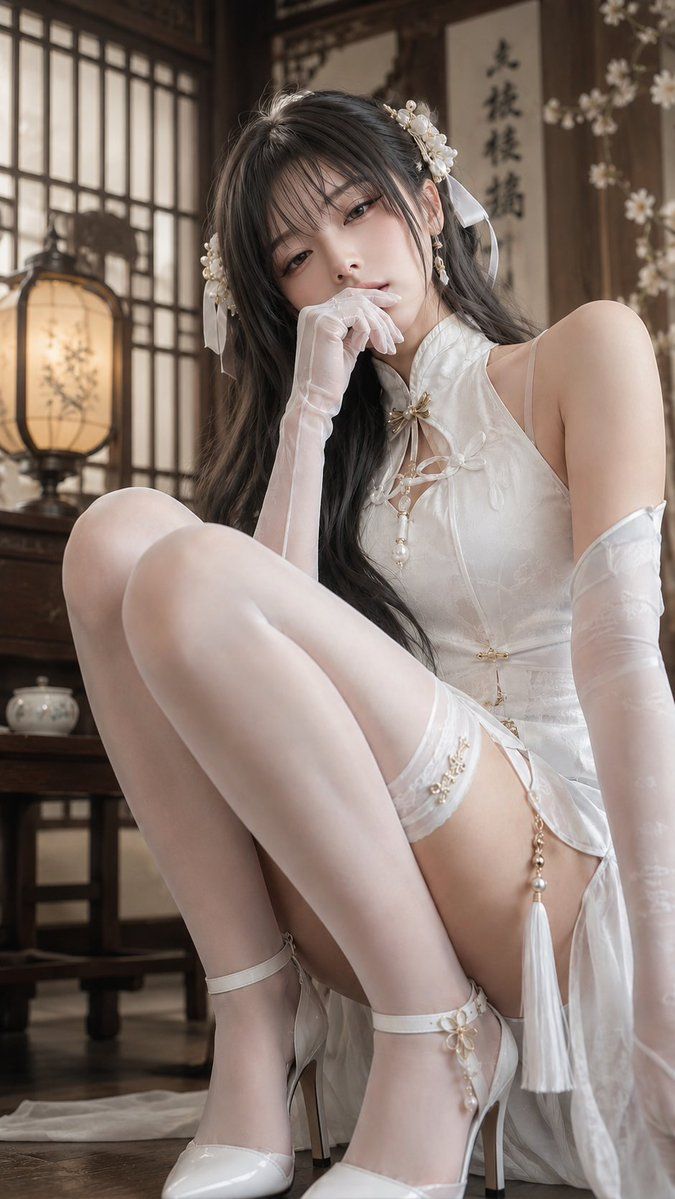
Create a vertical photorealistic portrait of an elegant adult woman seated on the floor in a traditional Chinese-style wooden room, wearing a glossy white silk qipao-inspired bridal outfit with delicate frog closures, pearl accents, tassels, and a high side slit. Her face is intentionally covered by a centered opaque square censor block in a muted brown skin-tone color. She has long wavy {argument name="hair color" default="dark brown"} hair flowing over her shoulders, decorated with exactly two white floral pearl hair ornaments and exactly two translucent white ribbon bows. She wears exactly two sheer white opera gloves, exactly two white high-heeled Mary Jane shoes with ankle straps, and a sheer white stocking detail with pearl-and-flower trim on one thigh. Pose her sitting low with both knees raised close to the camera, one gloved hand near her face, creating a soft fashion editorial composition. The setting includes exactly one warm glowing paper lantern on a wooden table to the left, exactly one small white teapot on a low table in the background, dark wooden furniture, shoji-style window grids, hanging calligraphy scrolls, and white blossom branches on the right. Use warm natural window light, shallow depth of field, creamy bokeh, realistic skin and fabric texture, high-end cosplay photography aesthetics, muted beige and ivory tones, and a 9:16 vertical crop. Keep the mood graceful, serene, and luxurious; no extra text, no watermark.
Category
Charts & Infographics
Model
GPT Image 2
Views24
Source ID
20324
Published
May 14, 2026

Guide

About "优雅白色旗袍人像"

What is this prompt for?

"优雅白色旗袍人像" AI image prompt for GPT Image 2 (Charts & Infographics). 一张写实风格的竖版时尚人像,展现了一位身着白色旗袍风格服饰的成年女性,背景为传统中式室内环境。 Copy it on Picva and recreate the look in o…

The full copyable prompt and example visuals above are ready for AI image generation or one-click recreate in Picva.

How to use this prompt

  1. Step 1

    Open the prompt detail

    Review the example visuals, category, and full prompt text for "优雅白色旗袍人像".

  2. Step 2

    Copy the prompt

    Copy the prompt body from this page, or load it directly in Studio.

  3. Step 3

    Pick a model (GPT Image 2)

    Prefer GPT Image 2. If you switch models, keep subject and composition and tweak style terms.

  4. Step 4

    Generate and export

    Recreate the look in Picva, or export into your workflow for editing and publishing.

FAQ

What is the "优雅白色旗袍人像" prompt?
It is an AI image-generation prompt for GPT Image 2 in the Charts & Infographics category. This page includes the full prompt text, example visuals, and a one-click recreate path in Picva.
How do I use this prompt to generate an image?
Copy the prompt from this page, or use Generate / Studio. Paste it into a compatible image model, or recreate the look in Picva with optional reference images.
Which model is this prompt for?
This page lists GPT Image 2. Most descriptive prompts also transfer to nearby image models such as GPT Image, Flux, or Midjourney with light style tweaks.
Can I use the result commercially?
You can usually copy the prompt for creation, but commercial use of the final image depends on the model terms, reference-image rights, and the generated content. Follow the source author and platform rules.