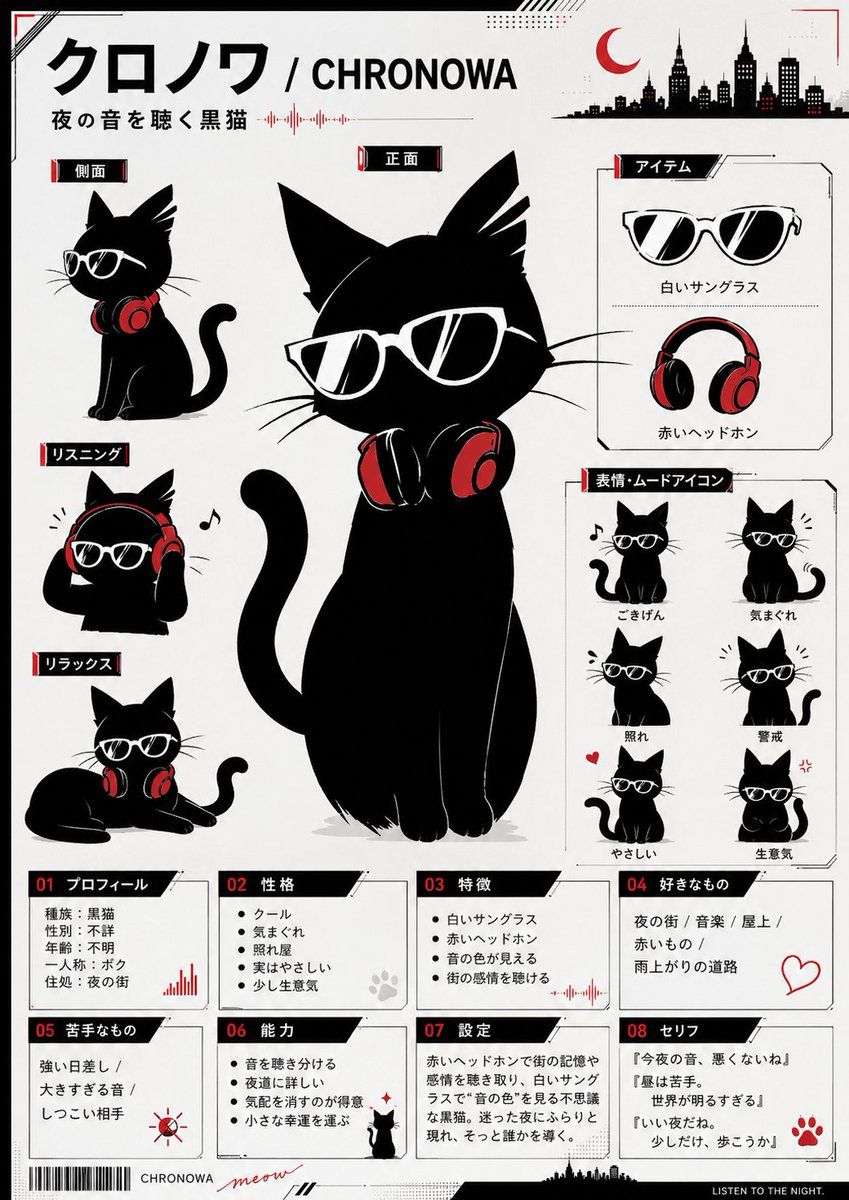
Chronowa 黑猫角色设定集
Prompt
Goal: Create a clean monochrome-and-red Japanese character reference sheet poster for a cute black cat mascot named {argument name="character name" default="Chronowa"}, a night-music themed black cat wearing white sunglasses and red headphones.

Canvas: Vertical A4-style poster, white/off-white background, thin black border, subtle red corner marks, small halftone dots, diagonal tech lines, tiny skyline silhouettes, waveform accents, barcode at bottom left, and a black footer strip reading in English “LISTEN TO THE NIGHT.” Use a crisp vector/ink illustration style with limited palette: black, white, gray, and accent red.

Main layout: Place a large central full-body front-view black cat as the hero subject, sitting upright with a curled tail, oversized pointed ears, long whiskers, white angular sunglasses with black lenses and reflective highlights, and red-and-black headphones resting around the neck. Add a bold top title in Japanese plus English using {argument name="main title text" default="クロノワ / CHRONOWA"}, with a smaller tagline beneath using {argument name="tagline text" default="夜の音を聴く黒猫"}. Add a red crescent moon and black city skyline silhouette in the upper right.

Left character views: Include exactly 3 smaller cat pose panels stacked vertically on the left, each with a black label tab and red accent: 1) side view, cat sitting in profile wearing white sunglasses with headphones around neck; 2) listening pose, cat wearing red headphones over ears, paws touching headphones, small music note nearby; 3) relax pose, cat lying down with headphones around neck.

Right item box: Include exactly 2 item illustrations inside a bordered box: 1) white sunglasses; 2) red headphones. Label them in Japanese using the same graphic style.

Right mood icon box: Include exactly 6 small chibi mood icons in a 2-column by 3-row grid, all black cat icons with white sunglasses: 1) good mood with music note; 2) cool but moody; 3) shy/embarrassed; 4) alert with motion marks; 5) kind with small red heart; 6) slightly angry with red anger symbol.

Bottom information cards: Create exactly 8 bordered info cards across the lower third, numbered 01 through 08 with black slanted header tabs and red number accents. The 8 cards are: 01 profile; 02 personality; 03 features; 04 favorite things; 05 dislikes; 06 abilities; 07 setting; 08 quotes. Use compact Japanese text inside the cards, with small decorative icons such as a waveform, paw print, sun warning symbol, small cat silhouette, and red paw mark. For the quote card, include three short Japanese quote lines using {argument name="quote text" default="『今夜の音、悪くないね』 / 『星は苦手。世界が明るすぎる』 / 『いい夜だね。少しだけ、歩こうか』"}.

Text style: Use strong Japanese display typography, black labels with red side bars, small red waveform graphics, and clean technical annotation lines. Keep the poster readable but allow tiny Japanese text to feel like a designed reference sheet.

Constraints: Use exactly one central hero cat, exactly 3 left pose panels, exactly 2 item illustrations, exactly 6 mood icons, and exactly 8 bottom info cards. No humans, no extra characters, no full-color background, no photorealism, no watermark.- Category
- Charts & Infographics
- Model
- GPT Image 2
- Creator
- haruno
- Source ID
- 20390
- Published
- May 14, 2026
Views4