19

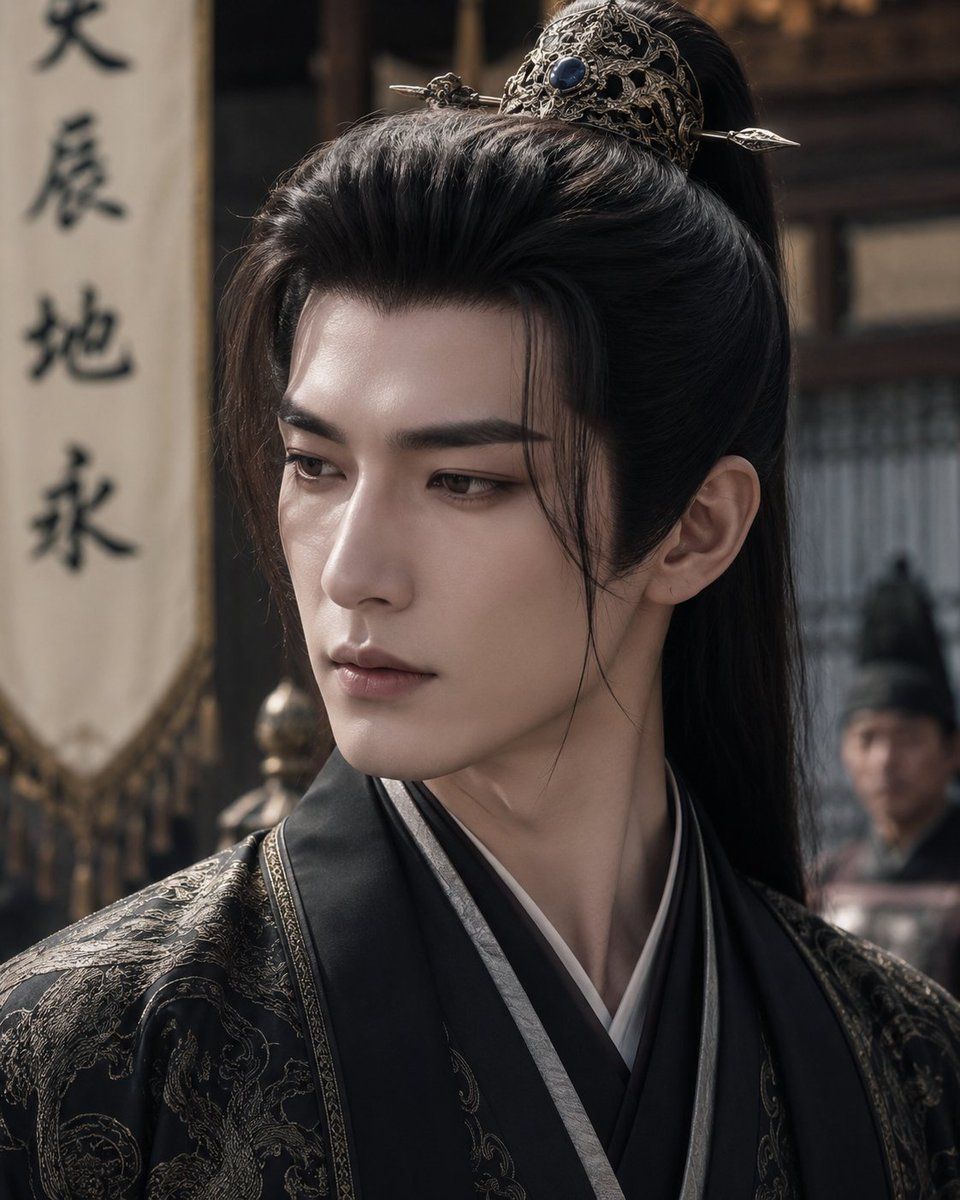
被遮挡的中国古装剧男主角
Enlarge

被遮挡的中国古装剧男主角

Prompt
Create a cinematic vertical close-up portrait of {argument name="character type" default="a handsome male protagonist from a Chinese historical drama"} standing in an ancient palace or sect courtyard. He wears elegant black layered hanfu robes with dark gray lapels, white inner collar, and intricate gold embroidered dragon-and-cloud patterns on the shoulders and sleeves. His long glossy black hair is pulled into a high half-up ponytail with a large ornate silver filigree crown hairpiece set with a dark blue gemstone and secured by a horizontal hairpin. The camera frames him from chest to top of head, slightly off-center, with his head turned subtly to the viewer's right so one ear and neck are visible. Place a large solid matte brown rectangular censor block over the center of his face, covering the facial features completely, and a smaller similar blurred/censored rectangle over one background extra at the right. The background is softly out of focus: traditional wooden architecture, a vertical cloth banner on the left with black Chinese calligraphy, muted warm daylight, and indistinct guards or attendants. Use a realistic TikTok Chinese costume-drama aesthetic, shallow depth of field, dramatic natural lighting, high-detail textile texture, muted black-gold color palette, 4:5 portrait composition, no modern objects, no subtitles, no watermark.
Category
Charts & Infographics
Model
GPT Image 2
Views8
Source ID
20587
Published
May 15, 2026

Guide

About "被遮挡的中国古装剧男主角"

What is this prompt for?

"被遮挡的中国古装剧男主角" AI image prompt for GPT Image 2 (Charts & Infographics). 一张电影质感的历史题材中国古装剧肖像提示词,主角身着黑袍,佩戴华丽发饰,面部带有遮挡效果。 Copy it on Picva and recreate the look in…

The full copyable prompt and example visuals above are ready for AI image generation or one-click recreate in Picva.

How to use this prompt

  1. Step 1

    Open the prompt detail

    Review the example visuals, category, and full prompt text for "被遮挡的中国古装剧男主角".

  2. Step 2

    Copy the prompt

    Copy the prompt body from this page, or load it directly in Studio.

  3. Step 3

    Pick a model (GPT Image 2)

    Prefer GPT Image 2. If you switch models, keep subject and composition and tweak style terms.

  4. Step 4

    Generate and export

    Recreate the look in Picva, or export into your workflow for editing and publishing.

FAQ

What is the "被遮挡的中国古装剧男主角" prompt?
It is an AI image-generation prompt for GPT Image 2 in the Charts & Infographics category. This page includes the full prompt text, example visuals, and a one-click recreate path in Picva.
How do I use this prompt to generate an image?
Copy the prompt from this page, or use Generate / Studio. Paste it into a compatible image model, or recreate the look in Picva with optional reference images.
Which model is this prompt for?
This page lists GPT Image 2. Most descriptive prompts also transfer to nearby image models such as GPT Image, Flux, or Midjourney with light style tweaks.
Can I use the result commercially?
You can usually copy the prompt for creation, but commercial use of the final image depends on the model terms, reference-image rights, and the generated content. Follow the source author and platform rules.