AI 思考古典半身像海报
Prompt
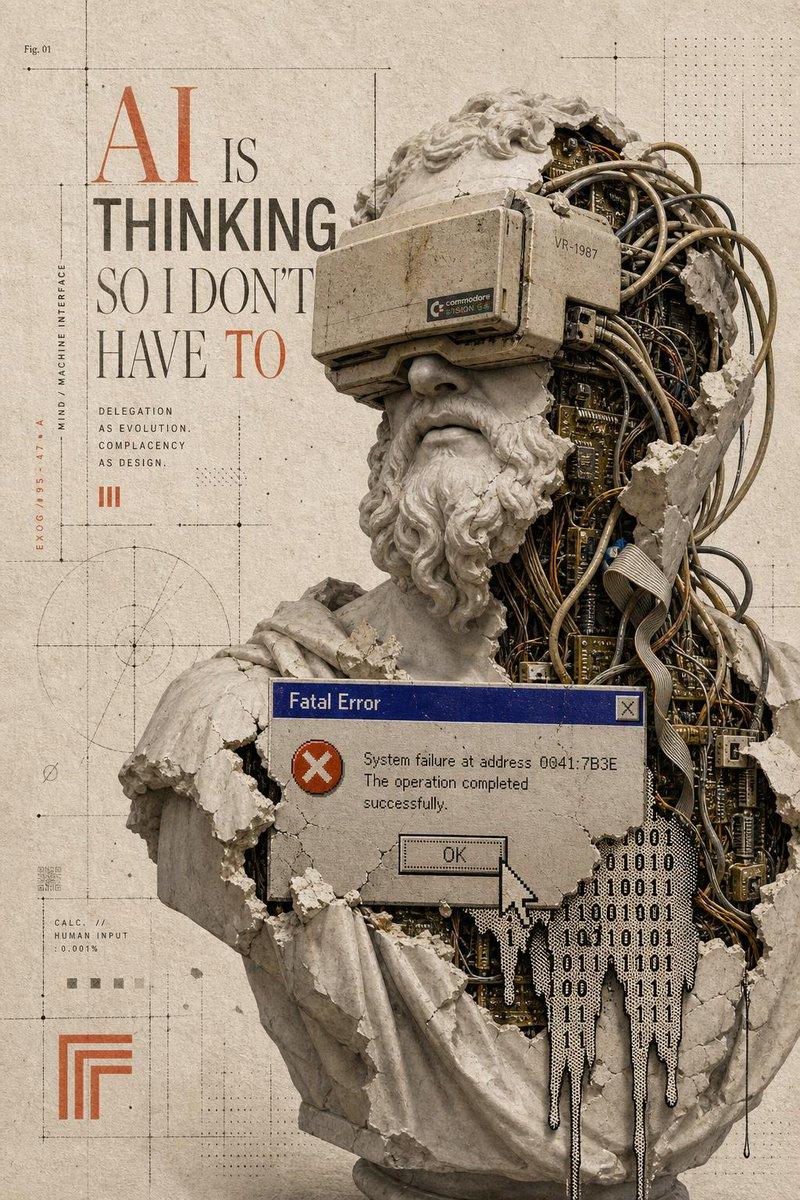
Goal: Create a vertical retro-futurist editorial poster about artificial intelligence and human delegation, combining classical sculpture, exposed machinery, and 1990s computer error UI.

Canvas: Tall portrait poster, 2:3 aspect ratio, aged beige paper background with subtle stains, grain, cracks, and technical drafting marks. Use muted sepia, stone gray, rust orange, dark graphite, blue, and off-white tones.

Main subject: A broken classical marble bust of a bearded Greek/Roman philosopher, shown from chest to head, occupying the right two-thirds of the poster. The bust is cracked and partially shattered, revealing dense cybernetic internals: tangled cables, circuit boards, ribbon wires, metal tubes, small components, and mechanical layers inside the skull and torso. The face area is deliberately covered by one large opaque square censor block in muted taupe-gray, centered over the eyes/nose/mouth region. The bust has curly stone hair and beard fragments, chipped shoulders, and missing chunks of marble around the right side of the head and body.

Typography and poster text: On the upper left, set a large editorial headline reading “{argument name="headline text" default="AI IS THINKING SO I DON'T HAVE TO"}”. Make “AI” very large in rusty orange serif type, “IS” smaller in black serif type, “THINKING” bold condensed sans serif in dark gray, “SO I DON'T HAVE” in tall elegant serif, and “TO” in rusty orange serif. Beneath the headline, include exactly 3 short stacked lines: “DELEGATION”, “AS EVOLUTION.”, “COMPLACENCY”, followed by “AS DESIGN.” on the next line as a compact micro-caption block. Add a small orange Roman numeral “III” nearby.

Error window: Place exactly 1 old Windows-style dialog box across the bust’s lower chest, with a blue title bar reading “Fatal Error”, a gray body, a red circle icon with a white X, a close button in the top right, and message text: “System failure at address 0041:7B3E\nThe operation completed successfully.” Include exactly 1 rectangular “OK” button and exactly 1 large pixelated white cursor arrow pointing at or overlapping the OK button.

Data overlay: Add exactly 1 black binary-code glitch shape dripping down from the lower right of the dialog box and over the exposed circuitry, made of repeated 0s and 1s. It should look like melting digital residue.

Background technical details: Add thin black drafting lines, crop marks, dotted grids, measurement ticks, crosshair points, and faint geometric diagrams. Include exactly 1 circular construction diagram in the lower left quadrant. Include exactly 1 small orange nested-corner logo mark near the bottom left. Include exactly 1 small label at top left reading “Fig. 01”. Along the left margin, include vertical microtext reading “MIND / MACHINE INTERFACE” and small coordinate-like text in orange. Add a tiny calculation block near the lower left reading “CALC. // HUMAN INPUT 0.001%”.

Visual style: High-detail photomontage collage, museum sculpture realism mixed with cyberpunk exposed hardware, Swiss editorial layout, brutalist typography, distressed printed texture, subtle halftone dots, precise grid composition, cinematic shadows, realistic stone dust and chipped marble edges.

Constraints: Use exactly 1 bust, exactly 1 censor square, exactly 1 error dialog, exactly 1 cursor, exactly 1 binary drip shape, exactly 1 circular diagram, and exactly 1 orange nested-corner logo. Do not add extra people, extra windows, modern glossy UI, neon colors, or watermark.- Category
- Charts & Infographics
- Model
- GPT Image 2
- Creator
- Horus He
- Source ID
- 20942
- Published
- May 16, 2026
Views1