16

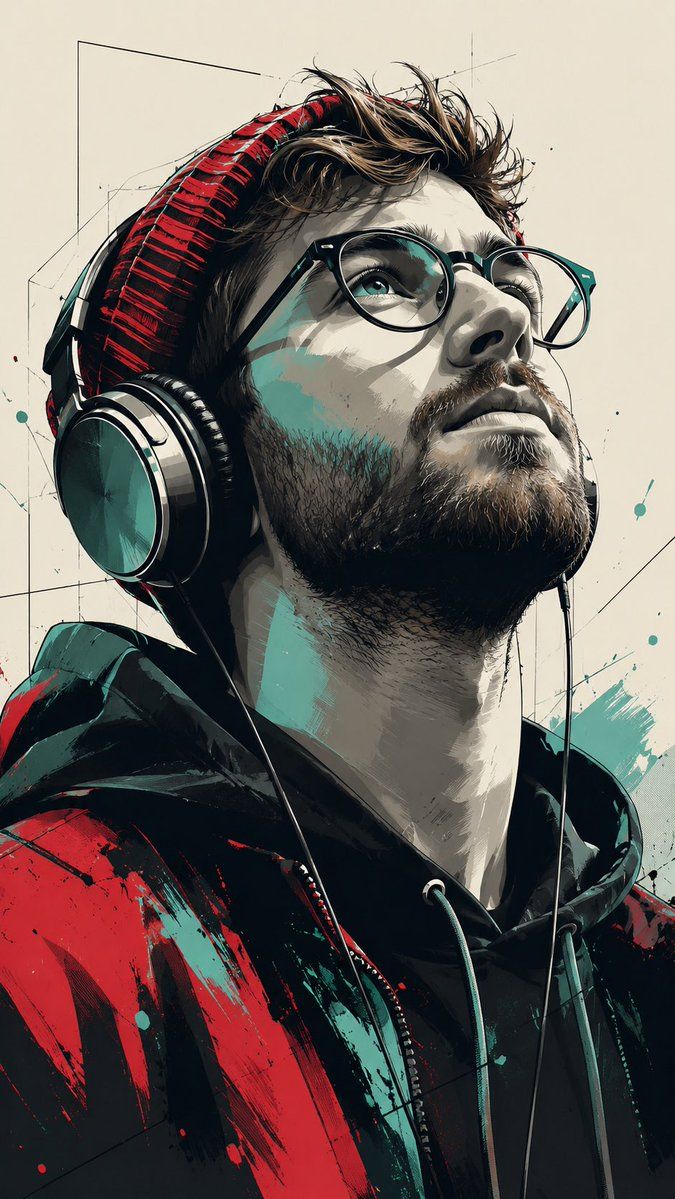
波普艺术风格矢量肖像
Enlarge

波普艺术风格矢量肖像

Prompt
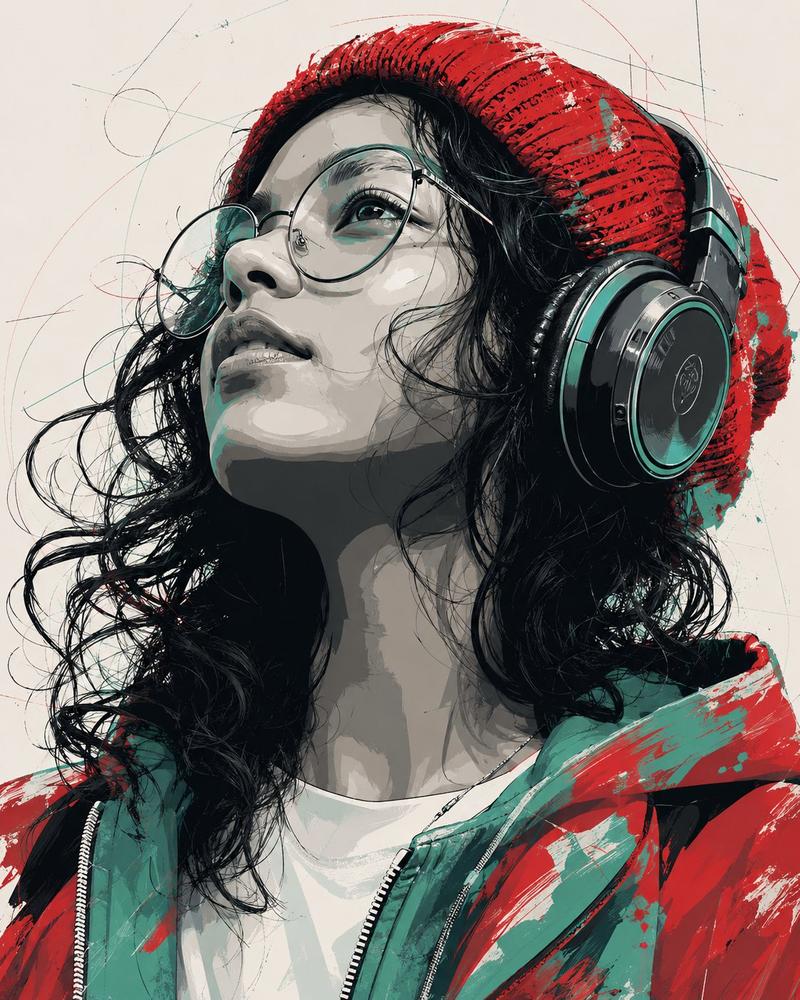
Subject & Composition: A stylized, low-angle portrait of a {argument name="subject" default="young man looking upward"} with a serene expression. He is wearing large over-ear headphones and a textured red beanie. The composition is a close-up, focusing on he profile and neck, shot with a cinematic perspective. Artistic Style: A {argument name="artistic style" default="blend of modern pop art and digital vector illustration"}. The image uses bold, high-contrast shadows and clean linework. The shading is rendered in a "cel-shaded" or posterized style with distinct color blocks rather than smooth gradients. Color Palette: A striking limited color scheme featuring {argument name="color palette" default="deep blacks, muted greys, vibrant red, and a specific teal/mint green accent"}. The background is a flat, neutral off-white with subtle, thin geometric sketch lines. Details & Texture: The woman’s jacket and beanie feature expressive, painterly strokes of red and teal. The headphones have a glossy, metallic finish with realistic reflections. Her skin is rendered in shades of grey and teal highlights to emphasize the dramatic lighting coming from above. Atmosphere: Urban, artistic, and melancholic, reminiscent of high-end graphic novel cover art or a modern street-art mural. Aspect ratio is 9:16
Category
Charts & Infographics
Model
GPT Image 2
Creator
Duet | AI
Views3
Source ID
21702
Published
May 20, 2026

Guide

About "波普艺术风格矢量肖像"

What is this prompt for?

"波普艺术风格矢量肖像" AI image prompt for GPT Image 2 (Charts & Infographics). 一份详细的提示词,用于创作低角度城市肖像,采用波普艺术与矢量插画风格,具备高对比度阴影和有限的调色板。 Copy it on Picva and recreate the loo…

The full copyable prompt and example visuals above are ready for AI image generation or one-click recreate in Picva.

How to use this prompt

  1. Step 1

    Open the prompt detail

    Review the example visuals, category, and full prompt text for "波普艺术风格矢量肖像".

  2. Step 2

    Copy the prompt

    Copy the prompt body from this page, or load it directly in Studio.

  3. Step 3

    Pick a model (GPT Image 2)

    Prefer GPT Image 2. If you switch models, keep subject and composition and tweak style terms.

  4. Step 4

    Generate and export

    Recreate the look in Picva, or export into your workflow for editing and publishing.

FAQ

What is the "波普艺术风格矢量肖像" prompt?
It is an AI image-generation prompt for GPT Image 2 in the Charts & Infographics category. This page includes the full prompt text, example visuals, and a one-click recreate path in Picva.
How do I use this prompt to generate an image?
Copy the prompt from this page, or use Generate / Studio. Paste it into a compatible image model, or recreate the look in Picva with optional reference images.
Which model is this prompt for?
This page lists GPT Image 2. Most descriptive prompts also transfer to nearby image models such as GPT Image, Flux, or Midjourney with light style tweaks.
Can I use the result commercially?
You can usually copy the prompt for creation, but commercial use of the final image depends on the model terms, reference-image rights, and the generated content. Follow the source author and platform rules.