19

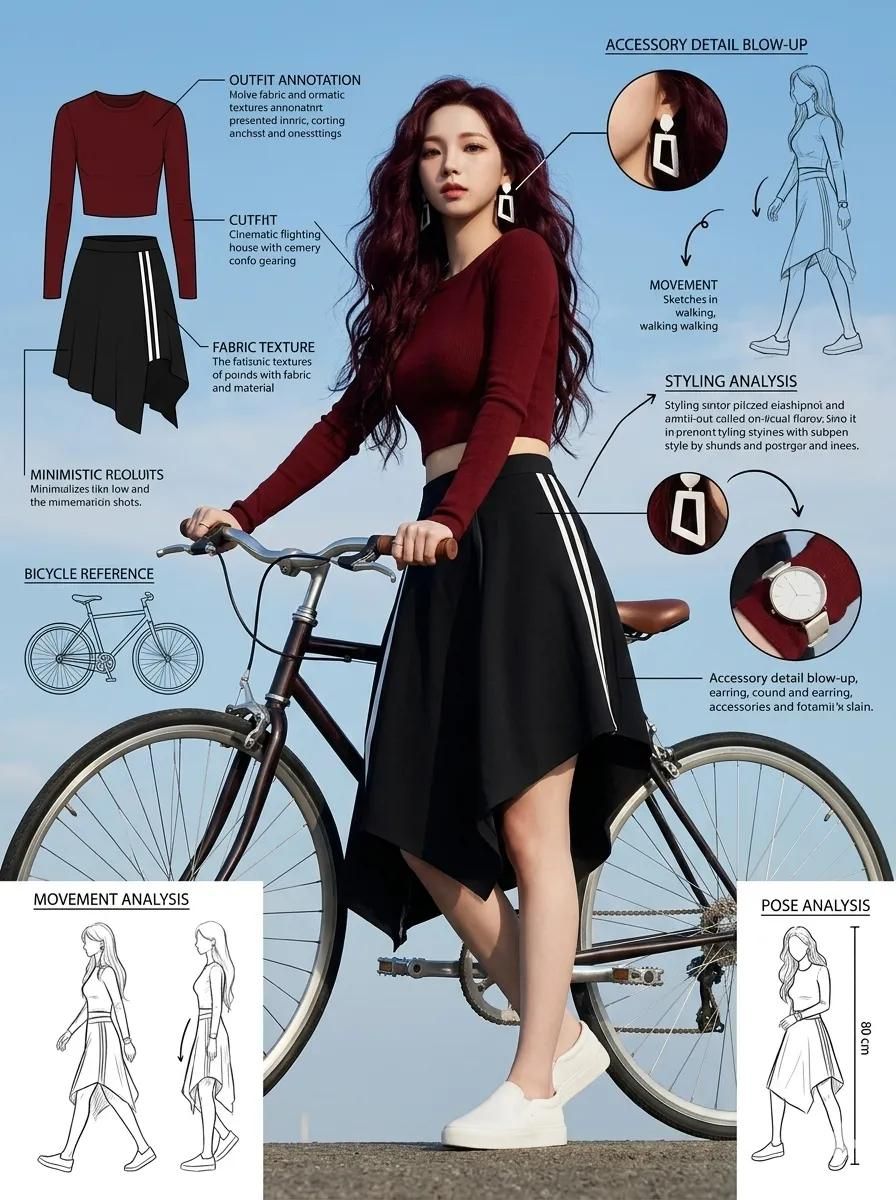
时尚编辑草图页
Enlarge

时尚编辑草图页

Prompt
Fashion sketch sheet of a stylish young woman posing next to a {argument name="prop" default="bicycle"}. Full-body photograph from a low angle, with detailed outfit annotations and fashion reference labels. Voluminous hair, striking geometric white earrings, dark red fitted long-sleeved crop top, black striped asymmetric skirt, minimalist white slip-on shoes. Artistic and relaxed pose holding the bicycle handlebars. Modern European summer fashion aesthetic. Around the model and the bicycle are {argument name="elements" default="fashion infographic elements, notes on fabric texture, bicycle design references"}, movement sketches, styling analysis, accessory details, pose analysis, outdoor cinematic lighting, blue sky background, lifestyle editorial photography aesthetic, professional and ultra-detailed fashion concept sheet, 8k, 1744x2336. Duration: 9:16.
Category
Charts & Infographics
Model
GPT Image 2
Creator
Avelyrah
Views3
Source ID
22294
Published
May 24, 2026

Guide

About "时尚编辑草图页"

What is this prompt for?

"时尚编辑草图页" AI image prompt for GPT Image 2 (Charts & Infographics). 一份专业的时尚概念草图提示词,包含全身照、信息图表及材质标注,呈现现代欧洲审美风格。 Copy it on Picva and recreate the look in one cli…

The full copyable prompt and example visuals above are ready for AI image generation or one-click recreate in Picva.

How to use this prompt

  1. Step 1

    Open the prompt detail

    Review the example visuals, category, and full prompt text for "时尚编辑草图页".

  2. Step 2

    Copy the prompt

    Copy the prompt body from this page, or load it directly in Studio.

  3. Step 3

    Pick a model (GPT Image 2)

    Prefer GPT Image 2. If you switch models, keep subject and composition and tweak style terms.

  4. Step 4

    Generate and export

    Recreate the look in Picva, or export into your workflow for editing and publishing.

FAQ

What is the "时尚编辑草图页" prompt?
It is an AI image-generation prompt for GPT Image 2 in the Charts & Infographics category. This page includes the full prompt text, example visuals, and a one-click recreate path in Picva.
How do I use this prompt to generate an image?
Copy the prompt from this page, or use Generate / Studio. Paste it into a compatible image model, or recreate the look in Picva with optional reference images.
Which model is this prompt for?
This page lists GPT Image 2. Most descriptive prompts also transfer to nearby image models such as GPT Image, Flux, or Midjourney with light style tweaks.
Can I use the result commercially?
You can usually copy the prompt for creation, but commercial use of the final image depends on the model terms, reference-image rights, and the generated content. Follow the source author and platform rules.